







Question: Software Engineering: need a good implementation of the system for this using mysql server or microsoft access. (Note: Please Include a decription detailing the solution
Software Engineering: need a good implementation of the system for this using mysql server or microsoft access. (Note: Please Include a decription detailing the solution and instructions for the database table. Examples are below. It would be greatly appreciated for documentation. Thank You Very Much!
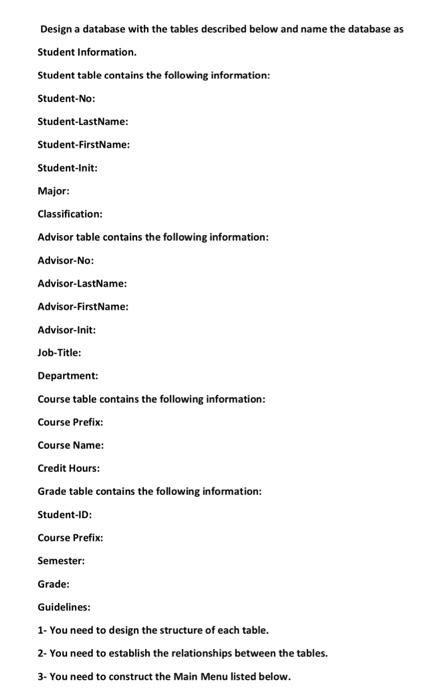
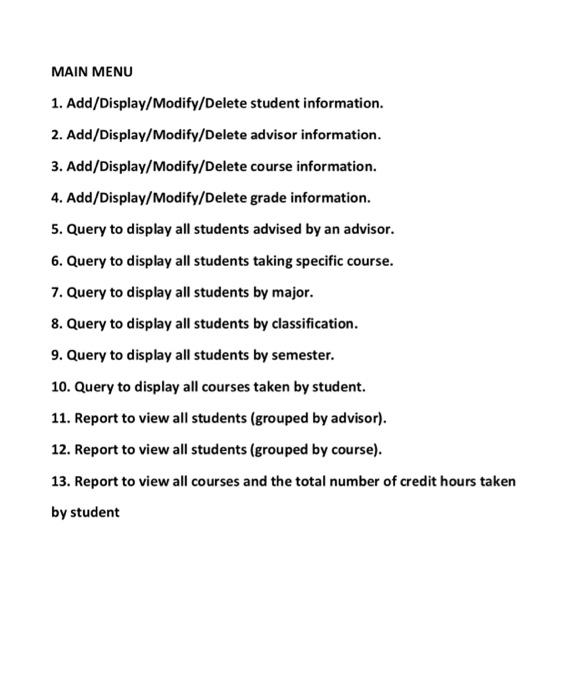
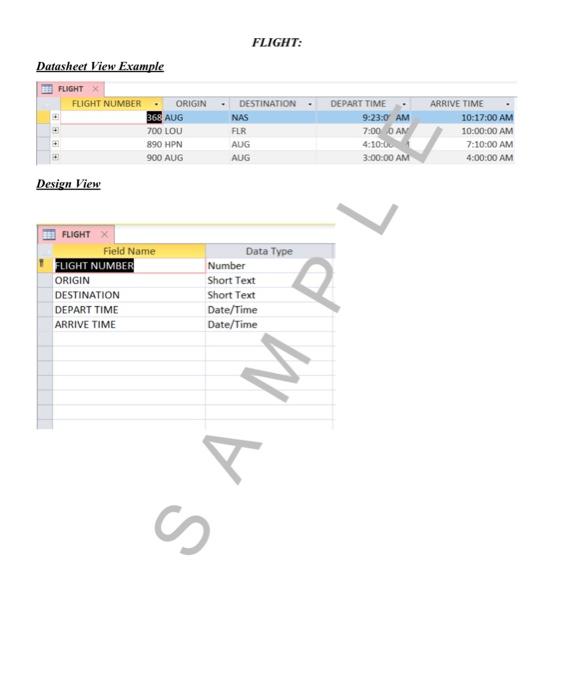
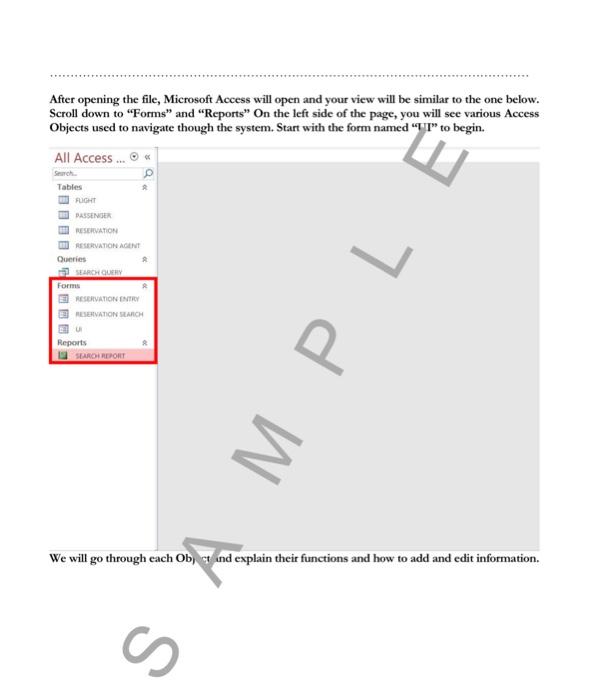
Design a database with the tables described below and name the database as Student Information. Student table contains the following information: Student-No: Student-LastName: Student-FirstName: Student-Init: Major: Classification: Advisor table contains the following information: Advisor-No: Advisor-LastName: Advisor-FirstName: Advisor-Init: Job-Title: Department: Course table contains the following information: Course Prefix: Course Name: Credit Hours: Grade table contains the following information: Student-ID: Course Prefix: Semester: Grade: Guidelines: 1- You need to design the structure of each table. 2- You need to establish the relationships between the tables. 3- You need to construct the Main Menu listed below. MAIN MENU 1. Add/Display/Modify/Delete student information. 2. Add/Display/Modify/Delete advisor information. 3. Add/Display/Modify/Delete course information. 4. Add/Display/Modify/Delete grade information. 5. Query to display all students advised by an advisor. 6. Query to display all students taking specific course. 7. Query to display all students by major. 8. Query to display all students by classification. 9. Query to display all students by semester. 10. Query to display all courses taken by student. 11. Report to view all students (grouped by advisor). 12. Report to view all students (grouped by course). 13. Report to view all courses and the total number of credit hours taken by student FLIGHT: Datasheet View Example Design View After opening the file, Microsoft Access will open and your view will be similar to the one below. Scroll down to "Forms" and "Reports" On the left side of the page, you will see various Access Objects used to navigate though the system. Start with the form named "WI" to begin. We will go through each Obj ct ind explain their functions and how to add and edit information
Step by Step Solution
There are 3 Steps involved in it

Get step-by-step solutions from verified subject matter experts
 Study Help