







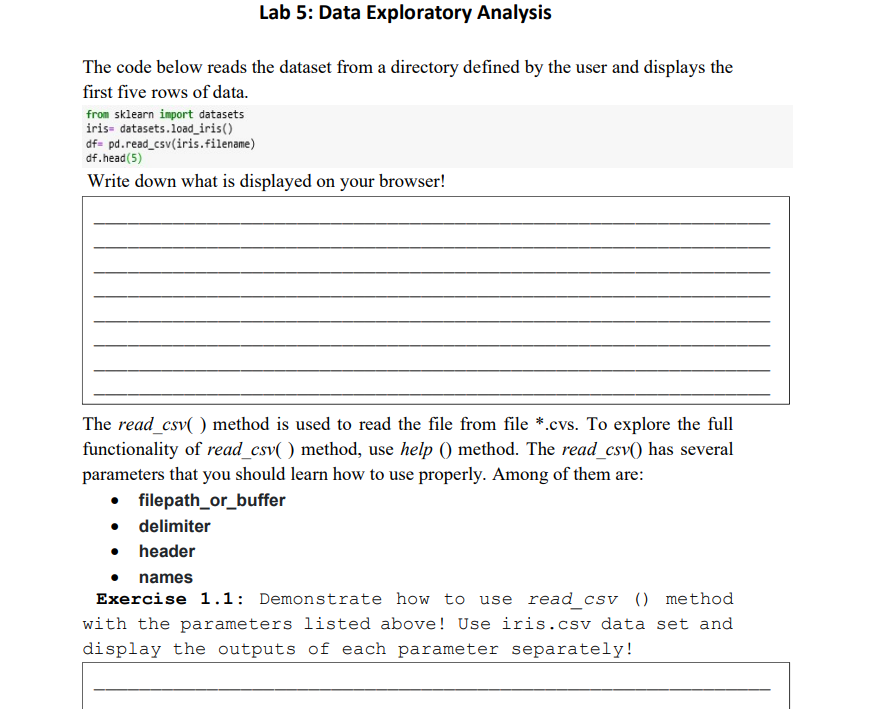
Question: Solution header using Python The code below reads the dataset from a directory defined by the user and displays the first five rows of data.
Solution header
using Python
The code below reads the dataset from a directory defined by the user and displays the first five rows of data. from sklearn import datasets iris= datasets.1oad_iris() df= pd.read_csv(iris.filename) df.head(5) Write down what is displayed on your browser! The read_csv( ) method is used to read the file from file *.cvs. To explore the full functionality of read_csv( ) method, use help () method. The read_csv() has several parameters that you should learn how to use properly. Among of them are: - filepath_or_buffer - delimiter - header - names Exercise 1.1: Demonstrate how to use read_csV () method with the parameters listed above! Use iris.csv data set and display the outputs of each parameter separately
Step by Step Solution
There are 3 Steps involved in it

Get step-by-step solutions from verified subject matter experts
 Study Help