







Question: solution of this question plz GOLD Write a program which generates a class of shape called a rose in mathematics, such as the one shown
solution of this question plz
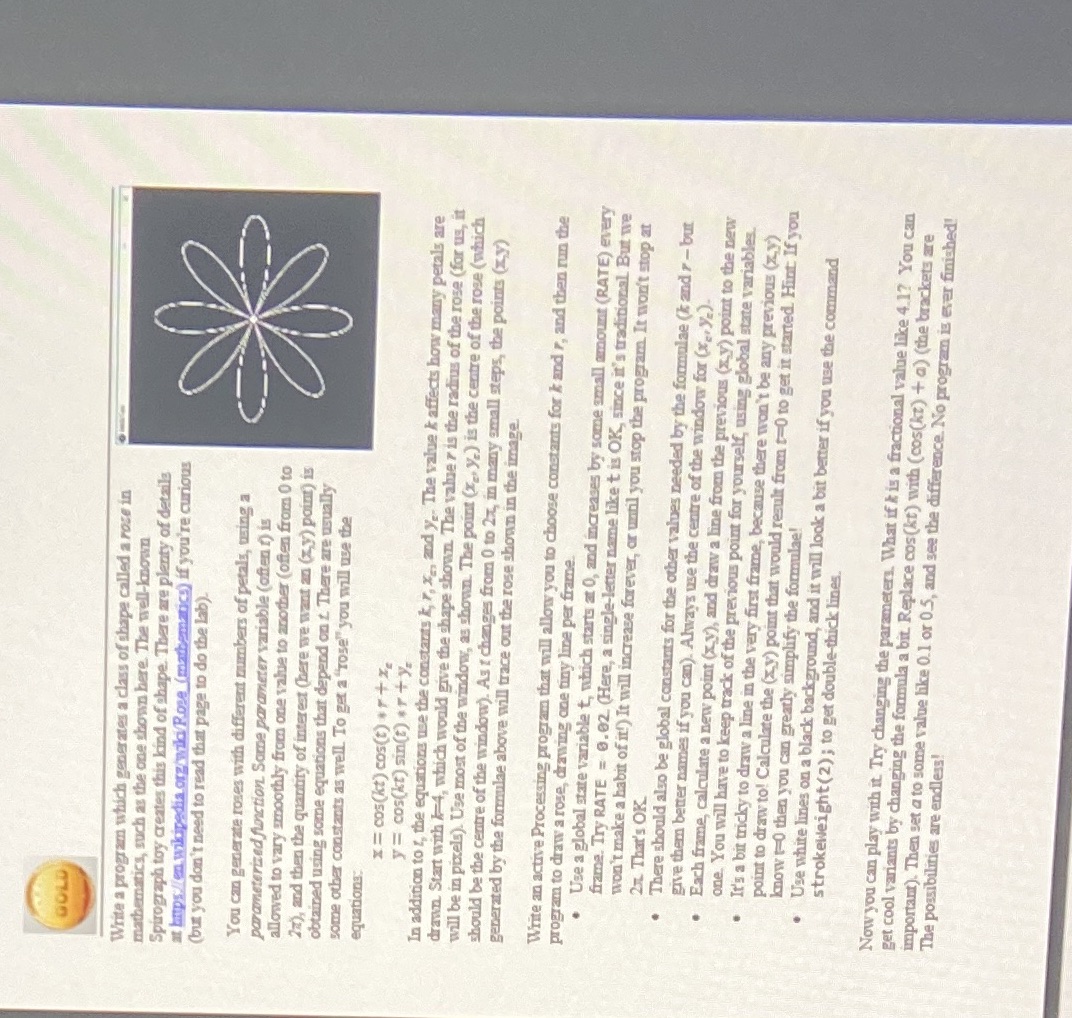
GOLD Write a program which generates a class of shape called a rose in mathematics, such as the one shown here. The well-known Spirograph toy creates this kind of shape. There are plenty of details at hips /en.wikipedia.org/wild Rose (mathematics) if you're curious (but you don't need to read that page to do the lab). You can generate roses with different numbers of petals, using a parameterized function. Some parameter variable (often !) is allowed to vary smoothly from one value to another (often from ( to 2z), and then the quantity of interest (here we want an (xy) point) is obtained using some equations that depend on t. There are usually some other constants as well. To get a "rose" you will use the equations x = cos(kt) cos(t) .r+ 1. y = cos(kt) sin(t) .ry In addition to z, the equations use the constants k, 7, X., and y, The value & affects how many petals are drawn. Start with -4, which would give the shape shown. The value r is the radius of the rose (for us, it will be in pixels). Use most of the window, as shown. The point (x.. y,) is the centre of the rose (which should be the centre of the window). As : changes from 0 to 2x, in many small steps, the points (zy) generated by the formulae above will trace out the rose shown in the image Write an active Processing program that will allow you to choose constants for k and r, and then run the program to draw a rose, drawing one tiny line per frame. . Use a global state variable t, which starts at 0, and increases by some small amount (RATE) every frame. Try RATE = 0. 02. (Here, a single-letter name like t is OK, since it's traditional But we won't make a habit of it!) It will increase forever, or until you stop the program. It won't stop at 2. That's OK. There should also be global constants for the other values needed by the formulae (k and r - but give them better names if you can). Always use the centre of the window for (X.. y=) Each frame, calculate a new point (x y), and draw a line from the previous (x.y) point to the new one. You will have to keep track of the previous point for yourself, using global state variables. It's a bit tricky to draw a line in the very first frame, because there won't be any previous (zy) point to draw to! Calculate the (x y) point that would result from + 0 to get it started. Hint: If you know +0 then you can greatly simplify the formulae! . Use white lines on a black background, and it will look a bit better if you use the command strokeweight(2) ; to get double-thick lines. Now you can play with it. Try changing the parameters. What if & is a fractional value like 4.1? You can get cool variants by changing the formula a bit. Replace cos(kt) with (cos(kt) + @) (the brackets are important). Then set a to some value like 0.1 or 0.5, and see the difference. No program is ever finished! The possibilities are endless
Step by Step Solution
There are 3 Steps involved in it

Get step-by-step solutions from verified subject matter experts
 Study Help