







Question: SOLVE FAST PLEASE FOR THUMBS UP JAVA This project goal is to develop a GUI for rental media system Your Project should include Layouts (GridPane
SOLVE FAST PLEASE FOR THUMBS UP
JAVA
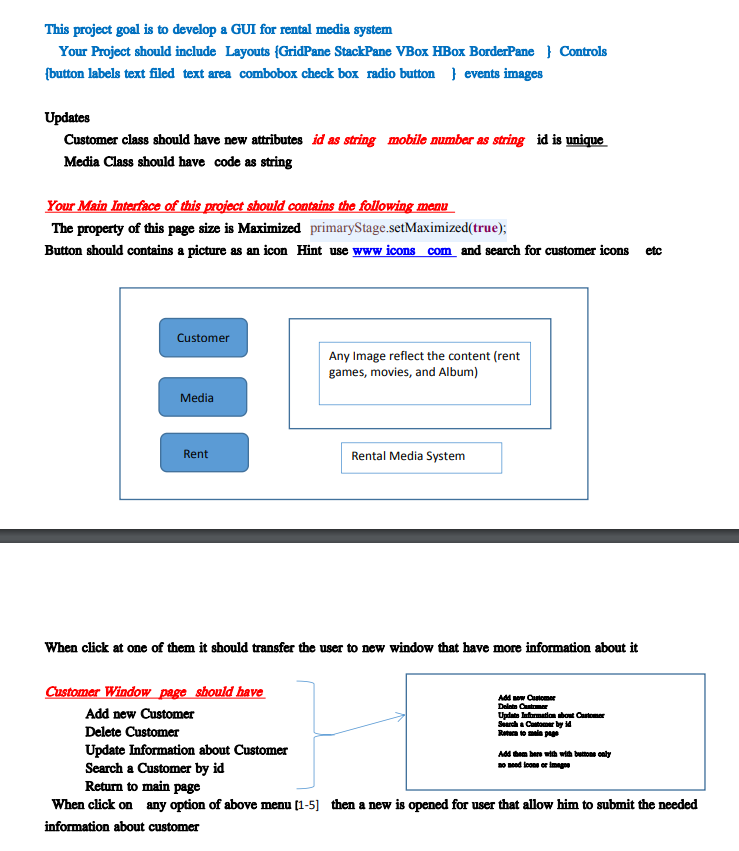
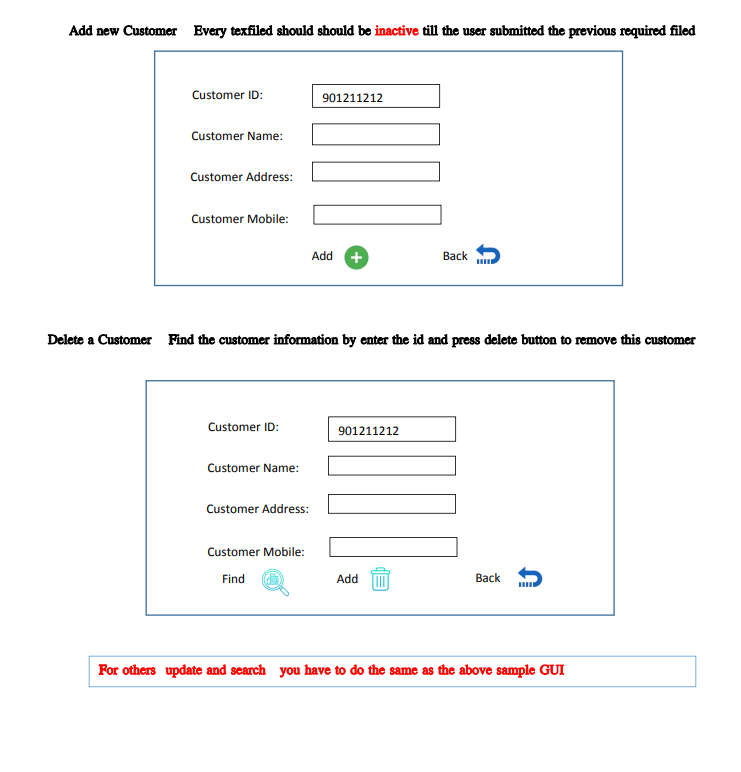
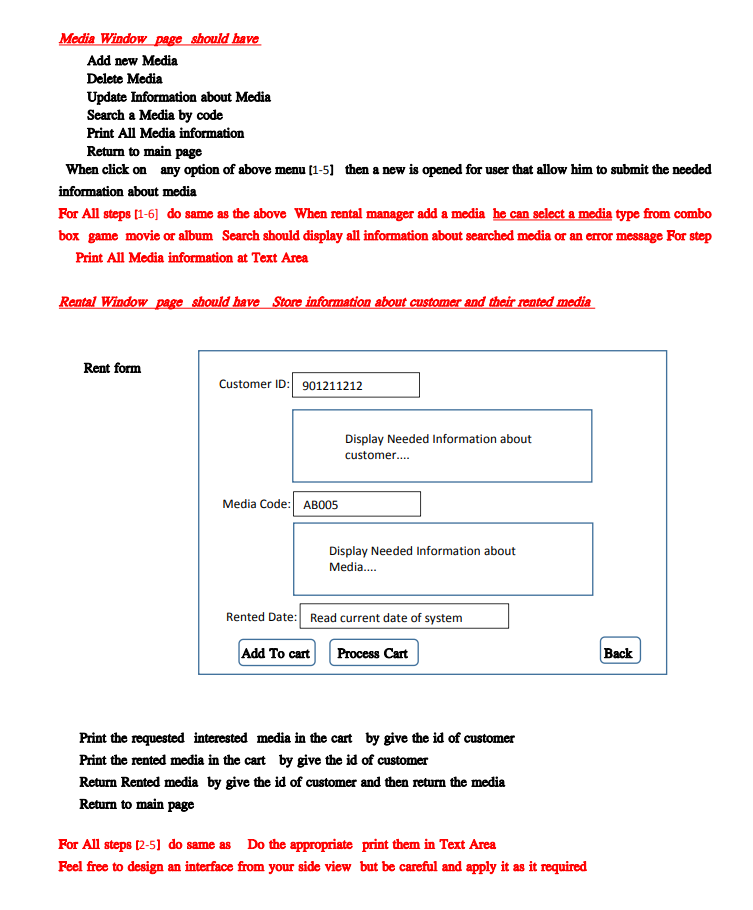
This project goal is to develop a GUI for rental media system Your Project should include Layouts (GridPane StackPane VBox HBox BorderPane } Controls {button labels text filed text area combobox check box radio button events images Updates Customer class should have new attributes id as string mobile number as string id is unique Media Class should have code as string Your Main Interface of this project should contains the following menu The property of this page size is Maximized primaryStage.setMaximized(true); Button should contains a picture as an icon Hint use www icons com and search for customer icons etc Customer Any Image reflect the content (rent games, movies, and Album) Media Rent Rental Media System When click at one of them it should transfer the user to new window that have more information about it Add Customer Delet Gatew Update information about Cartoon Search Customer by Rotato lapu Customer Window page should have Add new Customer Delete Customer Update Information about Customer Add them bene with with button only Search a Customer by id o need from empre Return to main page When click on any option of above menu (1-5] then a new is opened for user that allow him to submit the needed information about customer Add new Customer Every texfiled should should be inactive till the user submitted the previous required filed Customer ID: 901211212 Customer Name: Customer Address: Customer Mobile: Add + Back Delete a Customer Find the customer information by enter the id and press delete button to remove this customer Customer ID: 901211212 Customer Name: Customer Address: Customer Mobile: Find Add Back Por others update and search you have to do the same as the above sample GUI Media Window page should have Add new Media Delete Media Update Information about Media Search a Media by code Print All Media information Return to main page When click on any option of above menu (1-5) then a new is opened for user that allow him to submit the needed information about media For All steps [1-6] do same as the above When rental manager add a media he can select a media type from combo box game movie or album Search should display all information about searched media or an error message For step Print All Media information at Text Area Rental Window page should have Store information about customer and their rented media Rent form Customer ID: 901211212 Display Needed Information about customer.... Media Code: AB005 Display Needed Information about Media.... Rented Date: Read current date of system Add to cart Process Cart Back Print the requested interested media in the cart by give the id of customer Print the rented media in the cart by give the id of customer Return Rented media by give the id of customer and then return the media Return to main page For All steps (2-5) do same as Do the appropriate print them in Text Area Feel free to design an interface from your side view but be careful and apply it as it required
Step by Step Solution
There are 3 Steps involved in it

Get step-by-step solutions from verified subject matter experts
 Study Help