







Question: Solve this using VBA for Microsoft Excel Part A - Days Array >Create an array with seven elements > Manually fill with days of the
Solve this using VBA for Microsoft Excel
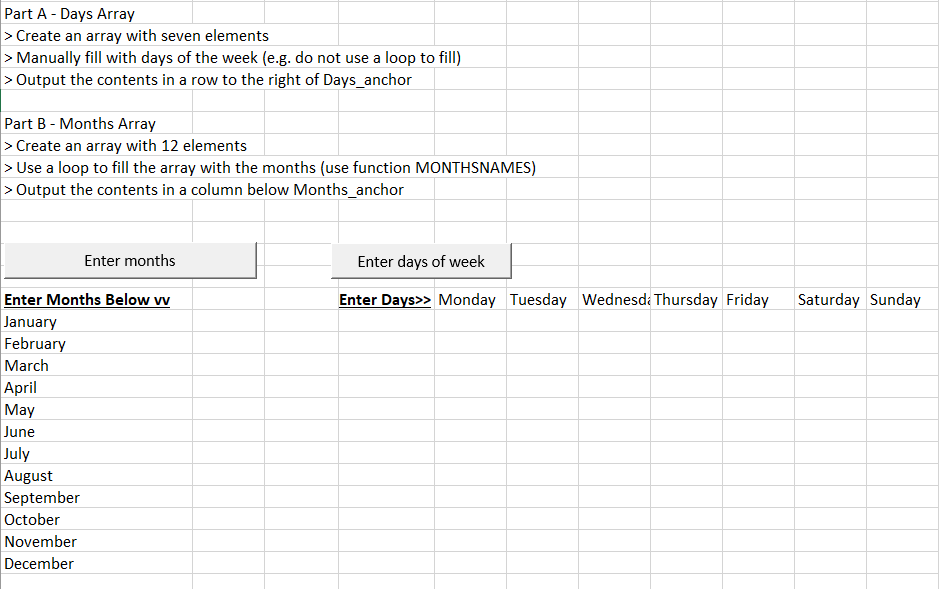
Part A - Days Array >Create an array with seven elements > Manually fill with days of the week (e.g. do not use a loop to fill) > Output the contents in a row to the right of Days_anchor Part B - Months Array > Create an array with 12 elements > Use a loop to fill the array with the months (use function MONTHSNAMES) > Output the contents in a column below Months_anchor Enter months Enter days of week Enter Days>> Monday Tuesday Wednesda Thursday Friday Saturday Sunday Enter Months Below w January February March April May June July August September October November December Part A - Days Array >Create an array with seven elements > Manually fill with days of the week (e.g. do not use a loop to fill) > Output the contents in a row to the right of Days_anchor Part B - Months Array > Create an array with 12 elements > Use a loop to fill the array with the months (use function MONTHSNAMES) > Output the contents in a column below Months_anchor Enter months Enter days of week Enter Days>> Monday Tuesday Wednesda Thursday Friday Saturday Sunday Enter Months Below w January February March April May June July August September October November December
Step by Step Solution
There are 3 Steps involved in it

Get step-by-step solutions from verified subject matter experts
 Study Help