







Question: Solve using MATLAB, use any picture. Solve only the sepia part of the problem (last part). The code below is how far I got, but
Solve using MATLAB, use any picture. Solve only the sepia part of the problem (last part). The code below is how far I got, but the image isn't turning out "sepia" instead its green
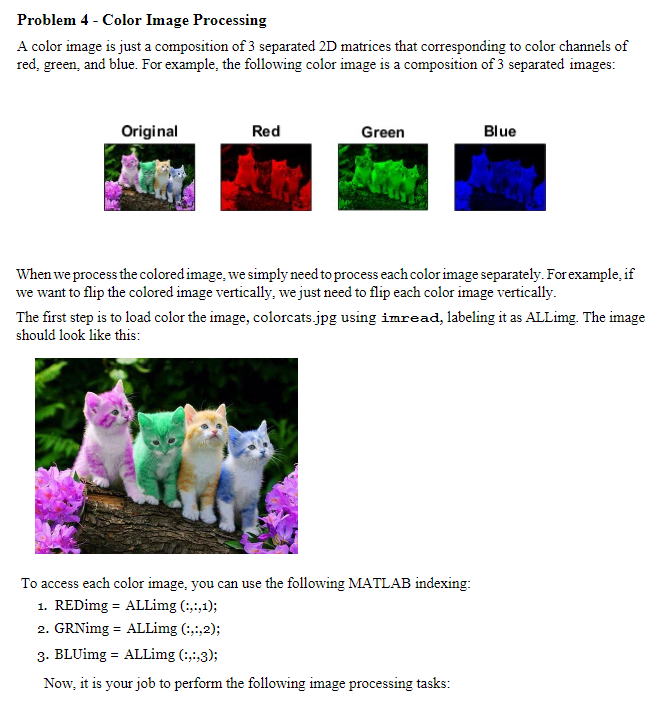
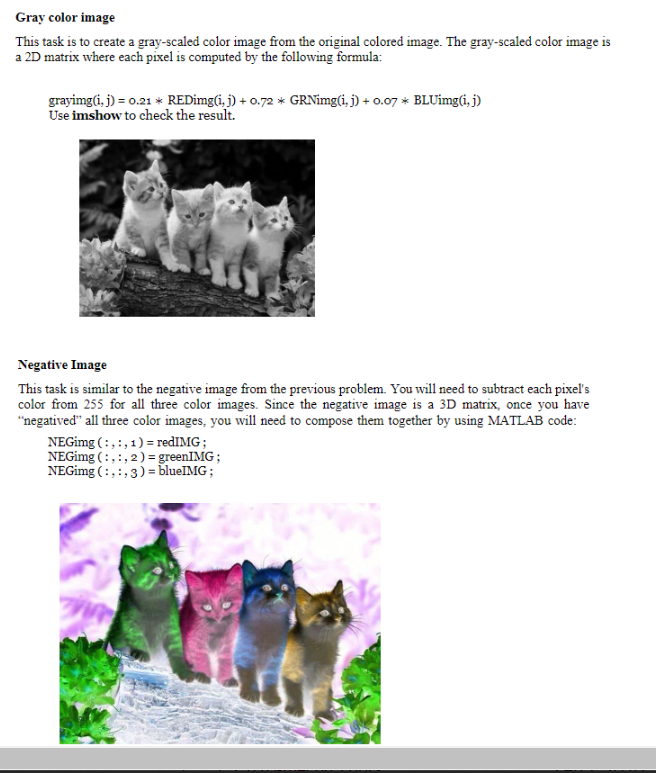
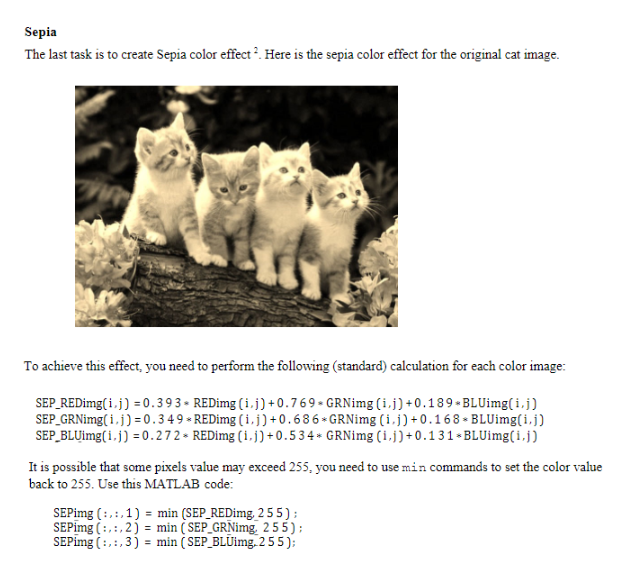
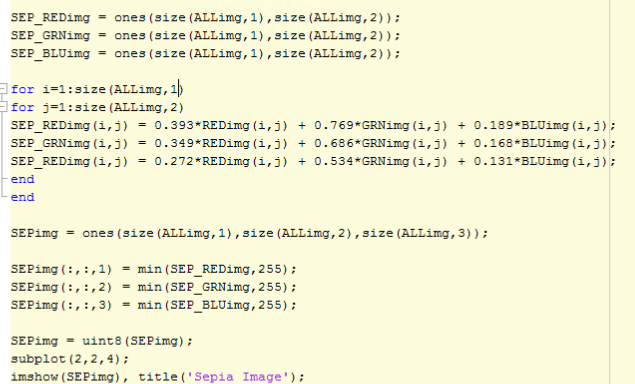
Problem 4 - Color Image Processing A color image is just a composition of 3 separated 2D matrices that corresponding to color channels of red, green, and blue. For example, the following color image is a composition of 3 separated images: Original Red Green Blue When we process the colored image, we simply need to process each color image separately. For example, if we want to flip the colored image vertically, we just need to flip each color image vertically. The first step is to load color the image, colorcats.jpg using imread, labeling it as ALLimg. The image should look like this: To access each color image, you can use the following MATLAB indexing: 1. REDimg = ALLimg (:,:,1); 2. GRNimg = ALLimg (:,:,2); 3. BLUimg = ALLimg (:,:3); Now, it is your job to perform the following image processing tasks: Gray color image This task is to create a gray-scaled color image from the original colored image. The gray-scaled color image is a 2D matrix where each pixel is computed by the following formula: grayimg(i, j) = 0.21 * REDing(1, 1) + 0.72 * GRNimg(i, j) + 0.07 * BLUimg(i,j) Use imshow to check the result. Negative Image This task is similar to the negative image from the previous problem. You will need to subtract each pixel's color from 255 for all three color images. Since the negative image is a 3D matrix, once you have "negatived" all three color images, you will need to compose them together by using MATLAB code: NEGimg (:,:,1)= redIMG; NEGimg (:,:, 2) = greenIMG; NEGimg (:,:, 3) = blueIMG; Sepia The last task is to create Sepia color effect? Here is the sepia color effect for the original cat image. To achieve this effect, you need to perform the following (standard) calculation for each color image: SEP REDimg(ij) = 0.393 - REDimg (ij) +0.769 GRNimg(ij) +0.189.BLUimg(ij) SEP GRNimg(ij) = 0.349* REDimg (ij)+0.686*GRNimg (i,j) +0.16 8BLUimg(1,1) SEP BLUimg(1.1) = 0.272 - REDimg (1,1)+0.534* GRNimg (1,1)+0.131 BLUimg(1,1) It is possible that some pixels value may exceed 255, you need to use min commands to set the color value back to 255. Use this MATLAB code: SEPimg (:,:,1) = min (SEP_REDimg, 255); SEPimg (:,:,2) = min (SEP_GRNimg, 255); SEPimg (:,:,3) = min (SEP BLUimg, 255); SEP_REDimg = ones (size (ALLimg, 1), size (ALLimg, 2)); SEP_GRNimg = ones (size (ALLimg, 1), size (ALLimg, 2)); SEP_BLUimg - ones (size (ALLimg, 1),size (ALLimg, 2)); for i=1:Size (ALLimg, 1) for j=1:size (ALLimg, 2) SEP_REDing (i,j) = 0.393*REDimg(i,) + 0.769*GRNimg (1,5) = 0.189*BLUimg (1,3); SEP_GRNimg(i,j) = 0.349*REDing (i,j) + 0.686*GRNimg (i, j) + 0.168*BLUimg (1,1); SEP_REDimg (1,3) - 0.272*REDimg(i,j) + 0.534*GRNimg (1,3) + 0.131-BLUimg (1,1); end end SEPimg = ones (size (ALLimg, 1),size (ALLimg, 2), size (ALLimg, 3)); SEPimg (:, :,1) = min (SEP_REDimg, 255); SEPimg (:, :, 2) = min (SEP_GRNimg, 255); SEPimg (:, :,3) = min (SEP_BLUimg, 255); SEPimg = uint8 (SEPimg); subplot (2,2, 4); imshow (SEPimg), title('Sepia Image')
Step by Step Solution
There are 3 Steps involved in it

Get step-by-step solutions from verified subject matter experts
 Study Help