







Question: spread sheet id 3479 pls write clear spread sheet id 3479 pls write clear. spread sheet id 3479 your timer Nunya Business started operations on
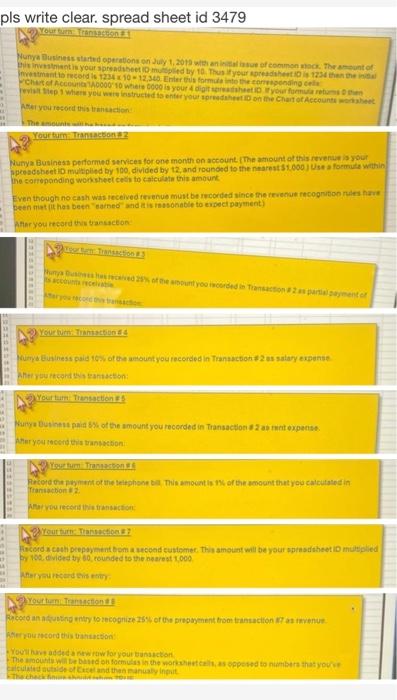
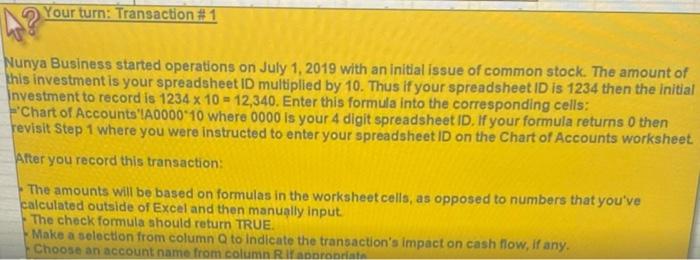
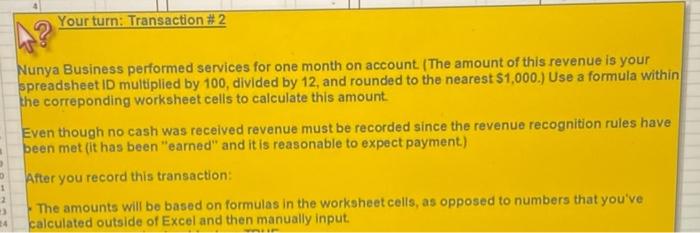
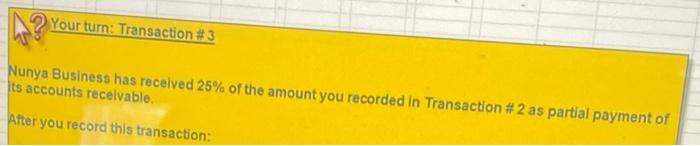



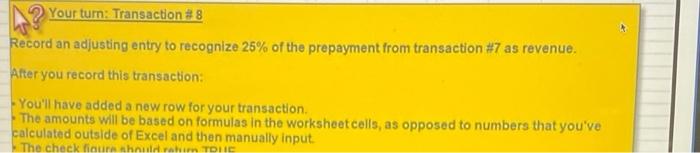
pls write clear. spread sheet id 3479 your timer Nunya Business started operations on July 1, 2013 with answer of common. Thesent of intent is your spreadsheetsed by 10. Thus your photos 1234 Investment record is 123410-12.30 ter this for coming Chat of Account 10000 10 where is your into you for ep1 where you were instructed to enter your store CACC Aer you record this racion maamaana Your Commons Nunya Business performed services for one month on account. The amount of this revenue is your spreadsheet multiplied by 100 divided by 2 and rounded to the nearest $1.000 Use a formula within the correpending worksheet ces to calculate this amount Even though no cash was received revenue must be recorded since the revenue recognition rules have Dennist has been one and its sonable to expect payment) Ar you record the transacton 27% of the mount you woorded in Transactions prato Yourtum Tractions Mourys Business paid torsot the wount you recorded in Transaction #2us salary experte What you record transaction Yourtun Transactions Nurye Business paid of the amount you recorded in Transactions et expertise After you record this transaction stum Transaction Recordement or the elephone This amounts of the amount that you calculated in Transaction After you record transition You on? acorda cooh pepayment tomond customer. This amount will be your padhet in multiplied 100. divided by 30 rounded to the nearest 1000 Aftercard ist Youtumaton Bocoran nating entry to recognize 25% of the prepayment from transaction as wenue you record this action Yadded a new w for your son The amount will be on forms the worksheets opposed to number that you atside of is and the manual int That Your turn: Transaction #1 Nunya Business started operations on July 1, 2019 with an initial issue of common stock. The amount of this investment is your spreadsheet ID multiplied by 10. Thus if your spreadsheet ID is 1234 then the initial Investment to record is 1234 x 10 = 12,340.Enter this formula into the corresponding cells: -Chart of Accounts'A0000 10 where 0000 is your 4 digit spreadsheet ID. If your formula returns 0 then revisit Step 1 where you were instructed to enter your spreadsheet ID on the Chart of Accounts worksheet After you record this transaction: The amounts will be based on formulas in the worksheet cells, as opposed to numbers that you've calculated outside of Excel and then manually input The check formula should return TRUE. Make a selection from column to indicate the transaction's impact on cash flow, if any. Choose an account name from column Riaporanis Your turn: Transaction # 2 Nunya Business performed services for one month on account (The amount of this revenue is your spreadsheet in multiplied by 100, divided by 12, and rounded to the nearest $1,000.) Use a formula within the correponding worksheet cells to calculate this amount Even though no cash was received revenue must be recorded since the revenue recognition rules have been met (it has been earned" and it is reasonable to expect payment) After you record this transaction: 1 2 The amounts will be based on formulas in the worksheet cells, as opposed to numbers that you've calculated outside of Excel and then manually input. 14 Your turn: Transaction #3 Nunya Business has received 25% of the amount you recorded in Transaction #2 as partial payment of Its accounts recelvable. After you record this transaction: Your turn: Transaction #6 12 13 30 15 16 17 18 19 20 Record the payment of the telephone bill. This amount is 1% of the amount that you calculated in Transaction #2 After you record this transaction: Your tum: Transaction #5 . 25 16 27 Nunya Business paid 5% of the amount you recorded in Transaction #2 as rent expense. 49 20 23 After you record this transaction: 1 .4 15 16 27 Your turn: Transaction #7 Record a cash prepayment from a second customer. This amount will be your spreadsheet ID multiplied by 100, divided by 60, rounded to the nearest 1,000. 19 20 After you record this entry: Your turn: Transaction #8 Record an adjusting entry to recognize 25% of the prepayment from transaction #7 as revenue. After you record this transaction: - You'll have added a new row for your transaction The amounts will be based on formulas in the worksheetcells, as opposed to numbers that you've calculated outside of Excel and then manually input The check outra in TDHC
Step by Step Solution
There are 3 Steps involved in it

Get step-by-step solutions from verified subject matter experts
 Study Help