







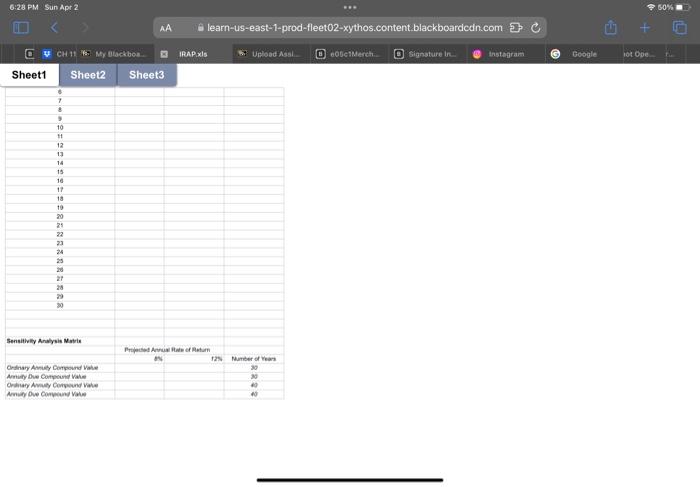
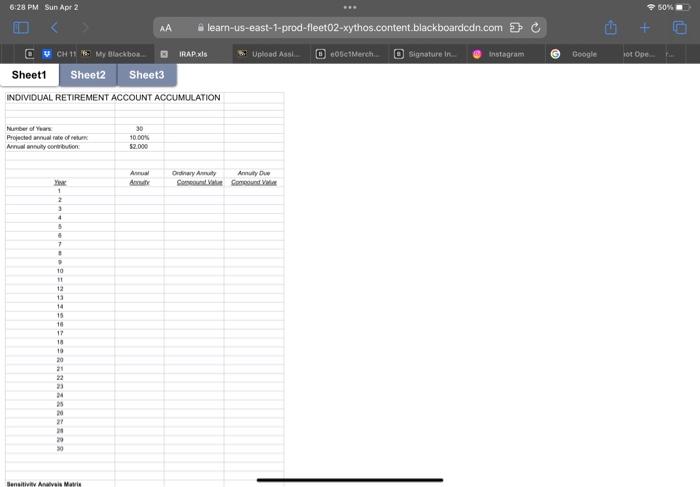
Question: SPREADSHEET ASSIGNMENT: Future Value of Annuities 1. Retrieve the file IRAP.XLS. Boldface cell A1. 2. Copy cell B7 to cell B12 and then copy cell
SPREADSHEET ASSIGNMENT: Future Value of Annuities
1. Retrieve the file IRAP.XLS. Boldface cell A1.
2. Copy cell B7 to cell B12 and then copy cell B12 into cells B13
through B41, being mindful of the issue of absolute versus
relative cell addresses.
3. Copy cell B12 to cell C12. Create an equation in cell C13 that
solves for the future value of the ordinary annuity after two
years. Adapt the equation in cell C13 to cells C14 through
C41.
4. Create an equation in cell D12 that solves for the future value
of the annuity due after one year. Adapt the equation in cell
D12 to cells D13 through D41.
5. Enter the appropriate financial function command in cell B48
that solves for the future value of an ordinary annuity
assuming an eight percent rate of return, compounded annually,
for thirty years.
6. Enter the appropriate financial function command in cells B49,
B50, B51, C48, C49, C50, and C51 that solves for the respective
future values in the Sensitivity Analysis Matrix.
6:28 PM Sun Apr 2 50% AA A learn-us-east-1-prod-fleet02-xythos.content.blackboardcdn.com : 5 6:28 PM Sun Apr 2 50% AA A learn-us-east-1-prod-fleet02-xythos.content.blackboardcdn.com : 5
Step by Step Solution
There are 3 Steps involved in it

Get step-by-step solutions from verified subject matter experts
 Study Help