







Question: SQL Basics Assignment- Getting Started with SQL Server Welcome to your first week working at AZ Technologies as a new data miner for the company!
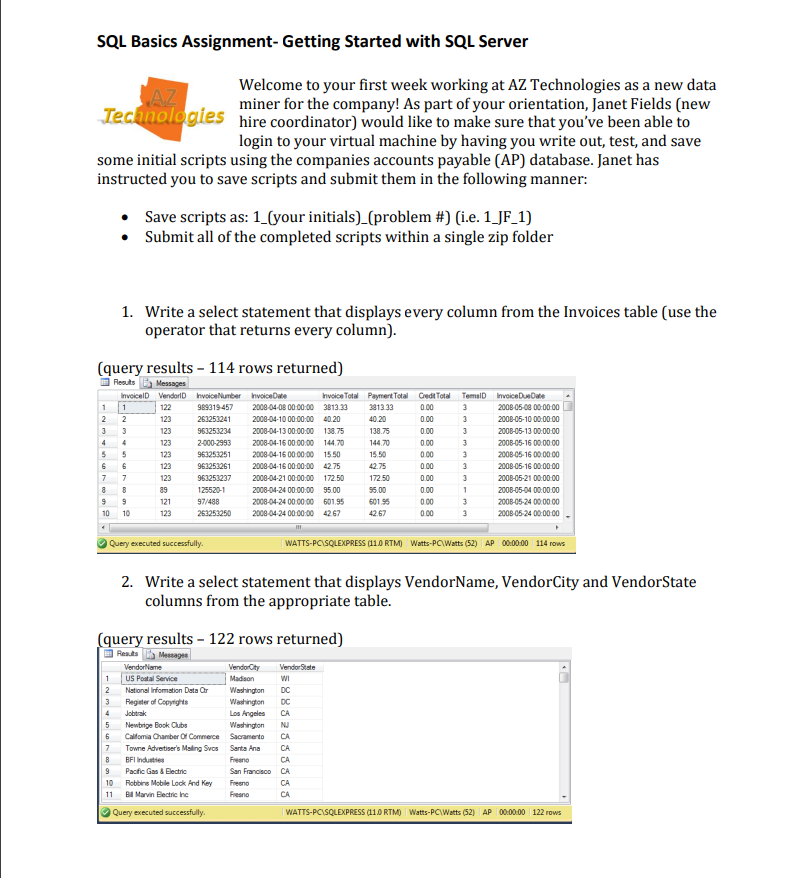
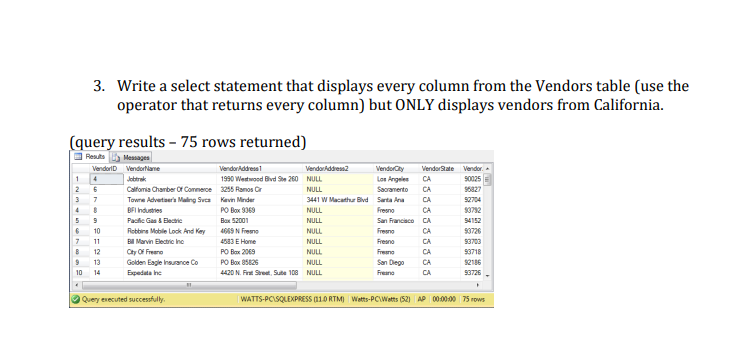
SQL Basics Assignment- Getting Started with SQL Server Welcome to your first week working at AZ Technologies as a new data miner for the company! As part of your orientation, Janet Fields (new hire coordinator) would like to make sure that you've been able to login to your virtual machine by having you write out, test, and save some initial scripts using the companies accounts payable (AP) database. Janet has instructed you to save scripts and submit them in the following manner: - Save scripts as: 1_(your initials)_(problem \#) (i.e. 1_JF_1) - Submit all of the completed scripts within a single zip folder 1. Write a select statement that displays every column from the Invoices table (use the operator that returns every column). (query results 114 rows returned) 2. Write a select statement that displays VendorName, VendorCity and VendorState columns from the appropriate table. (query results 122 rows returned) 3. Write a select statement that displays every column from the Vendors table (use the operator that returns every column) but ONLY displays vendors from California. (query results - 75 rows returned)
Step by Step Solution
There are 3 Steps involved in it

Get step-by-step solutions from verified subject matter experts
 Study Help