







Question: SQL: Hi, Please help as per exact below requirements and include comments / explanation. Thank you very much in advance. swer the following questions: -
SQL:
Hi, Please help as per exact below requirements and include comments / explanation.
Thank you very much in advance.
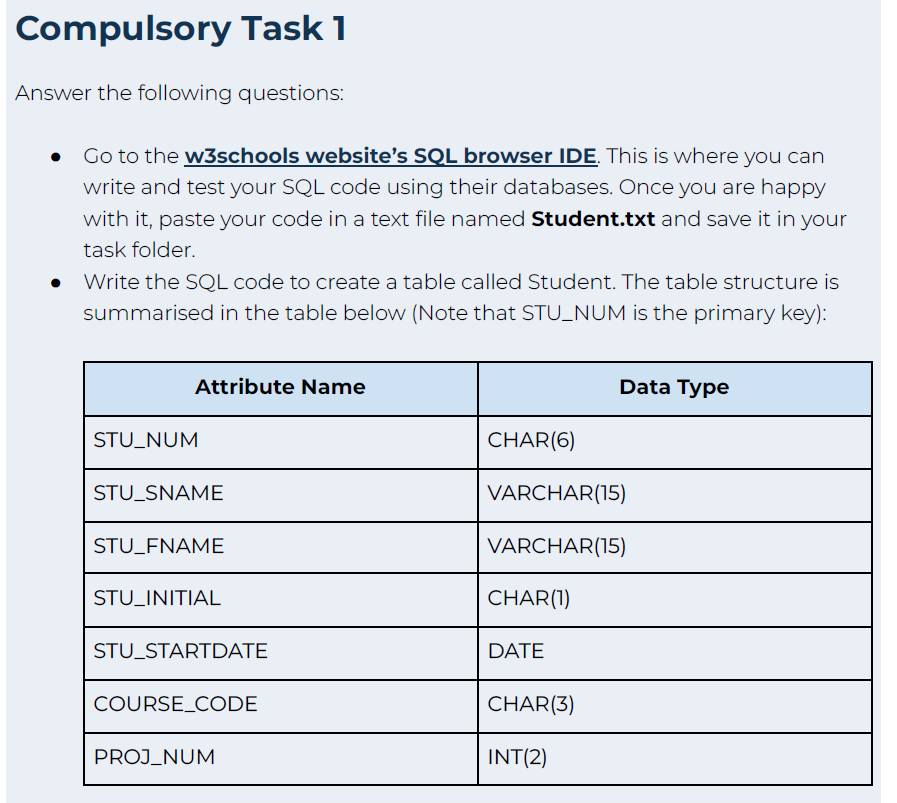
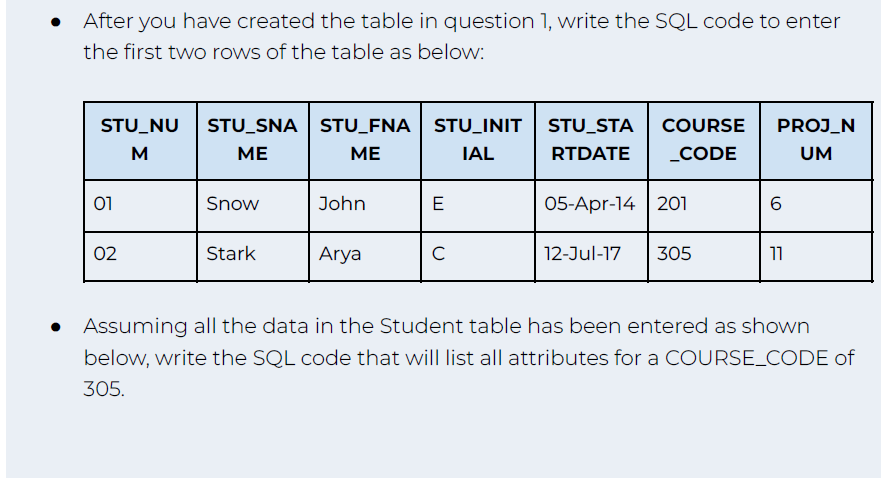
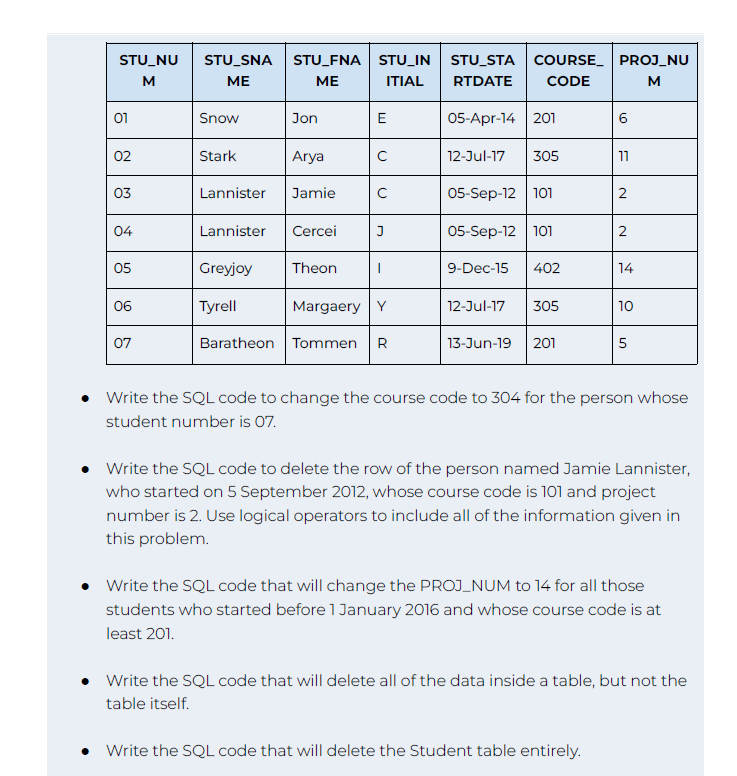
swer the following questions: - Go to the w3schools website's SQL browser IDE. This is where you can write and test your SQL code using their databases. Once you are happy with it, paste your code in a text file named Student.txt and save it in your task folder. - Write the SQL code to create a table called Student. The table structure is summarised in the table below (Note that STU_NUM is the primary key): After you have created the table in question 1, write the SQL code to enter the first two rows of the table as below: Assuming all the data in the Student table has been entered as shown below, write the SQL code that will list all attributes for a COURSE_CODE of 305. - Write the SQL code to change the course code to 304 for the person whose student number is 07. - Write the SQL code to delete the row of the person named Jamie Lannister, who started on 5 September 2012, whose course code is 101 and project number is 2. Use logical operators to include all of the information given in this problem. - Write the SQL code that will change the PROJ_NUM to 14 for all those students who started before 1 January 2016 and whose course code is at least 201. - Write the SQL code that will delete all of the data inside a table, but not the table itself. - Write the SQL code that will delete the Student table entirely
Step by Step Solution
There are 3 Steps involved in it

Get step-by-step solutions from verified subject matter experts
 Study Help