







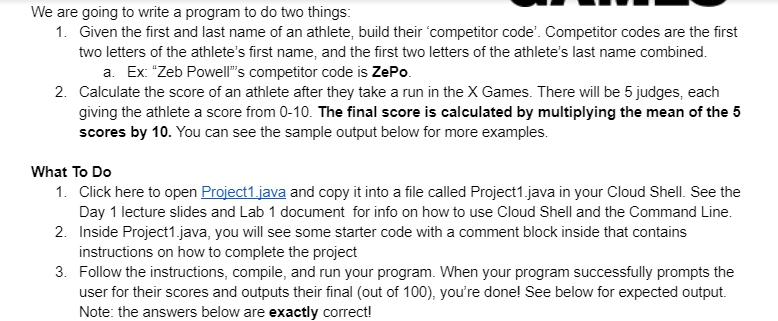
Question: starter code: Thank you :) We are going to write a program to do two things: 1. Given the first and last name of an
starter code: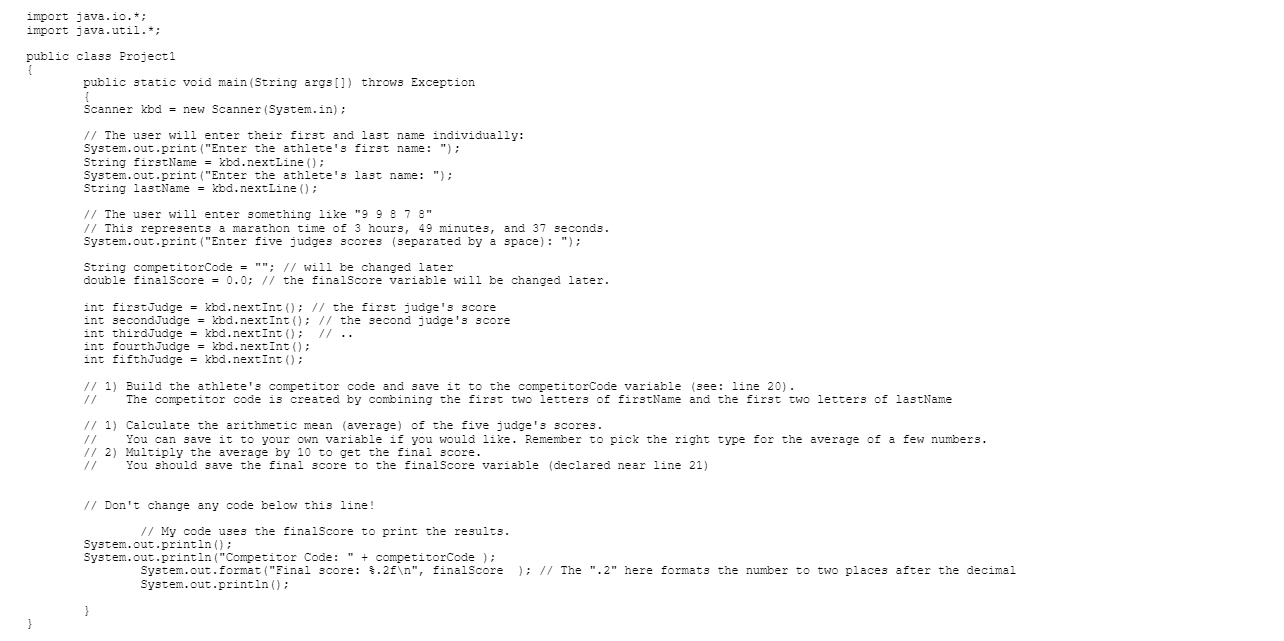
Thank you :)
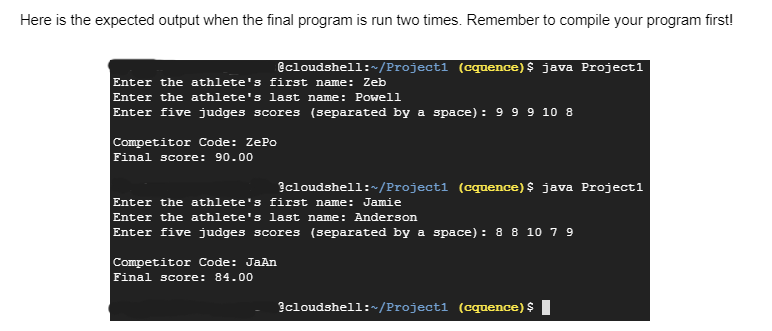
We are going to write a program to do two things: 1. Given the first and last name of an athlete, build their 'competitor code'. Competitor codes are the first two letters of the athlete's first name, and the first two letters of the athlete's last name combined. a. Ex: "Zeb Powell"'s competitor code is ZePo. 2. Calculate the score of an athlete after they take a run in the X Games. There will be 5 judges, each giving the athlete a score from 0-10. The final score is calculated by multiplying the mean of the 5 scores by 10. You can see the sample output below for more examples. What To Do 1. Click here to open Project1.java and copy it into a file called Project1.java in your Cloud Shell. See the Day 1 lecture slides and Lab 1 document for info on how to use Cloud Shell and the Command Line. 2. Inside Project1.java, you will see some starter code with a comment block inside that contains instructions on how to complete the project 3. Follow the instructions, compile, and run your program. When your program successfully prompts the user for their scores and outputs their final (out of 100), you're done! See below for expected output. Note: the answers below are exactly correct! \} Here is the expected output when the final program is run two times. Remember to compile your program first! Qcloudshell: /Project1 (cquence) \$ java Project1 Enter the athlete's first name: Zeb Enter the athlete's last name: Powell Enter five judges scores (separated by a space) : 999108 Competitor Code: ZePo Final score: 90.00 Enter the athlete's first name: Jamie Enter the athlete's last name: Anderson Enter five judges scores (separated by a space) : 8 8 107 9 9 Competitor Code: JaAn Final score: 84.00
Step by Step Solution
There are 3 Steps involved in it

Get step-by-step solutions from verified subject matter experts
 Study Help