







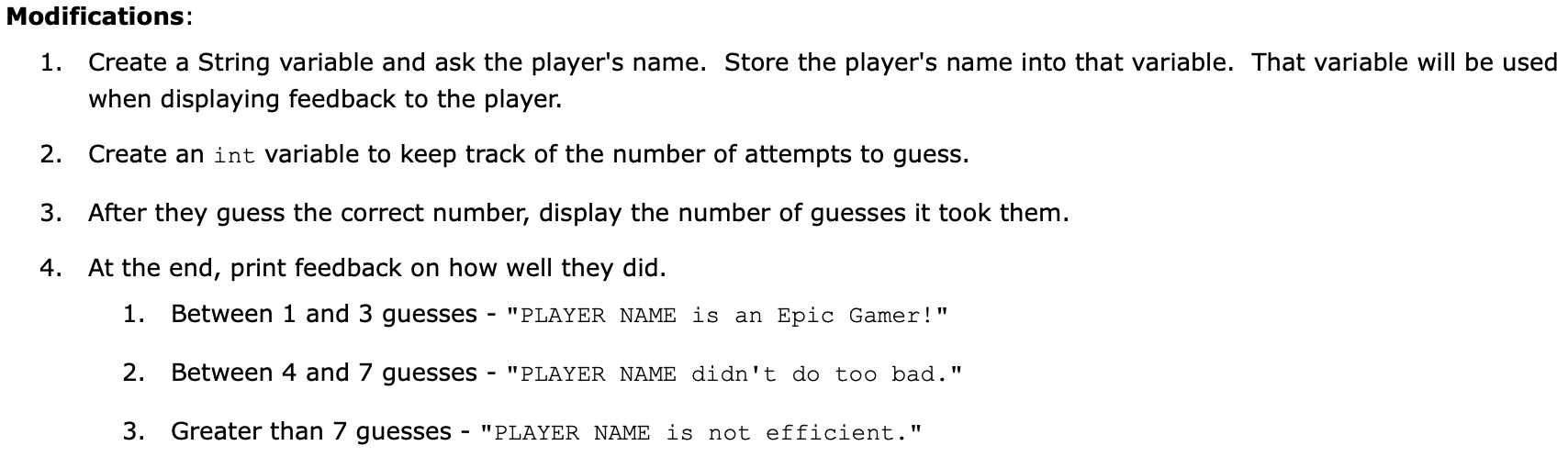
Question: STARTING CODE: Modifications: 1. Create a String variable and ask the player's name. Store the player's name into that variable. That variable will be used
STARTING CODE: 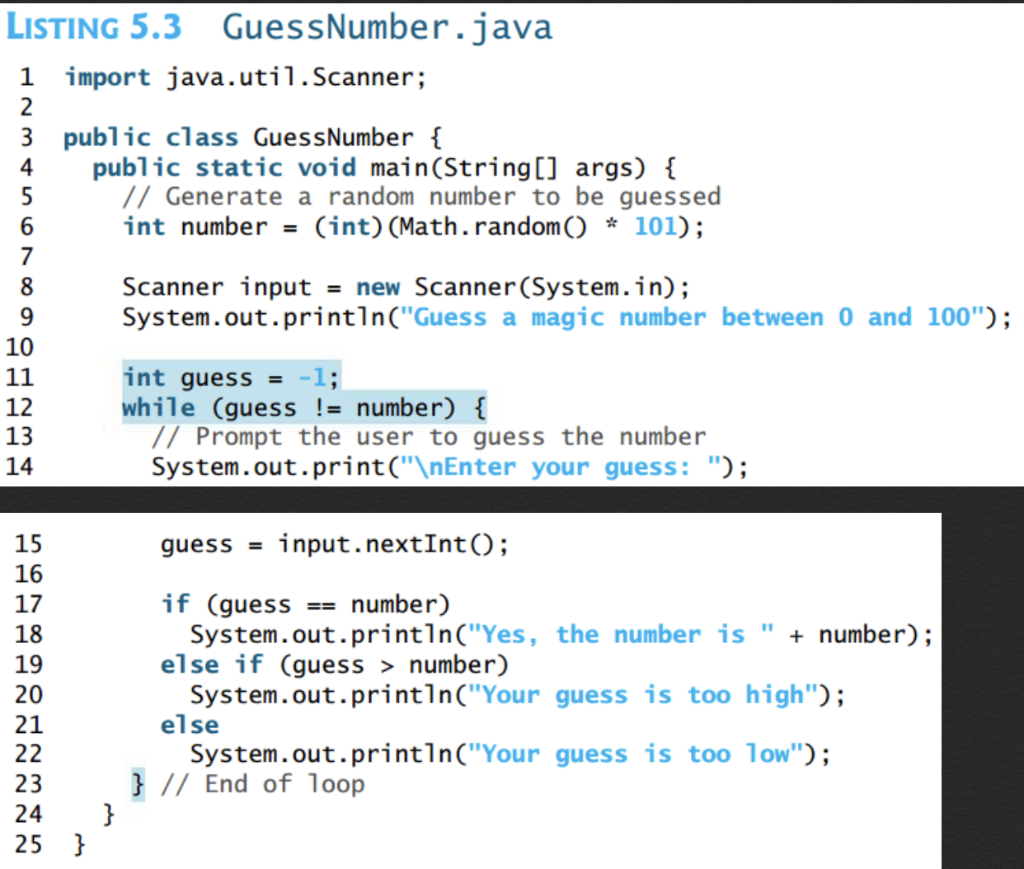
Modifications: 1. Create a String variable and ask the player's name. Store the player's name into that variable. That variable will be used when displaying feedback to the player. 2. Create an int variable to keep track of the number of attempts to guess. 3. After they guess the correct number, display the number of guesses it took them. 4. At the end, print feedback on how well they did. 1. Between 1 and 3 guesses "PLAYER NAME is an Epic Gamer!" 2. Between 4 and 7 guesses "PLAYER NAME didn't do too bad." 3. Greater than 7 guesses - "PLAYER NAME is not efficient." LISTING 5.3 Guess Number.java 1 import java.util.Scanner; 2 3 public class Guess Number { public static void main(String[] args) { // Generate a random number to be guessed int number = (int) (Math.random() * 101); 4 5 6 7 8 9 10 Scanner input = new Scanner(System.in); System.out.println("Guess a magic number between 0 and 100"); 11 12 13 14 int guess = -1; while (guess != number) { // Prompt the user to guess the number System.out.print(" Enter your guess: "); 15 guess = input.nextInt(); 16 == 17 18 19 20 21 22 23 24 25 } if (guess number) System.out.println("Yes, the number is " + number); else if (guess > number) System.out.println("Your guess is too high"); else System.out.println("Your guess is too low"); } // End of loop }
Step by Step Solution
There are 3 Steps involved in it

Get step-by-step solutions from verified subject matter experts
 Study Help