







Question: Status OK 1. Read the available items from the input file with its name specified by the user. 2. When you read one item information,
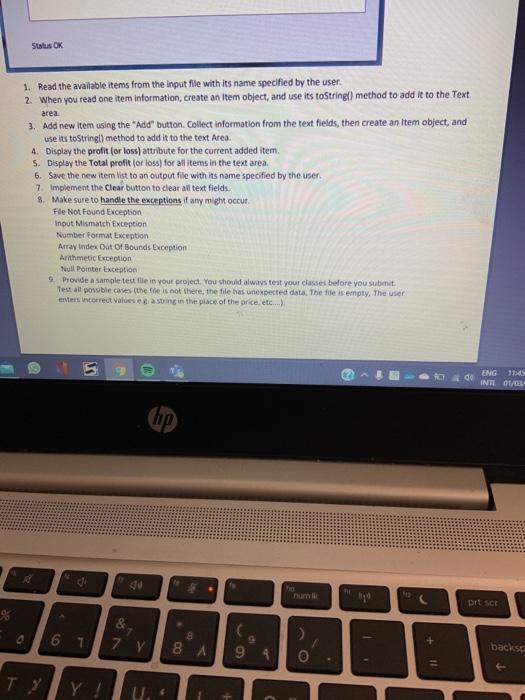
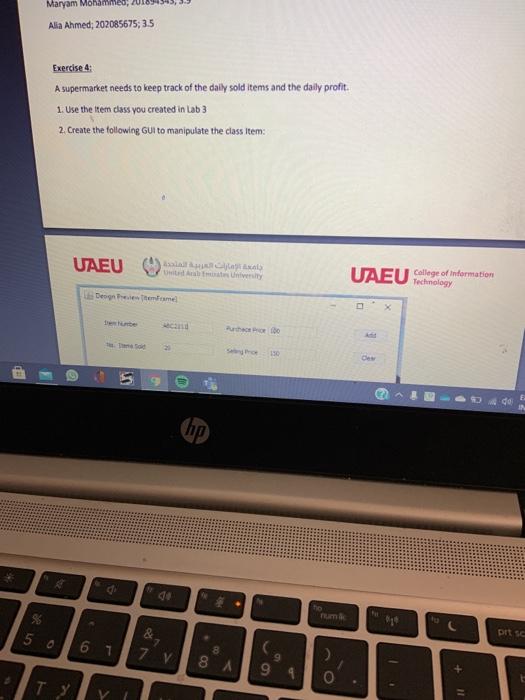
Status OK 1. Read the available items from the input file with its name specified by the user. 2. When you read one item information, create an item object, and use its toString() method to add it to the Text area 3. Add new item using the "Add" button. Collect information from the text fields, then create an Item object, and use its toStringl) method to add it to the text Area 4. Display the profit (or loss) attribute for the current added item. 5. Display the Total profit for loss) for all items in the text area. 6. Save the new item list to an output file with its name specified by the user. 7. Implement the Clear button to clear alltext fields 8. Make sure to handle the exceptions if any might occur File Not FoundException Input Mismatch Exception Number Format Exception Array Index Out Of Bounds Exception Arithmetic Exception NullPointerException 9. Provide a sample test file in your project. You should always test your classes before you submit Test all posible cases thefte is not there, the file has unexpected data. The file is empty. The user enters incorrect valuese casting in the place of the price, etc...) 5 do ENG 1125 INTE 01/01 um prt sor &, 8 7 v 8 A backs 0 , U.. Maryam Mohammed, 201 Alla Ahmed, 202085675; 35 Exercise 4 A supermarket needs to keep track of the daily sold items and the daily profit. 1. Use the term class you created in Lab3 2. Create the following Guito manipulate the class Item: UAEU Unity UAEU College of information Degree home 190 | pits 50 6 1 7 8 99 O Status OK 1. Read the available items from the input file with its name specified by the user. 2. When you read one item information, create an item object, and use its toString() method to add it to the Text area 3. Add new item using the "Add" button. Collect information from the text fields, then create an Item object, and use its toStringl) method to add it to the text Area 4. Display the profit (or loss) attribute for the current added item. 5. Display the Total profit for loss) for all items in the text area. 6. Save the new item list to an output file with its name specified by the user. 7. Implement the Clear button to clear alltext fields 8. Make sure to handle the exceptions if any might occur File Not FoundException Input Mismatch Exception Number Format Exception Array Index Out Of Bounds Exception Arithmetic Exception NullPointerException 9. Provide a sample test file in your project. You should always test your classes before you submit Test all posible cases thefte is not there, the file has unexpected data. The file is empty. The user enters incorrect valuese casting in the place of the price, etc...) 5 do ENG 1125 INTE 01/01 um prt sor &, 8 7 v 8 A backs 0 , U.. Maryam Mohammed, 201 Alla Ahmed, 202085675; 35 Exercise 4 A supermarket needs to keep track of the daily sold items and the daily profit. 1. Use the term class you created in Lab3 2. Create the following Guito manipulate the class Item: UAEU Unity UAEU College of information Degree home 190 | pits 50 6 1 7 8 99 O
Step by Step Solution
There are 3 Steps involved in it

Get step-by-step solutions from verified subject matter experts
 Study Help