







Question: Step 1: Copy this program into your C++program editor, and compile it. Hopefully you will not get any error messages. Step 2: Run the program
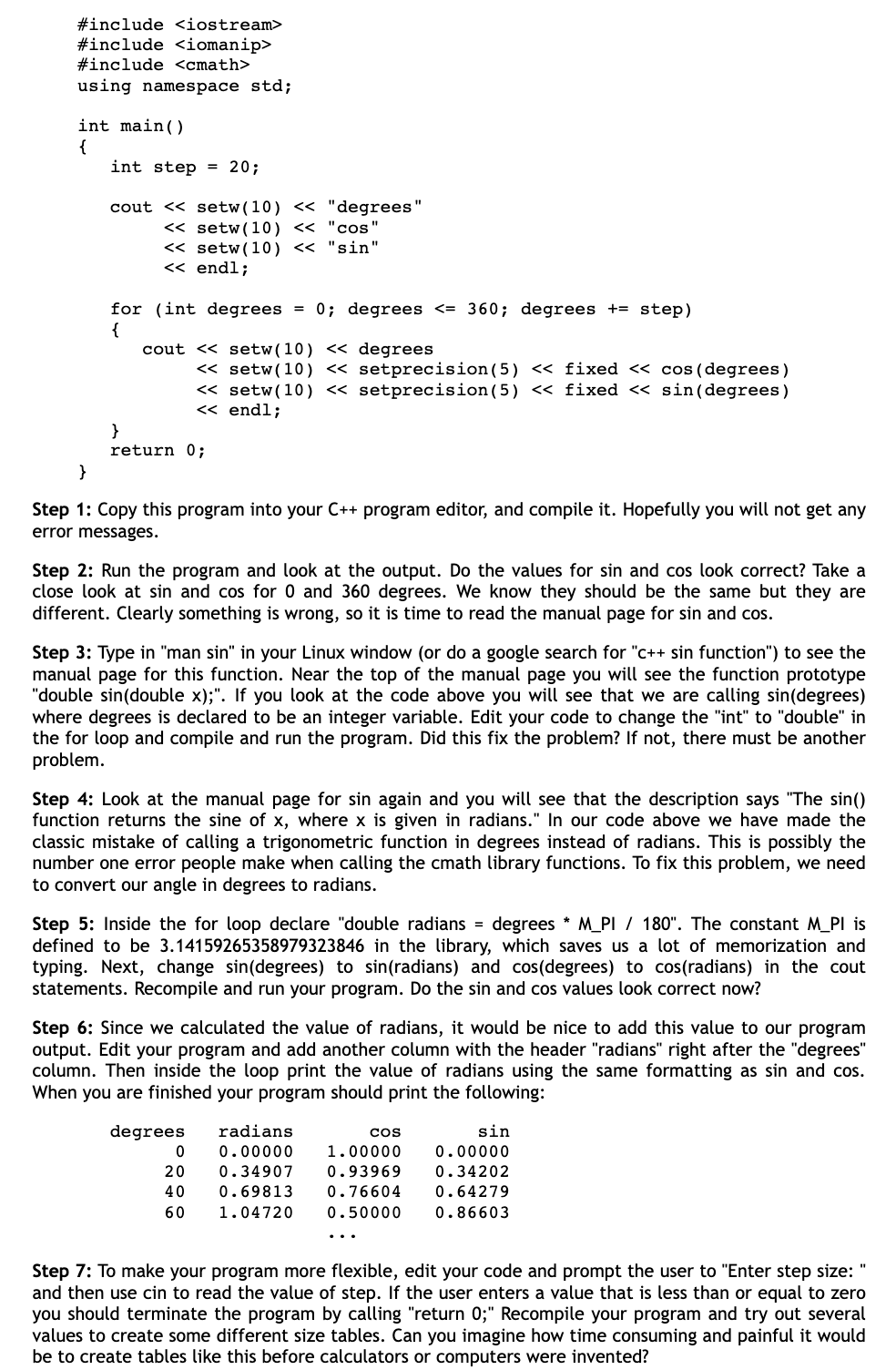
Step 1: Copy this program into your C++program editor, and compile it. Hopefully you will not get any error messages. Step 2: Run the program and look at the output. Do the values for sin and cos look correct? Take a close look at sin and cos for 0 and 360 degrees. We know they should be the same but they are different. Clearly something is wrong, so it is time to read the manual page for sin and cos. Step 3: Type in "man sin" in your Linux window (or do a google search for "c++ sin function") to see the manual page for this function. Near the top of the manual page you will see the function prototype "double sin(double x);". If you look at the code above you will see that we are calling sin(degrees) where degrees is declared to be an integer variable. Edit your code to change the "int" to "double" in the for loop and compile and run the program. Did this fix the problem? If not, there must be another problem. Step 4: Look at the manual page for sin again and you will see that the description says "The sin() function returns the sine of x, where x is given in radians." In our code above we have made the classic mistake of calling a trigonometric function in degrees instead of radians. This is possibly the number one error people make when calling the cmath library functions. To fix this problem, we need to convert our angle in degrees to radians. Step 5: Inside the for loop declare "double radians = degrees * M_PI / 180". The constant M_PI is defined to be 3.14159265358979323846 in the library, which saves us a lot of memorization and typing. Next, change sin (degrees) to sin (radians) and cos (degrees) to cos (radians) in the cout statements. Recompile and run your program. Do the sin and cos values look correct now? Step 6: Since we calculated the value of radians, it would be nice to add this value to our program output. Edit your program and add another column with the header "radians" right after the "degrees" column. Then inside the loop print the value of radians using the same formatting as sin and cos. When you are finished your program should print the following: Step 7: To make your program more flexible, edit your code and prompt the user to "Enter step size: " and then use cin to read the value of step. If the user enters a value that is less than or equal to zero you should terminate the program by calling "return 0;" Recompile your program and try out several values to create some different size tables. Can you imagine how time consuming and painful it would be to create tables like this before calculators or computers were invented
Step by Step Solution
There are 3 Steps involved in it

Get step-by-step solutions from verified subject matter experts
 Study Help