







Question: Step 1 . In MATLAB, type simulink in the command window. Then go to Blank Model and save the model as RLC .
Step In MATLAB, type "simulink" in the command window. Then go to "Blank Model" and save the model as RLC We are going to create the model show in Fig. to model an RLC circuit with a square wave input.
Step Click on the Library Browser Simulink Sources and drag a Pulse Generator into the blank model page. Set the amplitude to and period to seconds Hz with duty cycle to create a standard square wave. This frequency is chosen so that the harmonic is approximately in the center of the RLC bandpass however other harmonics will get through this filter as it is not very narrow
Step Go back to the Library Browser Simulink Continuous block set and drag a Transfer Fcn block onto the workspace figure. Click on the transfer function block and enter the RLC circuit parameters from Eq Drag the arrow head form the Pulse Generator to the Transfer Fon Block. If you increase the size of the Transfer Fcn block, you will see the equation as shown in Fig.
Step Go to bibrary Browser Simulink Sinks in the Simulink Library Browser and drag a scope and a To Workspace simout block to the figure. Connect those in parallel to the output of the Transfer Fcn block. To connect the second block simout to the output of the Transfer Fcn click on the input arrow of the second block and drag it backwards to the line leading to the first block Scope Click on the simout block and rename the output variable if desired and select Save format to be Structure with Time.
Step Go to the top level tab "MODELING" and then the gear icon Model Settings and under Solver Solver details change the Relative Tolerance to Set the Stop time to be seconds. Start the simulation by pressing the "Run" button on the tool bar. You can view the output by clicking on the scope icon. You may need to adjust the axes scaling to get a good display. On the scope you can go to Tools Axis Scaling Automatically Scale Axis Limits. Provide a screen capture of your scope output.
Step You can go to the workspace and look for your output variable outsimout You can plot the output using this command: plotoutsimout.time, out.simout.signals.values Provide a copy of the resulting figure be sure to label axes and add units to your plotStep Plot the input and output versus time using a command like this:
plot out.motorin.Time, out.motorin.data, b out.motorout.Time, out.motorout.data, r
Add a grid, legend, axis labels with units, and a title. Note that the output units are radians angle of motor axle We are modeling a big heavy motor that appears to be taking about seconds to rotate once with the pulse train input we are applying. It should be clear from the plot that the motor rotation in radians is not following the input voltage. Thus, we need a negative feedback close loop control system.
Simulating the negative feedback closedloop DC motor
Figure : DC motor with negative feedback closedloop control and a proportional controller ie the gain of amplifier blockStep Create a new model named ClosedLoop as shown in Fig. This an example of a negative feedback closedloop control system with a proportional controller ie the gain of amplifier block in Fig. Set the period of the square wave to be seconds with duty cycle and use a simulation Stop time of seconds. You will need the Math block set to get the summation block. Note the gain block added as well shown with a gain of Rename the input and output variables as shown in Fig.
Step Run the simulation and view the input and output. Note that the motor output should approximate the control signal input unlike before when the motor just rotated in one direction continuously Try gains values of and Comment on what you observe as the impact of the gain on the motor output and how well it follows the control signal.
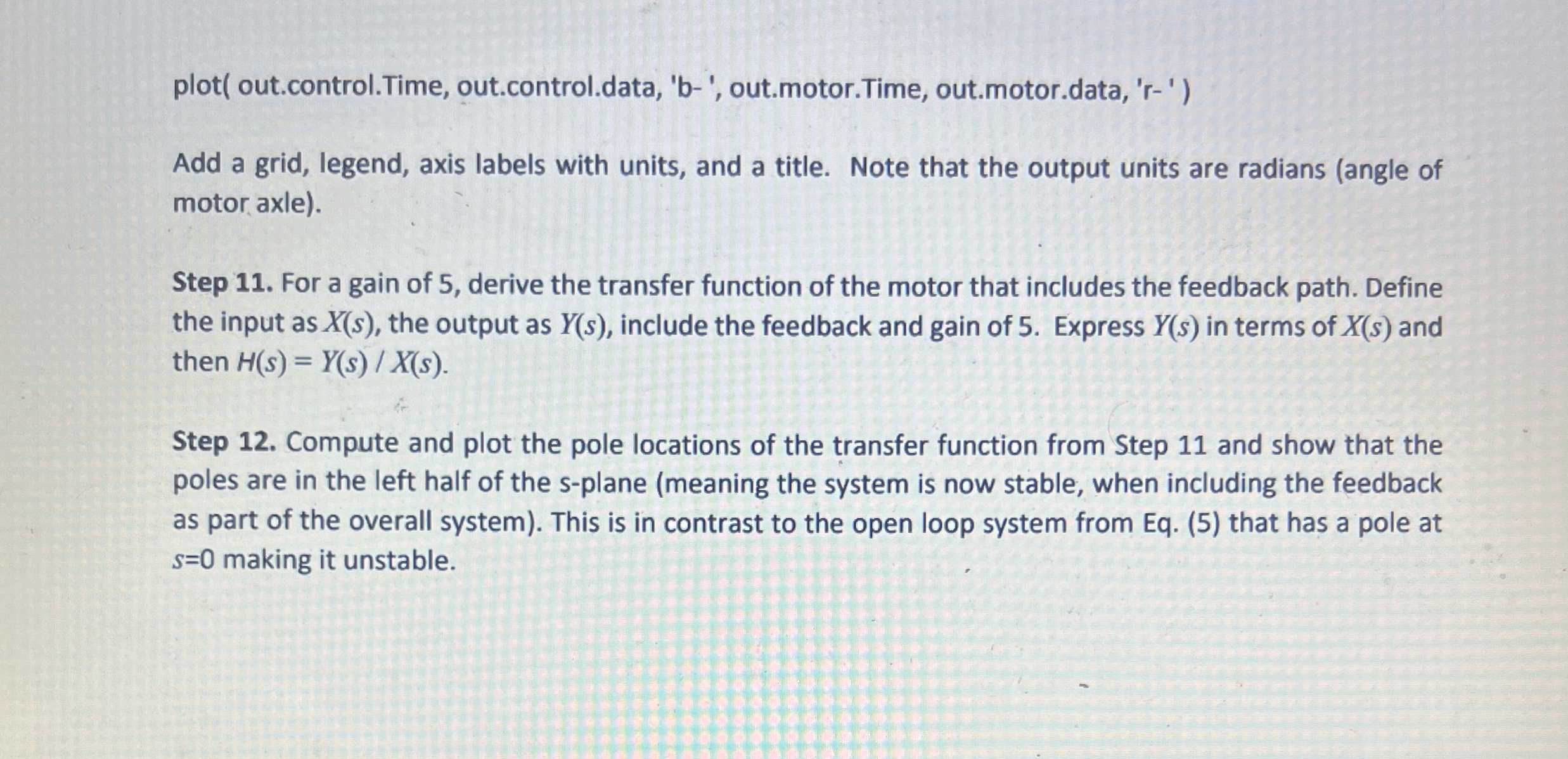
Step Pick the gain that you think works the best and provide plot of the control and motor output using a command like thisplot out.control.Time, out.control.data, b out.motor.Time, out.motor.data, r
Add a grid, legend, axis labels with units, and a title. Note that the output units are radians angle of motor axle
Step For a gain of derive the transfer function of the motor that includes the feedback path. Define the input as the output as include the feedback and
Step by Step Solution
There are 3 Steps involved in it
1 Expert Approved Answer
Step: 1 Unlock

Question Has Been Solved by an Expert!
Get step-by-step solutions from verified subject matter experts
Step: 2 Unlock
Step: 3 Unlock
 Study Help