







Question: Step 4 Evaluate & select Concept Main Action Step 1 Define Problem Main Activities Tasks Define Problem Statement Define Design Requirements -Define initial Design Specifications
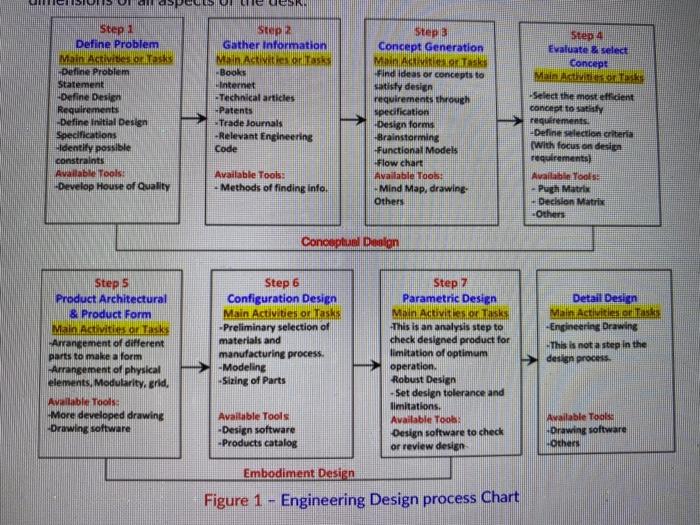
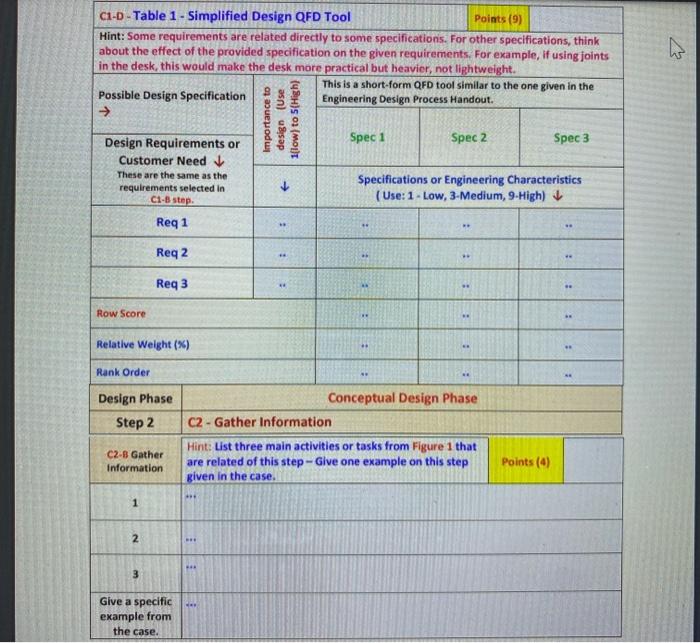
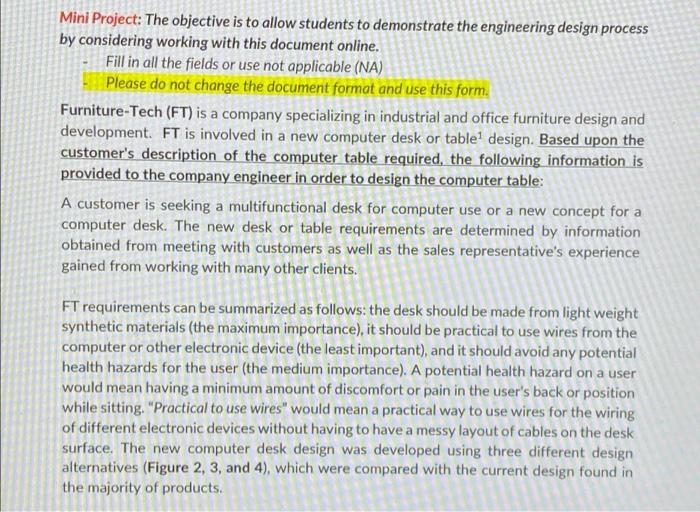
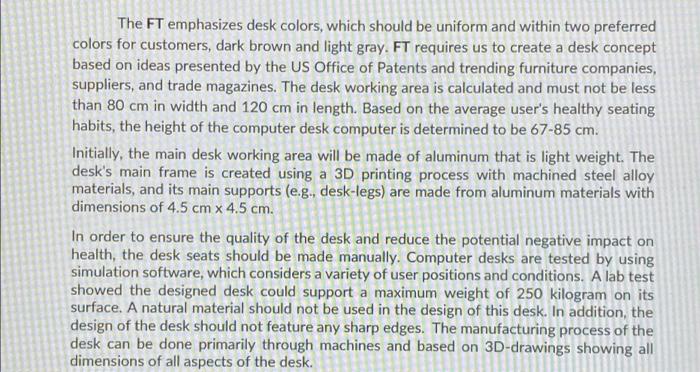
Step 4 Evaluate & select Concept Main Action Step 1 Define Problem Main Activities Tasks Define Problem Statement Define Design Requirements -Define initial Design Specifications Identify possible constraints Available Tools: Develop House of Quality Step 2 Gather Information MACRI s Task Books Internet Technical articles Patents Trade journals -Relevant Engineering Code Steps Concept Generation Find ideas or concepts to satisfy design requirements through specification Design forms Brainstorming Functional Models Flow chart Available Too Mind Map, drawing Others Select the most efficient concept to satisfy requirements Define selection criteria (with focus on design requirements Available Tools Pugh Matrix Decision Matrix Others Available Tools Methods of finding info Conowptun Design Step 7 Step 5 Product Architectural & Product Form Main Activities or tasks Arrangement of different parts to make a form Arrangement of physical elements. Modularity, grid, Available Tools More developed drawing Drawing software Step 6 Configuration Design Main Activities or Tasks -Preliminary selection of materials and manufacturing process -Modeling Sizing of Parts Detail Design Main Activities or tasks Engineering Drawing -This is not a step in the design process Parametric Design Main Activities or tasks This is an analysis step to check designed product for limitation of optimum operation, Robust Design -Set design tolerance and Ilimitations. Available Toob Design software to check or review desien Available Tools -Design software -Products catalog Available Tools Drawing software Others Embodiment Desien Figure 1 - Engineering Design process Chart C1-D - Table 1 - Simplified Design QFD Tool Points (9) Hint: Some requirements are related directly to some specifications. For other specifications, think about the effect of the provided specification on the given requirements. For example, if using joints in the desk, this would make the desk more practical but heavier, not lightweight. This is a short form QFD tool similar to the one given in the Possible Design Specification Engineering Design Process Handout. Design Requirements or Spec 1 Spec 2 Spec 3 Customer Need These are the same as the Specifications or Engineering Characteristics requirements selected in (Use: 1 - Low, 3-Medium, 9-High) Importance to design (Use 1(low) to 5(High) CH-8 step Req 1 . - Req 2 Req3 : Row Score Relative Weight (%) . Rank Order Design Phase Step 2 Conceptual Design Phase C2 - Gather Information Hint: List three main activities or tasks from Figure 1 that are related of this step - Give one example on this step given in the case. C2-B Gather Information Points (4) * 1 2 3 Give a specific example from the case. Mini Project: The objective is to allow students to demonstrate the engineering design process by considering working with this document online. Fill in all the fields or use not applicable (NA) Please do not change the document format and use this form. Furniture-Tech (FT) is a company specializing in industrial and office furniture design and development. FT is involved in a new computer desk or table design. Based upon the customer's description of the computer table required, the following information is provided to the company engineer in order to design the computer table: A customer is seeking a multifunctional desk for computer use or a new concept for a computer desk. The new desk or table requirements are determined by information obtained from meeting with customers as well as the sales representative's experience gained from working with many other clients. FT requirements can be summarized as follows: the desk should be made from light weight synthetic materials (the maximum importance), it should be practical to use wires from the computer or other electronic device (the least important), and it should avoid any potential health hazards for the user (the medium importance). A potential health hazard on a user would mean having a minimum amount of discomfort or pain in the user's back or position while sitting. "Practical to use wires" would mean a practical way to use wires for the wiring of different electronic devices without having to have a messy layout of cables on the desk surface. The new computer desk design was developed using three different design alternatives (Figure 2, 3, and 4), which were compared with the current design found in the majority of products. The FT emphasizes desk colors, which should be uniform and within two preferred colors for customers, dark brown and light gray. FT requires us to create a desk concept based on ideas presented by the US Office of Patents and trending furniture companies, suppliers, and trade magazines. The desk working area is calculated and must not be less than 80 cm in width and 120 cm in length. Based on the average user's healthy seating habits, the height of the computer desk computer is determined to be 67-85 cm. Initially, the main desk working area will be made of aluminum that is light weight. The desk's main frame is created using a 3D printing process with machined steel alloy materials, and its main supports (e.g., desk-legs) are made from aluminum materials with dimensions of 4.5 cm x 4.5 cm. In order to ensure the quality of the desk and reduce the potential negative impact on health, the desk seats should be made manually. Computer desks are tested by using simulation software, which considers a variety of user positions and conditions. A lab test showed the designed desk could support a maximum weight of 250 kilogram on its surface. A natural material should not be used in the design of this desk. In addition, the design of the desk should not feature any sharp edges. The manufacturing process of the desk can be done primarily through machines and based on 3D-drawings showing all dimensions of all aspects of the desk
Step by Step Solution
There are 3 Steps involved in it

Get step-by-step solutions from verified subject matter experts
 Study Help