



Question: Step 6. Copy Files within A Directory If you wish to copy a file to create a new file with a different name within the
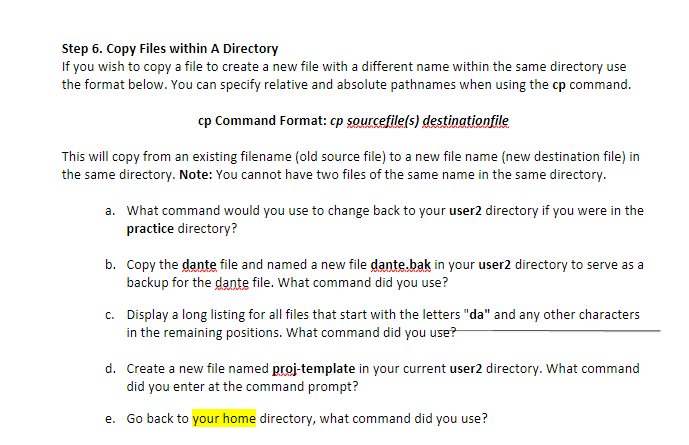
Step 6. Copy Files within A Directory If you wish to copy a file to create a new file with a different name within the same directory use the format below. You can specify relative and absolute pathnames when using the cp command. cp Command Format: cp sourcefile(s) destinationfile This will copy from an existing filename (old source file) to a new file name (new destination file) in the same directory. Note: You cannot have two files of the same name in the same directory. a. What command would you use to change back to your user2 directory if you were in the practice directory? b. Copy the dante file and named a new file dante.bak in your user2 directory to serve as a backup for the dante file. What command did you use? C. Display a long listing for all files that start with the letters "da" and any other characters in the remaining positions. What command did you use? d. Create a new file named proj-template in your current user2 directory. What command did you enter at the command prompt? e. Go back to your home directory, what command did you use
Step by Step Solution
There are 3 Steps involved in it

Get step-by-step solutions from verified subject matter experts