







Question: Steps for: For this Assignment you are going to create Some local accounts, Local groups, and Folders and then Manage those objects using PowerShell commands
Steps for:
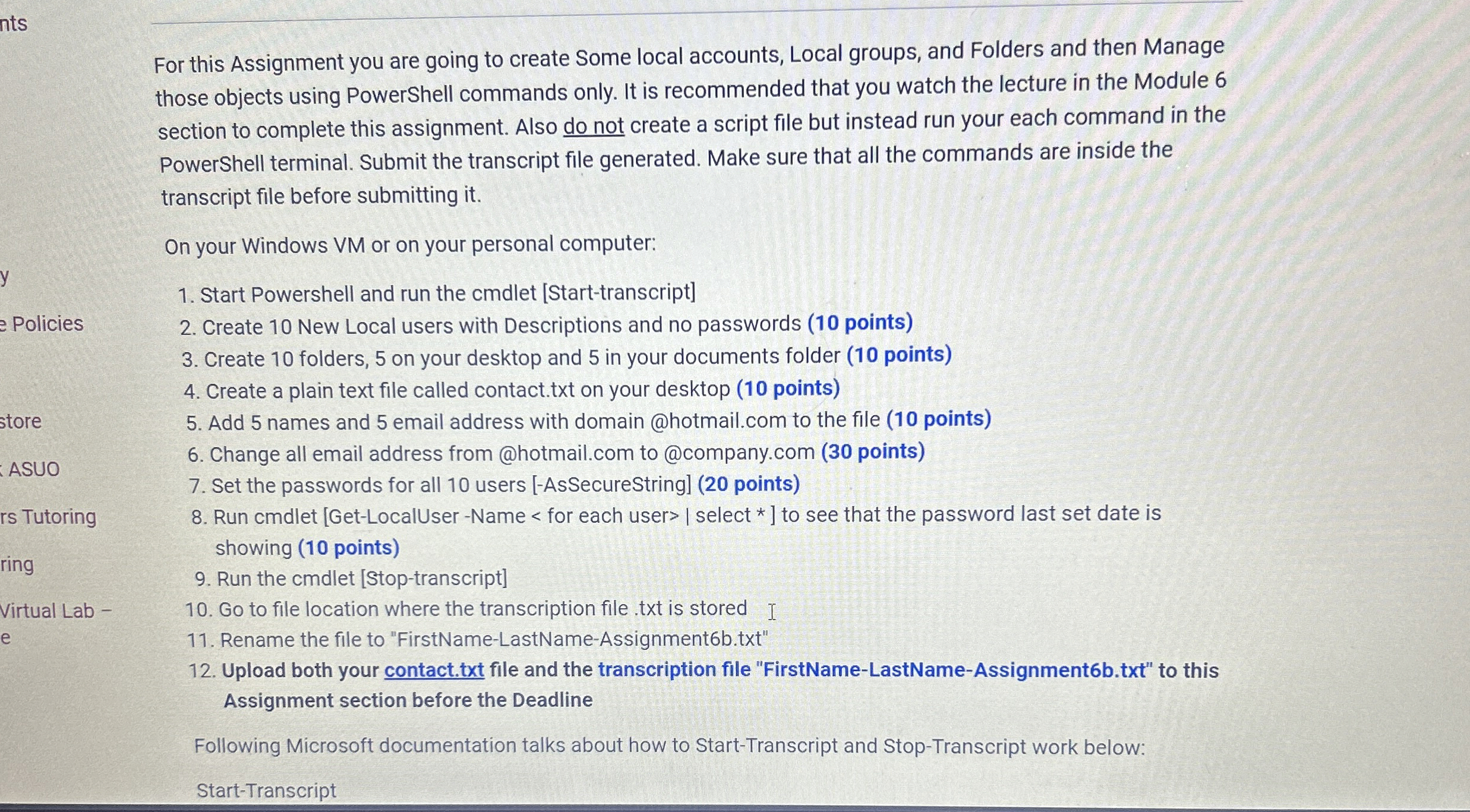
For this Assignment you are going to create Some local accounts, Local groups, and Folders and then Manage those objects using PowerShell commands only. It is recommended that you watch the lecture in the Module section to complete this assignment. Also do not create a script file but instead run your each command in the PowerShell terminal. Submit the transcript file generated. Make sure that all the commands are inside the transcript file before submitting it
On your Windows VM or on your personal computer:
Start Powershell and run the cmdlet Starttranscript
Create New Local users with Descriptions and no passwords points
Create folders, on your desktop and in your documents folder points
Create a plain text file called contact.txt on your desktop points
Add names and email address with domain @hotmail.com to the file points
Change all email address from @hotmail.com to @company.com points
Set the passwords for all users AsSecureString points
Run cmdlet GetLocalUserName for each userselect to see that the password last set date is showing points
Run the cmdlet Stoptranscript
Go to file location where the transcription file txt is stored I
Rename the file to "FirstNameLastNameAssignmentbtxt
Upload both your contact.txt file and the transcription file "FirstNameLastNameAssignmentbtxt to this Assignment section before the Deadline
Following Microsoft documentation talks about how to StartTranscript and StopTranscript work below:
StartTranscript
Step by Step Solution
There are 3 Steps involved in it
1 Expert Approved Answer
Step: 1 Unlock

Question Has Been Solved by an Expert!
Get step-by-step solutions from verified subject matter experts
Step: 2 Unlock
Step: 3 Unlock
 Study Help