



Question: Steps to Perform: Step Instructions 1 Start Excel. Download and open the file named Exp 2 2 _ Excel _ ChO 2 _ ML 2
Steps to Perform:
Step
Instructions
Start Excel. Download and open the file named ExpExcelChOMLVacation
Property xIsx. Grader has automatically added your last name to the beginning of the filename.
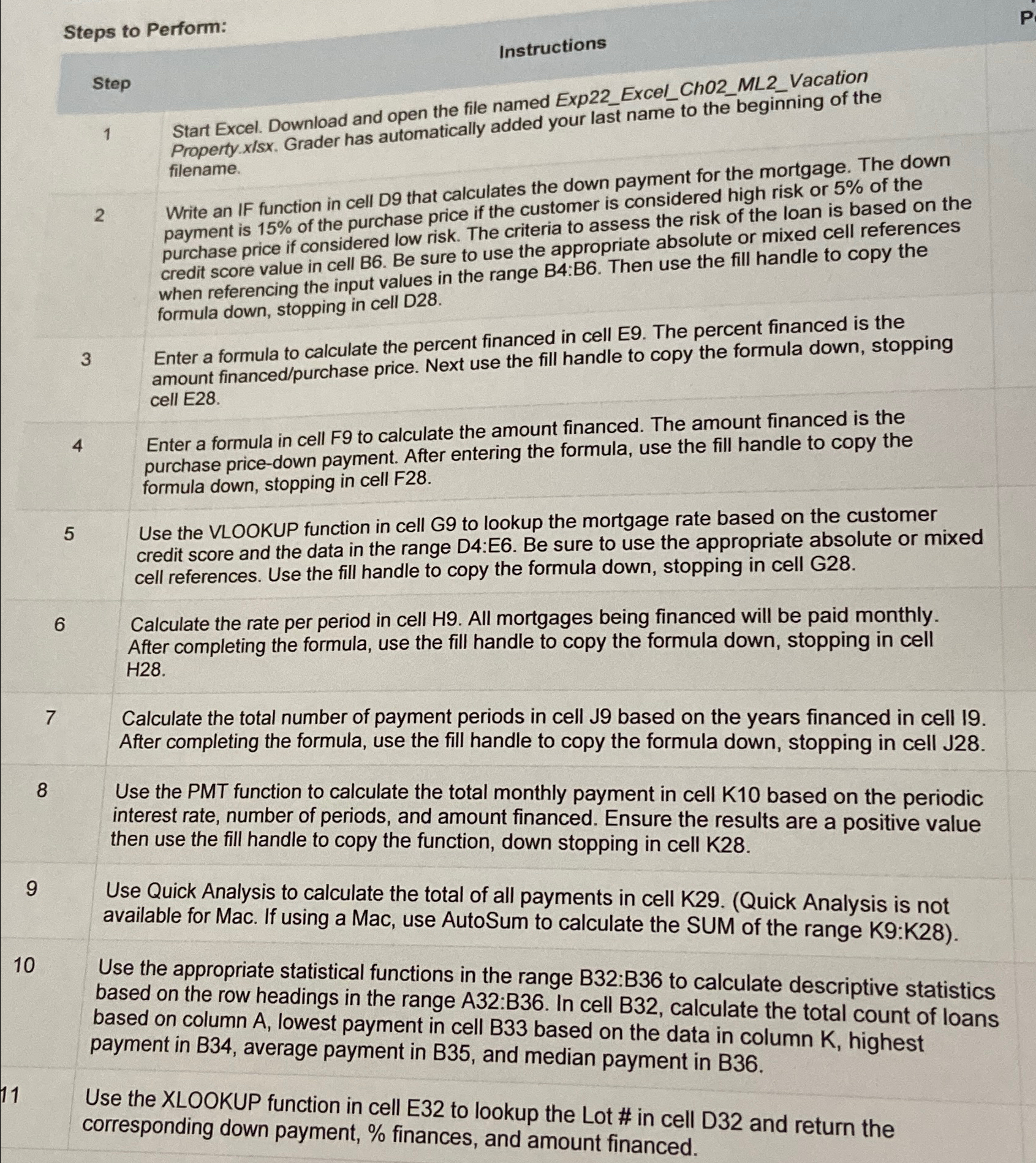
Write an IF function in cell D that calculates the down payment for the mortgage. The down payment is of the purchase price if the customer is considered high risk or of the purchase price if considered low risk. The criteria to assess the risk of the loan is based on the credit score value in cell B Be sure to use the appropriate absolute or mixed cell references when referencing the input values in the range B:B Then use the fill handle to copy the formula down, stopping in cell D
Enter a formula to calculate the percent financed in cell E The percent financed is the amount financedpurchase price. Next use the fill handle to copy the formula down, stopping cell E
Enter a formula in cell F to calculate the amount financed. The amount financed is the purchase pricedown payment. After entering the formula, use the fill handle to copy the formula down, stopping in cell F
Use the VLOOKUP function in cell G to lookup the mortgage rate based on the customer credit score and the data in the range D:E Be sure to use the appropriate absolute or mixed cell references. Use the fill handle to copy the formula down, stopping in cell G
Calculate the rate per period in cell All mortgages being financed will be paid monthly. After completing the formula, use the fill handle to copy the formula down, stopping in cell H
Calculate the total number of payment periods in cell J based on the years financed in cell After completing the formula, use the fill handle to copy the formula down, stopping in cell J
Use the PMT function to calculate the total monthly payment in cell based on the periodic interest rate, number of periods, and amount financed. Ensure the results are a positive value then use the fill handle to copy the function, down stopping in cell K
Use Quick Analysis to calculate the total of all payments in cell KQuick Analysis is not available for Mac. If using a Mac, use AutoSum to calculate the SUM of the range K:K
Use the appropriate statistical functions in the range B:B to calculate descriptive statistics based on the row headings in the range : In cell calculate the total count of loans based on column lowest payment in cell based on the data in column highest payment in B average payment in and median payment in
Use the XLOOKUP function in cell E to lookup the Lot # in cell D and return the corresponding down payment, finances, and amount financed.
Step by Step Solution
There are 3 Steps involved in it
1 Expert Approved Answer
Step: 1 Unlock

Question Has Been Solved by an Expert!
Get step-by-step solutions from verified subject matter experts
Step: 2 Unlock
Step: 3 Unlock