







Question: Submit all the HTML / JS codes and a screenshot of the output in a PDF file. Write the question number and then code. Do
Submit all the HTMLJS codes and a screenshot of the output in a PDF file.
Write the question number and then code.
Do not submit screenshots of the source code.
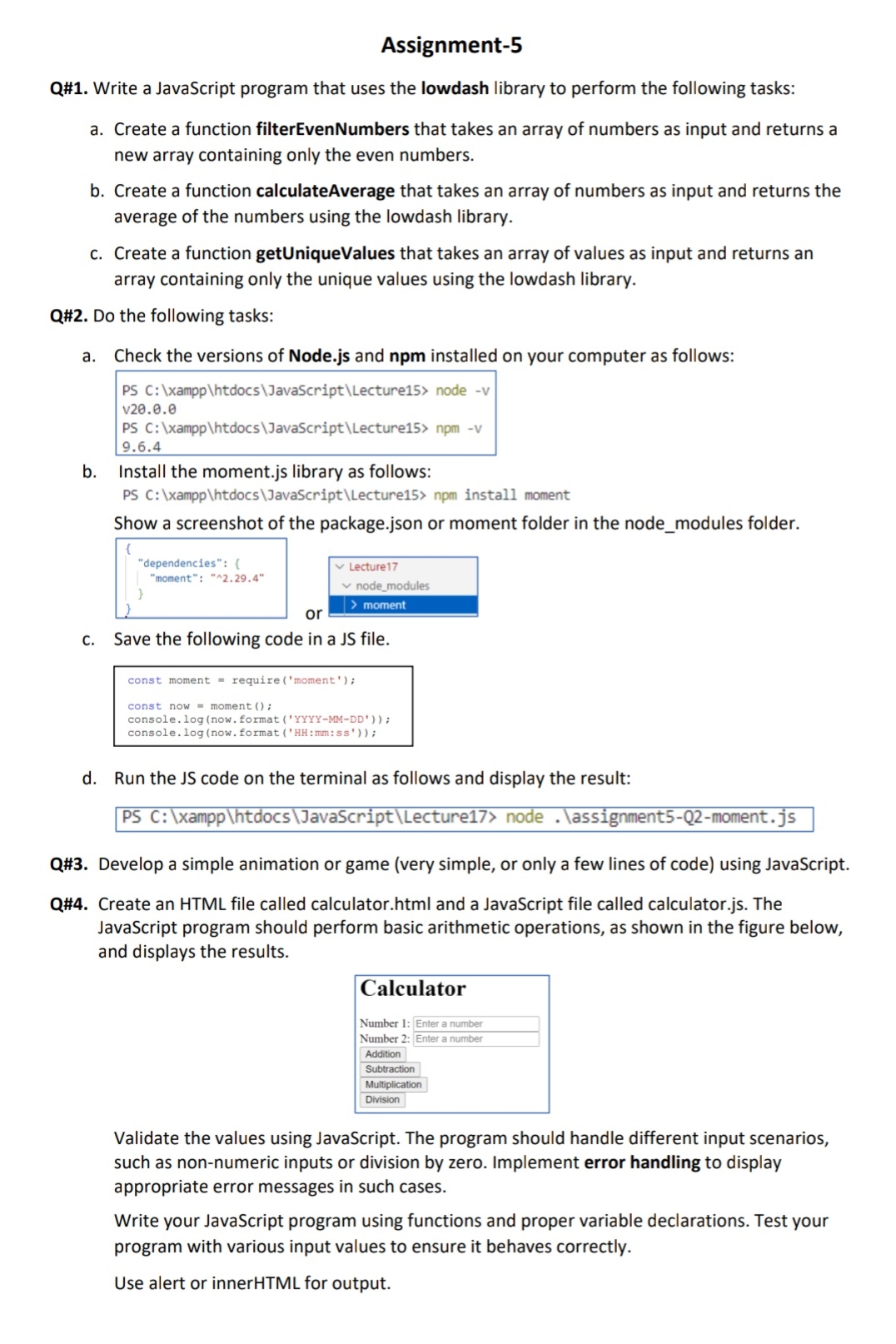
Q# Write a JavaScript program that uses the lowdash library to perform the following tasks:
a Create a function filterEvenNumbers that takes an array of numbers as input and returns a new array containing only the even numbers.
b Create a function calculateAverage that takes an array of numbers as input and returns the average of the numbers using the lowdash library.
c Create a function getUniqueValues that takes an array of values as input and returns an array containing only the unique values using the lowdash library.
Q# Do the following tasks:
a Check the versions of Node.js and npm installed on your computer as follows:
b Install the moment.js library as follows:
PS C: xampphtdocs JavaScriptLecture npm install moment
Show a screenshot of the package.json or moment folder in the nodemodules folder.
c Save the following code in a JS file.d Run the JS code on the terminal as follows and display the result:PS C: xampphtdocsJavaScriptLecture node assignmentQmoment.js
Q# Develop a simple animation or game very simple, or only a few lines of code using JavaScript.
Q# Create an HTML file called calculator.html and a JavaScript file called calculator.js The JavaScript program should perform basic arithmetic operations, as shown in the figure below, and displays the results.
Validate the values using JavaScript. The program should handle different input scenarios, such as nonnumeric inputs or division by zero. Implement error handling to display appropriate error messages in such cases.
Write your JavaScript program using functions and proper variable declarations. Test your program with various input values to ensure it behaves correctly.
Use alert or innerHTML for output.
Step by Step Solution
There are 3 Steps involved in it
1 Expert Approved Answer
Step: 1 Unlock

Question Has Been Solved by an Expert!
Get step-by-step solutions from verified subject matter experts
Step: 2 Unlock
Step: 3 Unlock
 Study Help