







Question: Support Ticket # 1 0 0 5 1 Issue: Powering on the workstation results in a message on - screen stating, No OS Found. What
Support Ticket #
Issue: Powering on the workstation results in a message onscreen stating, No OS Found. What are the first three steps you cantake to remedy the ticketed concern?
Windows OS
Has an initialized HDD SATA disks using MBR partitioning
Has a dedicated graphics card
Support Ticket #
Issue: Workstation requires multiple restarts because the screen continually goes blank. What initial steps should be consideredbased on the observed behavior? Note: The user states that the computer was installing software when the screen went blank.
Workstation Setup:
Windows OS
Has an initialized HDD SATA disks using MBR partitioning
Has a dedicated graphics card
Notes from tech: Update: User states that several softwarewere updating onthe device when the screen went blank.
Based on the scenario, perform the appropriate troubleshooting actions and help resolve the support tickets. You are a Windows support technician working on two support tickets involving users' workstations experiencing boot issues. You need to get the workstations working as soon as possible so the users can get back to their work schedule. Try to resolve the issue and ensure all aspects of the workstation are working as normal.
Support Ticket #
Issue: Powering on the workstation results in a message onscreen stating, No OS Found." What are the first three steps you can take to remedy the ticketed concern?
Windows OS
Has an initialized HDD SATA disks using MBR partitioning
Has a dedicated graphics card
Support Ticket #
Issue: Workstation requires multiple restarts because the screen continually goes blank. What initial steps should be considered based on the observed behavior? Note: The user states that the computer was installing software when the screen went blank.
Workstation Setup:
Windows OS
Has an initialized HDD SATA disks using MBR partitioning
Has a dedicated graphics card
Notes from tech: Update: User states that several software were updating on the device when the screen went blank.
Based on the scenario, perform the appropriate troubleshooting actions and help resolve the support tickets.
Support Ticket #
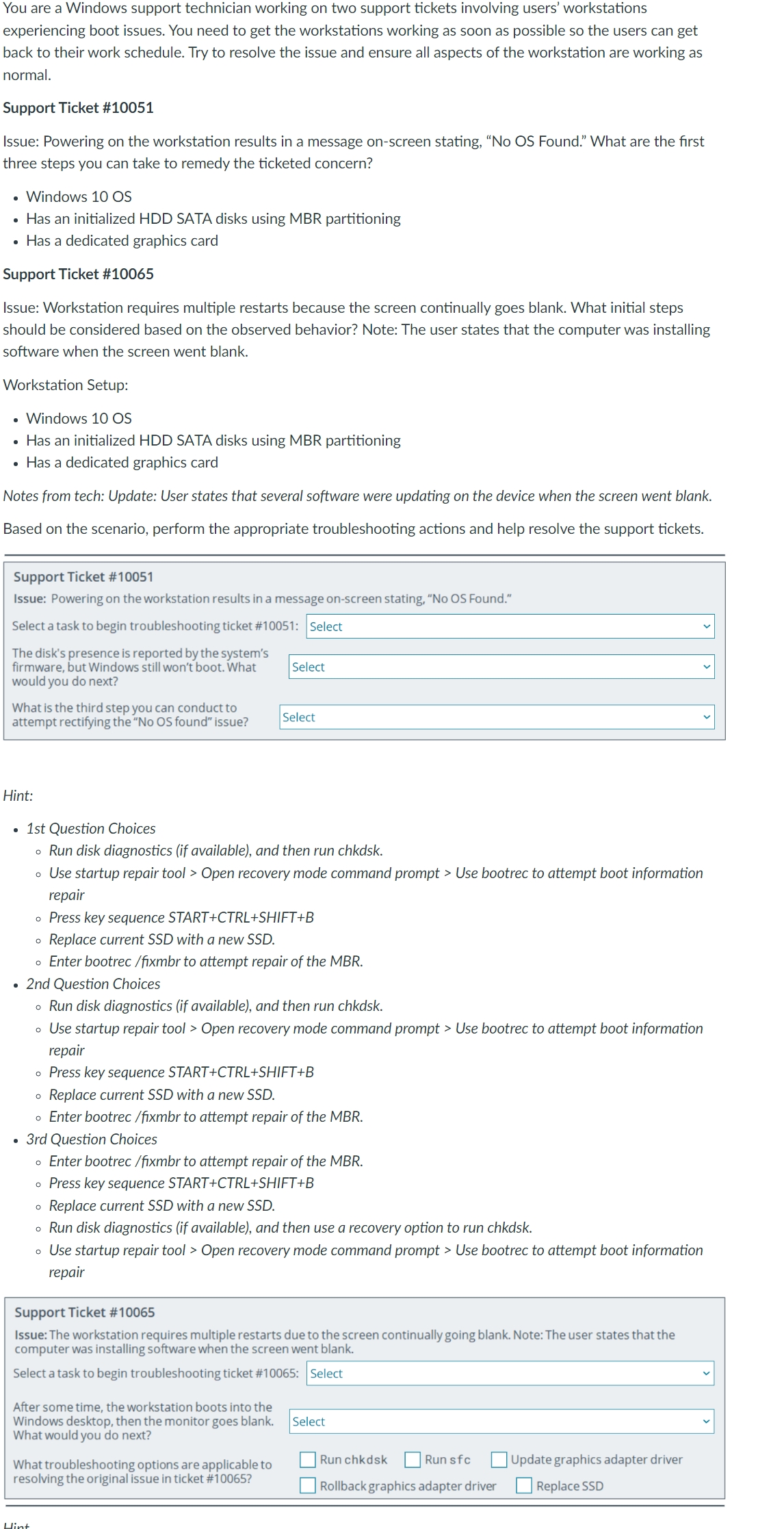
Issue: Powering on the workstation results in a message onscreen stating, No OS Found."
Select a task to begin troubleshooting ticket #: Select
The disk's presence is reported by the system's
firmware, but Windows still won't boot. What would you do next?
What is the third step you can conduct to attempt rectifying the No OS found" issue?
Hint: square
st Question Choices
Run disk diagnostics if available and then run chkdsk
Use startup repair tool Open recovery mode command prompt Use bootrec to attempt boot information repair
Press key sequence STARTCTRLSHIFTB
Replace current SSD with a new SSD
Enter bootrec fixmbr to attempt repair of the MBR
nd Question Choices
Run disk diagnostics if available and then run chkdsk
Use startup repair tool Open recovery mode command prompt Use bootrec to attempt boot information repair
Press key sequence STARTCTRLSHIFTB
Replace current SSD with a new SSD
Enter bootrec fixmbr to attempt repair of the MBR
rd Question Choices
Enter bootrec fixmbr to attempt repair of the MBR
Press key sequence STARTCTRLSHIFTB
Replace current SSD with a new SSD
Run disk diagnostics if available and then use a recovery option to run chkdsk
Use startup repair tool Open recovery mode command prompt Use bootrec to attempt boot information repair
Support Ticket #
Issue: The workstation requires multiple restarts due to the screen continually going blank. Note: The user states that the computer was installing software when the screen went blank.
Select a task to begin troubleshooting ticket #:
After some time, the workstation boots into the
Windows desktop, then the monitor goes blank. What would you do next?
Select
What troubleshooting options are applicable to resolving the original issue in ticket #
Run chkdsk
Runsfc
Rollback graphics adapter driver
Update graphics adapter driver
Replace SSD
Step by Step Solution
There are 3 Steps involved in it
1 Expert Approved Answer
Step: 1 Unlock

Question Has Been Solved by an Expert!
Get step-by-step solutions from verified subject matter experts
Step: 2 Unlock
Step: 3 Unlock
 Study Help