







Question: table [ [ , table [ [ The servers are required to share a portion of their tips with the Beverage Worker and
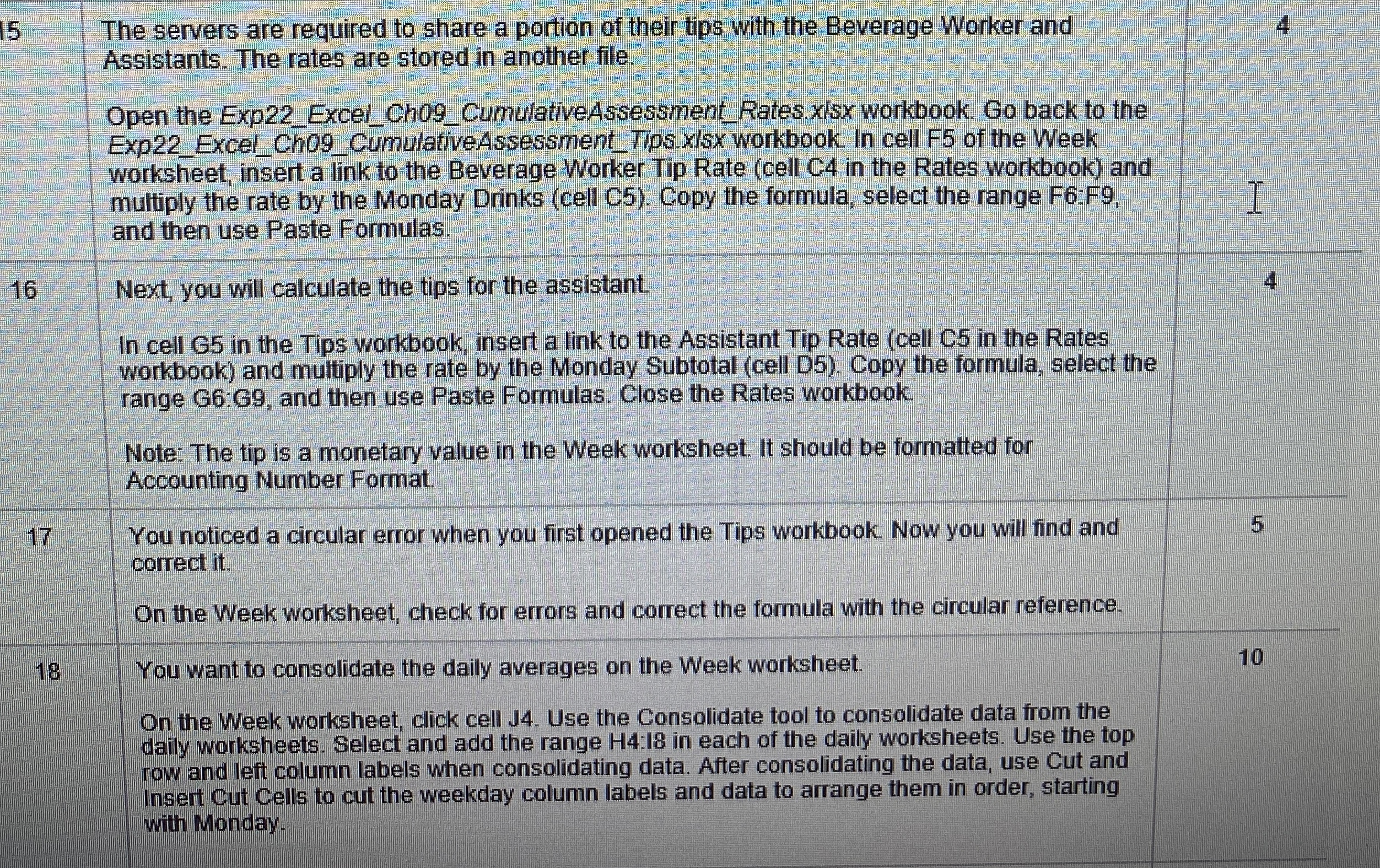
tabletableThe servers are required to share a portion of their tips with the Beverage Worker andAssistants The rates are stored in another file.Open the ExpExcelChCumulativeAssessmentRates.xIsx workbook. Go back to theExpExcelCh CumulativeAssessmentTips.xlsx workbook. In cell F of the Weekworksheet insert a link to the Beverage Worker Tip Rate cell C in the Rates workbook andmultiply the rate by the Monday Drinks cell C Copy the formula, select the range F:Fand then use Paste Formulas.tableNext you will calculate the tips for the assistant.In cell G in the Tips workbook, insert a link to the Assistant Tip Rate cell C in the Ratesworkbook and multiply the rate by the Monday Subtotal cell D Copy the formula, select therange G:G and then use Paste Formulas. Close the Rates workbook.Note: The tip is a monetary value in the Week worksheet. It should be formatted forAccounting Number Format.tableYou noticed a circular error when you first opened the Tips workbook. Now you will find andcorrect itOn the Week worksheet, check for errors and correct the formula with the circular reference.tableYou want to consolidate the daily averages on the Week worksheet.On the Week worksheet, click cell J Use the Consolidate tool to consolidate data from thedaily worksheets. Select and add the range : in each of the daily worksheets. Use the toprow and left column labels when consolidating data. After consolidating the data, use Cut andInsert Cut Cells to cut the weekday column labels and data to arrange them in order, startingwith Monday.
Step by Step Solution
There are 3 Steps involved in it
1 Expert Approved Answer
Step: 1 Unlock

Question Has Been Solved by an Expert!
Get step-by-step solutions from verified subject matter experts
Step: 2 Unlock
Step: 3 Unlock
 Study Help