







Question: Task 1. Develop a program to test the color sensor. Build on the example that we developed in Class 21. The program should demonstrate how
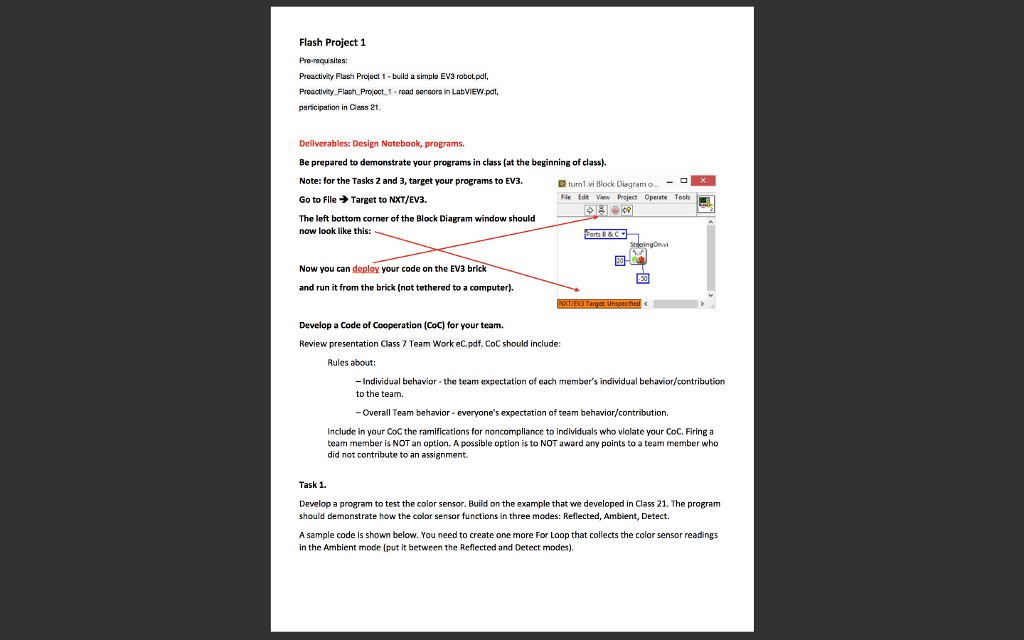 Task 1.
Develop a program to test the color sensor. Build on the example that we developed in Class 21. The program should demonstrate how the color sensor functions in three modes: Reflected, Ambient, Detect.
A sample code is shown below. You need to create one more For Loop that collects the color sensor readings in the Ambient mode (put it between the Reflected and Detect modes).
To create the Detected Color array, first create an empty array on the Front Panel. Then, on the Block Diagram, create the Detected Color indicator .
Recall the Preactivity_Flash_Project_1 - read sensors in LabVIEW.pdf: place the Read Sensor function block on the Block Diagram .
Right-click the Detected Color output terminal (blue wire) and create an indicator (use the Create option from the drop-down menu.
Copy/paste this indicator in the Block Diagram window. Keep one inside the For Loop; move the other one outside. On the Front Panel, place the latter inside the empty array area.
File name: fp1task1.vi.
Flash Project 1 Pruuctivity Flash Pruct 1-build a simple EV3 robot-pdf, Proactivty Flash Projoct 1 read sensors in LabVIEW.pdt, parcipation in Cless 21 Deliverables: Design Notebook, programs. Be prepared to demonstrate your programs in class (at the beginning of class). Note: for the Tasks 2 and 3, target your programs to EV3. Go to File Target to NXT/E/3. The left bottom corner of the Block Diagram window should turn1.vi Block Diagram o.. Fle Edt View Prject Operate Tools now look like this: Now you can deploy your code on the EV3 brick and run it from the brick (not tethered to a computer). Develop a Code of Cooperation (CoC) for your team. Review presentation Class 7 Team Work eC,pdf. CoC should include: Rules about: -Individual behavior the team expectation of each member's individual behavior/contribution to the team Overall Team behavior everyone's expectation of team behavior/contribution Include in your CoC the ramifications for noncompliance to individuals who violate your CoC, Firinga team member is NOT an option. A possible option is to NOT award any points to a team member who did not contribute to an assignment Task 1 Develop a program to test the color sensor. Build on the example that we developed in Class 21. The program should demonstrate how the color sensor functions in three modes: Reflected, Ambient, Detect. A sample code is shown below. You need to create one more For Loop that collects the color sensor readings in the Ambient mode (put it between the Reflected and Detect modes) Flash Project 1 Pruuctivity Flash Pruct 1-build a simple EV3 robot-pdf, Proactivty Flash Projoct 1 read sensors in LabVIEW.pdt, parcipation in Cless 21 Deliverables: Design Notebook, programs. Be prepared to demonstrate your programs in class (at the beginning of class). Note: for the Tasks 2 and 3, target your programs to EV3. Go to File Target to NXT/E/3. The left bottom corner of the Block Diagram window should turn1.vi Block Diagram o.. Fle Edt View Prject Operate Tools now look like this: Now you can deploy your code on the EV3 brick and run it from the brick (not tethered to a computer). Develop a Code of Cooperation (CoC) for your team. Review presentation Class 7 Team Work eC,pdf. CoC should include: Rules about: -Individual behavior the team expectation of each member's individual behavior/contribution to the team Overall Team behavior everyone's expectation of team behavior/contribution Include in your CoC the ramifications for noncompliance to individuals who violate your CoC, Firinga team member is NOT an option. A possible option is to NOT award any points to a team member who did not contribute to an assignment Task 1 Develop a program to test the color sensor. Build on the example that we developed in Class 21. The program should demonstrate how the color sensor functions in three modes: Reflected, Ambient, Detect. A sample code is shown below. You need to create one more For Loop that collects the color sensor readings in the Ambient mode (put it between the Reflected and Detect modes)
Step by Step Solution
There are 3 Steps involved in it

Get step-by-step solutions from verified subject matter experts
 Study Help