





Question: Task #1: Display sales for a specific store. . Input -- the owner will type a city name into cell H2. . Your task --
Task #1: Display sales for a specific store. .
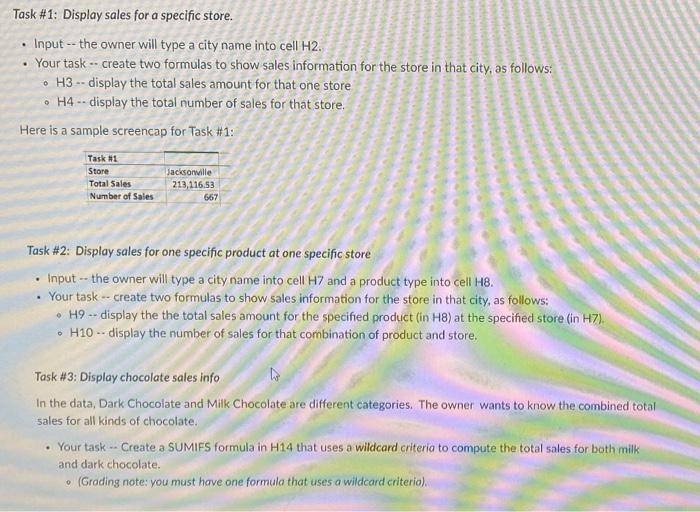
Task #1: Display sales for a specific store. . Input -- the owner will type a city name into cell H2. . Your task -- create two formulas to show sales information for the store in that city, as follows: . H3 -- display the total sales amount for that one store . H4 -- display the total number of sales for that store. Here is a sample screencap for Task #1: Task #1 Store Jacksonville Total Sales 213,116.53 Number of Sales 667 Task #2: Display sales for one specific product at one specific store . Input - the owner will type a city name into cell H7 and a product type into cell H8. . Your task -- create two formulas to show sales information for the store in that city, as follows: . H9 -- display the the total sales amount for the specified product (in H8) at the specified store (in H7). H10 -- display the number of sales for that combination of product and store. Task #3: Display chocolate sales info In the data, Dark Chocolate and Milk Chocolate are different categories. The owner wants to know the combined total sales for all kinds of chocolate. . Your task -- Create a SUMIFS formula in H14 that uses a wildcard criteria to compute the total sales for both milk and dark chocolate. (Grading note: you must have one formula that uses a wildcard criteria)

Step by Step Solution

There are 3 Steps involved in it

1 Expert Approved Answer
Step: 1 Unlock blur-text-image
Question Has Been Solved by an Expert!

Get step-by-step solutions from verified subject matter experts

Step: 2 Unlock
Step: 3 Unlock

Students Have Also Explored These Related Mathematics Questions!