







Question: Task 1.7: Working with text files 1. Change to directory/var/log directory. 2. Type the Is-l command to see a list of all the files in
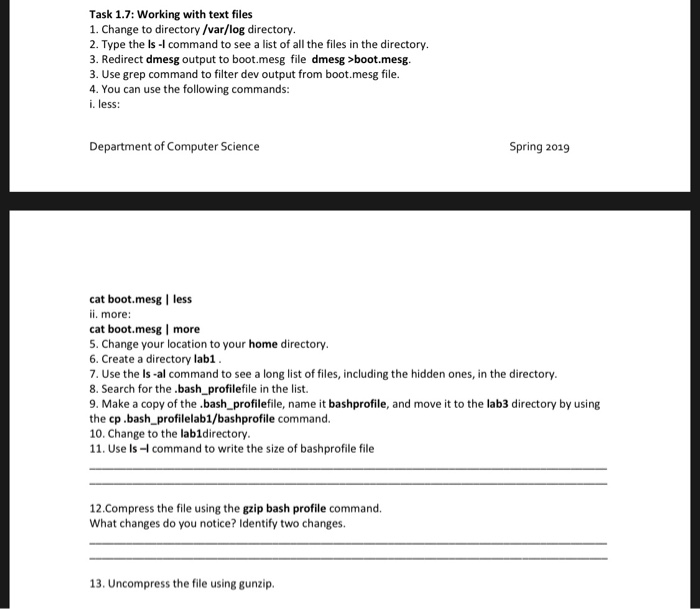
Task 1.7: Working with text files 1. Change to directory/var/log directory. 2. Type the Is-l command to see a list of all the files in the directory 3. Redirect dmesg output to boot.mesg file dmesg >boot.mes. 3. Use grep command to filter dev output from boot.mesg file. 4. You can use the following commands: less Department of Computer Science Spring 2019 cat boot.mesg | less ii. more: cat boot.mesg I more 5. Change your location to your home directory 6. Create a directory lab1 7. Use the ls-al command to see a long list of files, including the hidden ones, in the directory 8. Search for the.bash_profilefile in the list. 9. Make a copy of the.bash_ profilefile, name it bashprofile, and move it to the lab3 directory by using the cp bash_profilelab1/bashprofile command. 10. Change to the labldirectory 11. Use Is-command to write the size of bashprofile file 12.Compress the file using the gzip bash profile command. What changes do you notice? Identify two changes. 13. Uncompress the file using gunzip
Step by Step Solution
There are 3 Steps involved in it

Get step-by-step solutions from verified subject matter experts
 Study Help