







Question: Task 2: Use Third Party Software and Create a Simple Network Using Packet Tracer - You will be creating the topology using packet tracer,
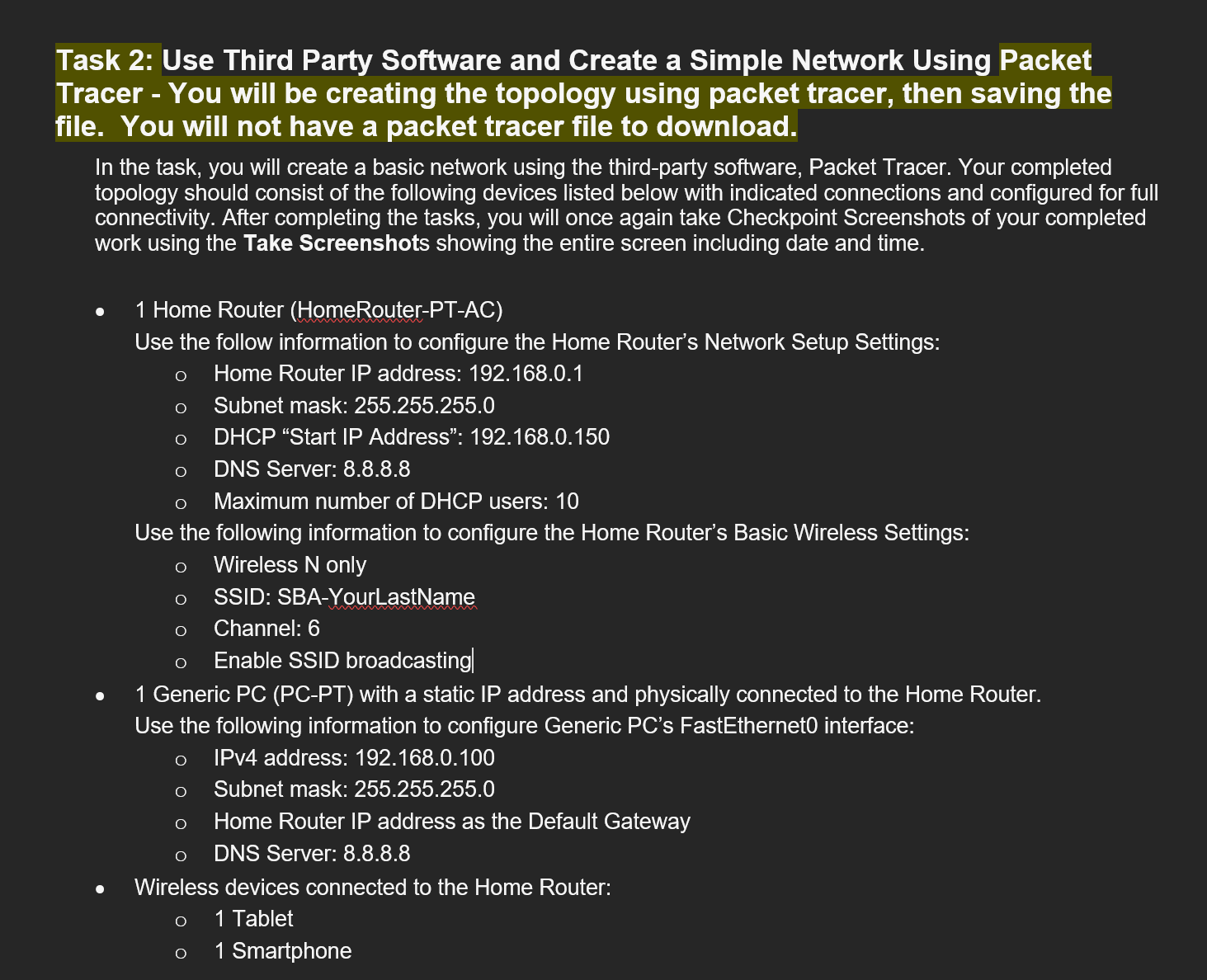
Task 2: Use Third Party Software and Create a Simple Network Using Packet Tracer - You will be creating the topology using packet tracer, then saving the file. You will not have a packet tracer file to download. In the task, you will create a basic network using the third-party software, Packet Tracer. Your completed topology should consist of the following devices listed below with indicated connections and configured for full connectivity. After completing the tasks, you will once again take Checkpoint Screenshots of your completed work using the Take Screenshots showing the entire screen including date and time. 1 Home Router (HomeRouter-PT-AC) Use the follow information to configure the Home Router's Network Setup Settings: Home Router IP address: 192.168.0.1 Subnet mask: 255.255.255.0 DHCP "Start IP Address": 192.168.0.150 DNS Server: 8.8.8.8 Maximum number of DHCP users: 10 Use the following information to configure the Home Router's Basic Wireless Settings: Wireless N only SSID: SBA-YourLastName Channel: 6 Enable SSID broadcasting| 1 Generic PC (PC-PT) with a static IP address and physically connected to the Home Router. Use the following information to configure Generic PC's FastEthernet0 interface: IPv4 address: 192.168.0.100 Subnet mask: 255.255.255.0 Home Router IP address as the Default Gateway DNS Server: 8.8.8.8 Wireless devices connected to the Home Router: 1 Tablet 1 Smartphone
Step by Step Solution
There are 3 Steps involved in it

Get step-by-step solutions from verified subject matter experts
 Study Help