







Question: TASK 2: Write a program using Microsoft Excel to establish buoyancy forces on submerged and partly submerged bodies and determine their stability The program should
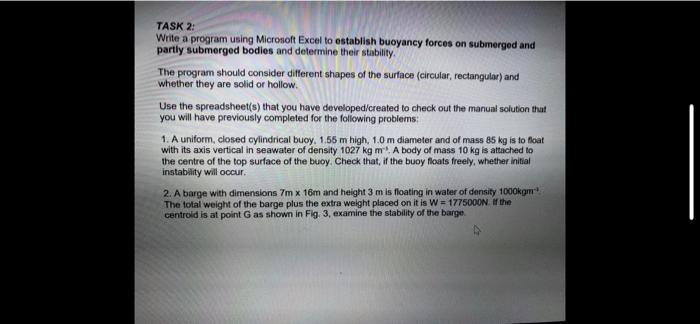
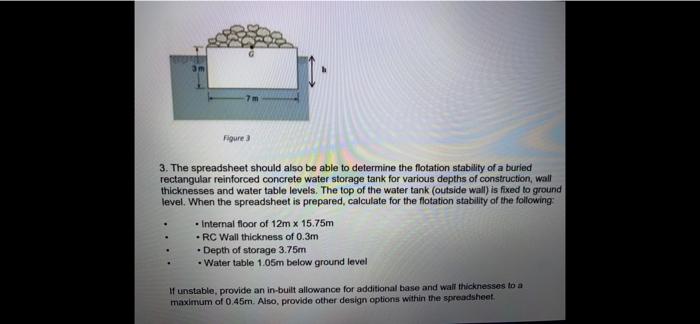
TASK 2: Write a program using Microsoft Excel to establish buoyancy forces on submerged and partly submerged bodies and determine their stability The program should consider different shapes of the surface (circular, rectangular) and whether they are solid or hollow Use the spreadsheet(s) that you have developed created to check out the manual solution that you will have previously completed for the following problems 1. A uniform, closed cylindrical buoy. 1.55 m high, 1.0 m diameter and of mass 85 kg is to float with its axis vertical in seawater of density 1027 kgm. A body of mass 10 kg is attached to the centre of the top surface of the buoy. Check that, if the buoy floats freely, whether initial instability will occur 2. A barge with dimensions 7m x 16m and height 3m is floating in water of density 1000km The total weight of the barge plus the extra weight placed on it is W = 1775000N if the centreld is at point G as shown in Fig. 3, examine the stability of the barge. Figure 3. The spreadsheet should also be able to determine the flotation stability of a buried rectangular reinforced concrete water storage tank for various depths of construction, wall thicknesses and water table levels. The top of the water tank (outside wall) is fixed to ground level. When the spreadsheet is prepared, calculate for the flotation stability of the following: - Internal floor of 12m x 15.75m - RC Wall thickness of 0.3m Depth of storage 3.75m Water table 1.05m below ground level If unstable, provide an in-built allowance for additional base and wall thicknesses to a maximum of 0.45m. Also, provide other design options within the spreadsheet
Step by Step Solution
There are 3 Steps involved in it

Get step-by-step solutions from verified subject matter experts
 Study Help