







Question: Task 3.2: Using Read Command (Delete a file that exist on your system) !/bin/bash echo 'Please enter the name of the file to delete: readlinedelfiles
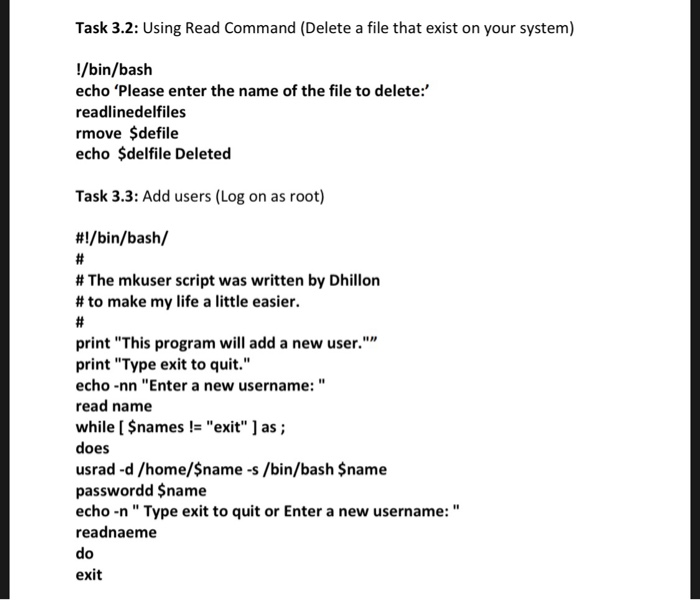
Task 3.2: Using Read Command (Delete a file that exist on your system) !/bin/bash echo 'Please enter the name of the file to delete:" readlinedelfiles rmove $defile echo $delfile Deleted Task 3.3: Add users (Log on as root) #1 /bin/bash/ # The mkuser script was written by Dhillon # to make my life a little easier. print "This program will add a new user."" print "Type exit to quit." echo -nn "Enter a new username:" read name while I names!"exit as; does usrad -d/home/$name-s /bin/bash $name passwordd $name echo -n" Type exit to quit or Enter a new username:" readnaeme do exit Task 3.2: Using Read Command (Delete a file that exist on your system) !/bin/bash echo 'Please enter the name of the file to delete:" readlinedelfiles rmove $defile echo $delfile Deleted Task 3.3: Add users (Log on as root) #1 /bin/bash/ # The mkuser script was written by Dhillon # to make my life a little easier. print "This program will add a new user."" print "Type exit to quit." echo -nn "Enter a new username:" read name while I names!"exit as; does usrad -d/home/$name-s /bin/bash $name passwordd $name echo -n" Type exit to quit or Enter a new username:" readnaeme do exit
Step by Step Solution
There are 3 Steps involved in it

Get step-by-step solutions from verified subject matter experts
 Study Help