







Question: Task: Create a Process Model for the Production Process ( skip the planning process ) . When creating the model, use the actual case for
Task: Create a Process Model for the Production Process skip the planning process When
creating the model, use the actual case for the process model, including all the steps that are
in the case.
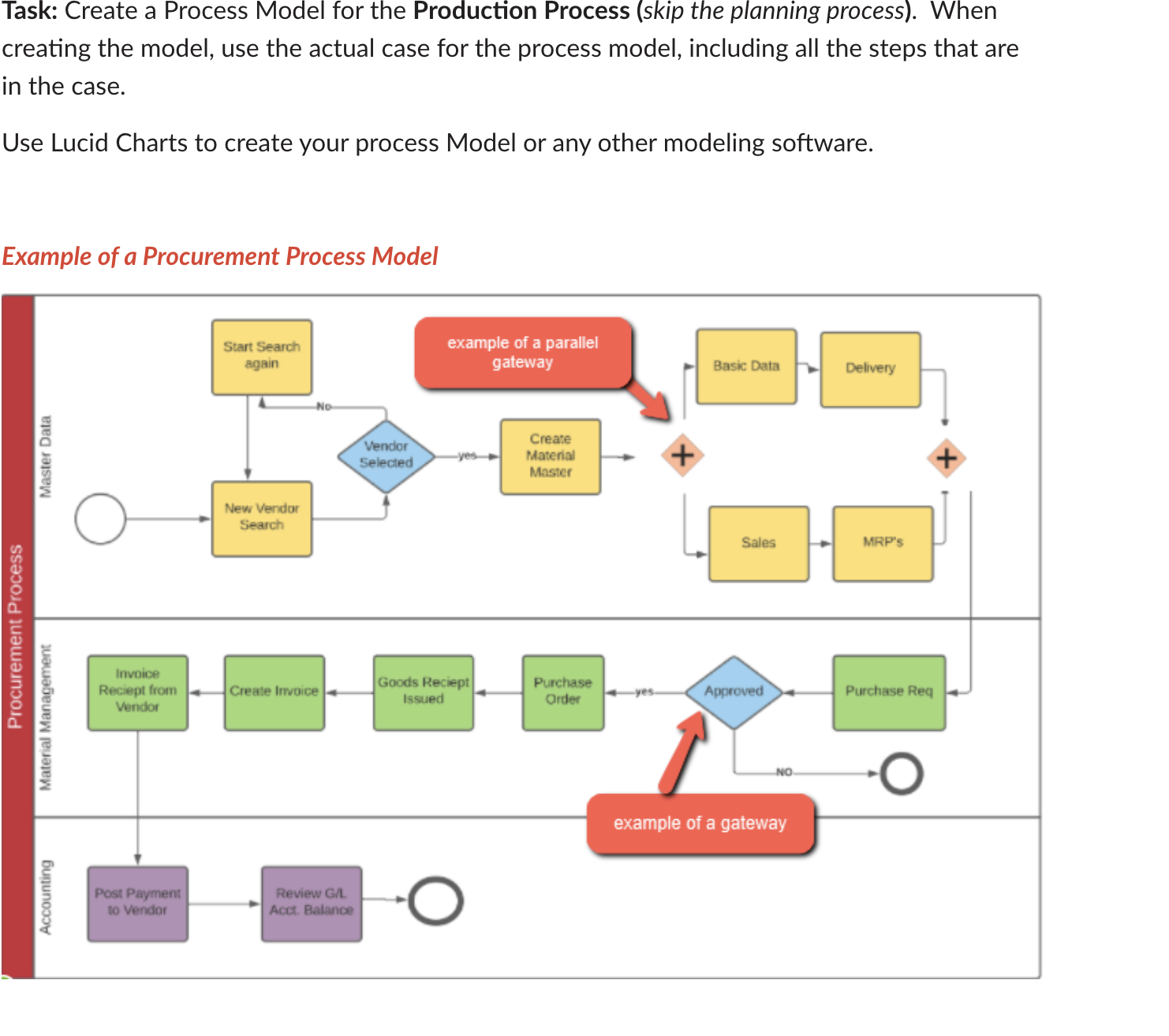
Use Lucid Charts to create your process Model or any other modeling softwarePDF picture of model
Example of a Procurement Process Model
Case provided: Step Change Material Master Record
Step : Change Routing for your RED Deluxe Touring bike
Step : Display the Product Group for all your Deluxe Touring bikes.
Step : Create a month sales and operations plan SOP for your product group
Step : Transfer SOP to Demand Management Demand Management is the tool used to disaggregate planning data from highlevel plans down to the detailed planning level.
Step : Review the requirements for the product group to ensure that there are production requirements for the individual production items.
Step : Run Master Production Scheduling MPS
Step : Review the StockRequirements List for your deluxe touring bike.
Step : Convert a Planned Order generated in the MPSMRP run to a Production Order.
Step : Receive Goods in Inventory Receive enough goods in the Dallas storage locations to start production.
Step : Goods Issue to Production Order all necessary components are in stock. You will issue them to your production order in precise quantities.
Step : Review Production Order Status Here you can see the costs assigned to the production order from the GBI goods issue.
Step : Confirm Production Completion When the assembly has been completed for the current production order, we need to confirm that certain procedures and activities have been completed and record the quantity of the end product that has been manufactured.
Step : Receive Goods from Production Order Post a goods receipt from your production order. Receive the completed products into the finished goods inventory.
Step : Review Costs Assigned to Production Order Display and review the costs that have been assigned to your production order.
Step : Settle Costs of Production Order The costs are temporarily captured in the production order and they need to be assigned to an appropriate cost object.
Step by Step Solution
There are 3 Steps involved in it
1 Expert Approved Answer
Step: 1 Unlock

Question Has Been Solved by an Expert!
Get step-by-step solutions from verified subject matter experts
Step: 2 Unlock
Step: 3 Unlock
 Study Help