







Question: Task Write a Java program that presents a menu to the user allowing them to convert a decimal number ( int ) to the equivalent
Task
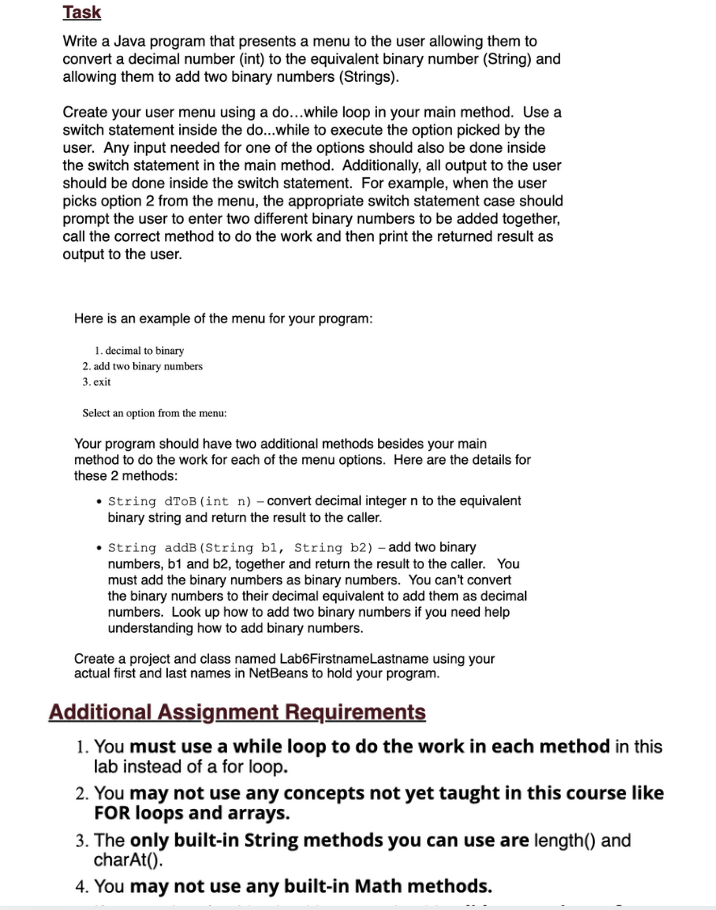
Write a Java program that presents a menu to the user allowing them to convert a decimal number int to the equivalent binary number String andallowing them to add two binary numbers Strings
Create your user menu using a dowhile loop in your main method. Use a switch statement inside the dowhile to execute the option picked by the user. Any input needed for one of the options should also be done inside the switch statement in the main method. Additionally, all output to the user should be done inside the switch statement. For example, when the user picks option from the menu, the appropriate switch statement case should
prompt the user to enter two different binary numbers to be added together, call the correct method to do the work and then print the returned result as output to the user.
Here is an example of the menu for your program:
decimal to binary
add two binary numbers
exit
Select an option from the menu:
Your program should have two additional methods besides your main method to do the work for each of the menu options. Here are the details for these methods:
String dToBint n convert decimal integer n to the equivalent binary string and return the result to the caller.
String addB String b String b add two binary numbers, b and b together and return the result to the caller. You must add the binary numbers as binary numbers. You can't convert the binary numbers to their decimal equivalent to add them as decimal numbers. Look up how to add two binary numbers if you need help understanding how to add binary numbers.
Create a project and class named LabFirstnameLastname using your actual first and last names in NetBeans to hold your program.
Additional Assignment Requirements:
You must use a while loop to do the work in each method in this lab instead of a for loop.
You may not use any concepts not yet taught in this course like FOR loops and arrays.
The only builtin String methods you can use are length and charAt
You may not use any builtin Math methods.
Step by Step Solution
There are 3 Steps involved in it
1 Expert Approved Answer
Step: 1 Unlock

Question Has Been Solved by an Expert!
Get step-by-step solutions from verified subject matter experts
Step: 2 Unlock
Step: 3 Unlock
 Study Help