







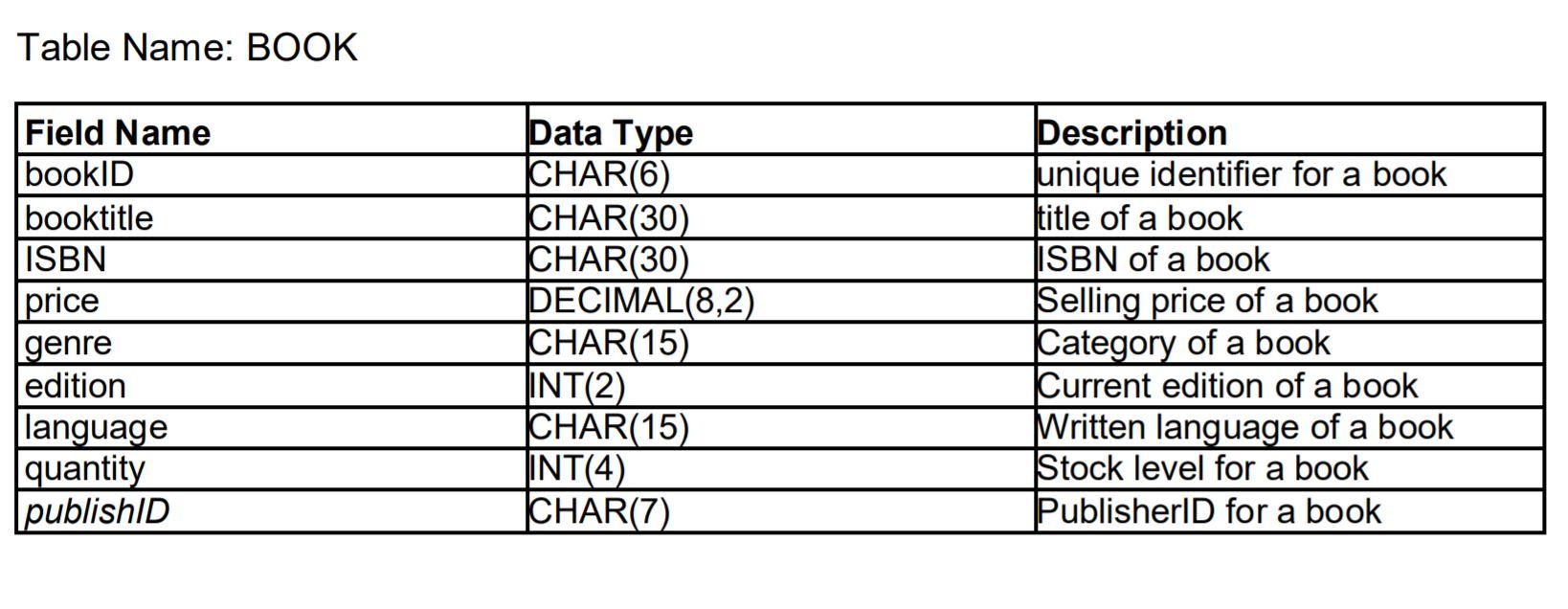
Question: task5.htm Pracset2 week 9 Exercise 5 Exercise5 Find name and post address for this publisher.. publisher ID: Table Name: BOOK Field Name bookID booktitle ISBN
task5.htm
Exercise5
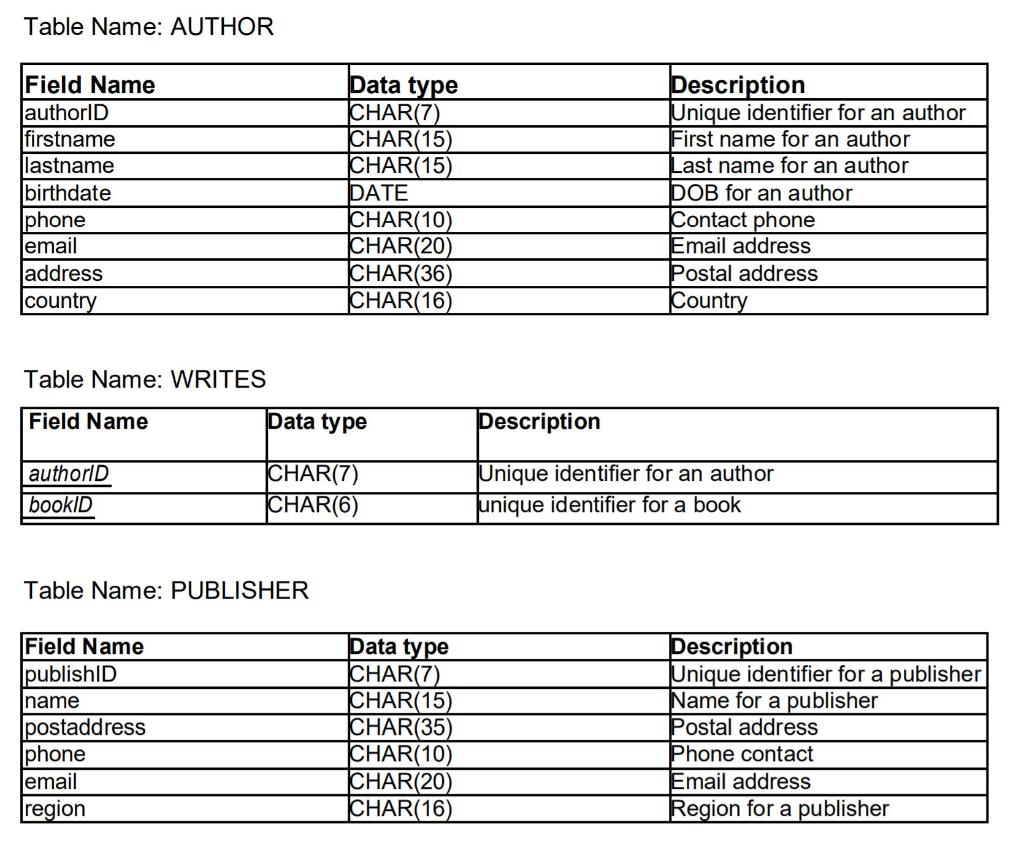
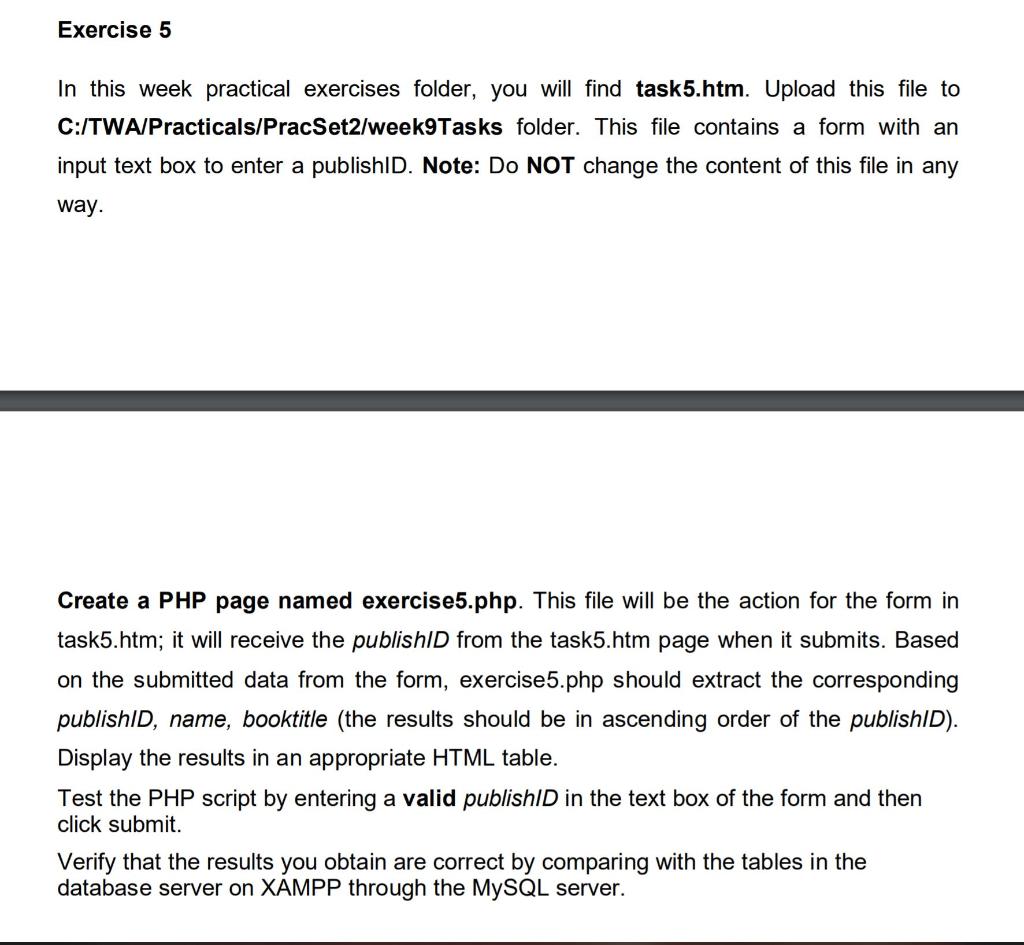
Table Name: BOOK Field Name bookID booktitle ISBN price genre edition language quantity publishID Data Type CHAR(6) CHAR(30) CHAR(30) DECIMAL(8,2) CHAR(15) INT(2) CHAR(15) INT(4) CHAR(7) Description unique identifier for a book title of a book ISBN of a book Selling price of a book Category of a book Current edition of a book Written language of a book Stock level for a book PublisherID for a book a Table Name: AUTHOR Field Name authorID firstname lastname birthdate Iphone email address country Data type CHAR(7) CHAR(15) CHAR(15) DATE CHAR(10) CHAR(20) CHAR(36) CHAR(16) Description Unique identifier for an author First name for an author Last name for an author DOB for an author Contact phone Email address Postal address Country Table Name: WRITES Field Name Data type Description authorld bookID CHAR(7) CHAR(6) Unique identifier for an author unique identifier for a book Table Name: PUBLISHER Field Name lpublishID name Ipostaddress Iphone email region Data type CHAR(7) CHAR(15) CHAR(35) CHAR(10) CHAR(20) CHAR(16) Description Unique identifier for a publisher Name for a publisher Postal address Phone contact Email address Region for a publisher Exercise 5 In this week practical exercises folder, you will find task5.htm. Upload this file to C:/TWA/Practicals/PracSet2/week9Tasks folder. This file contains a form with an input text box to enter a publishld. Note: Do NOT change the content of this file in any way. Create a PHP page named exercise5.php. This file will be the action for the form in task5.htm; it will receive the publishld from the task5.htm page when it submits. Based on the submitted data from the form, exercise5.php should extract the corresponding publishid, name, booktitle (the results should be in ascending order of the publishlD). Display the results in an appropriate HTML table. Test the PHP script by entering a valid publishld in the text box of the form and then click submit. Verify that the results you obtain are correct by comparing with the tables in the database server on XAMPP through the MySQL server
Step by Step Solution
There are 3 Steps involved in it

Get step-by-step solutions from verified subject matter experts
 Study Help