







Question: The assignment is to upload a dictionary and a jumbled set of words. You store them both in arrays, and then you sort them both
The assignment is to upload a dictionary and a jumbled set of words. You store them both in arrays, and then you sort them both alphabetically and canonically to find the match then output the dictionary word. The output is supposed to be the unmodified jumbled word in alphabetical order, then the dictionary corresponding words in alphabetical order.
We cannot use the hashmap or table etc. I have the code done, but my problem is that I'm missing the word "act" and I cannot see why.
I attached images of everything..the first page is the sample dictionary then the sample jumbled words list then the code and finally what it outputs.
SAMPLE DICTIONARY SAMPLE JUMBLED LIST act atc cat otsp tac gdo dog atr god arpt post grof pots sylogs stop spot tops opts rat tar art trap tarp part flog golf frog gorp glossy
The output I get is Below There should be an "act" in the second line.
arpt tarp part trap
atc cat tac
atr rat art tar
gdo god dog
grof frog
otsp opts post pots spot stop tops
sylogs glossy
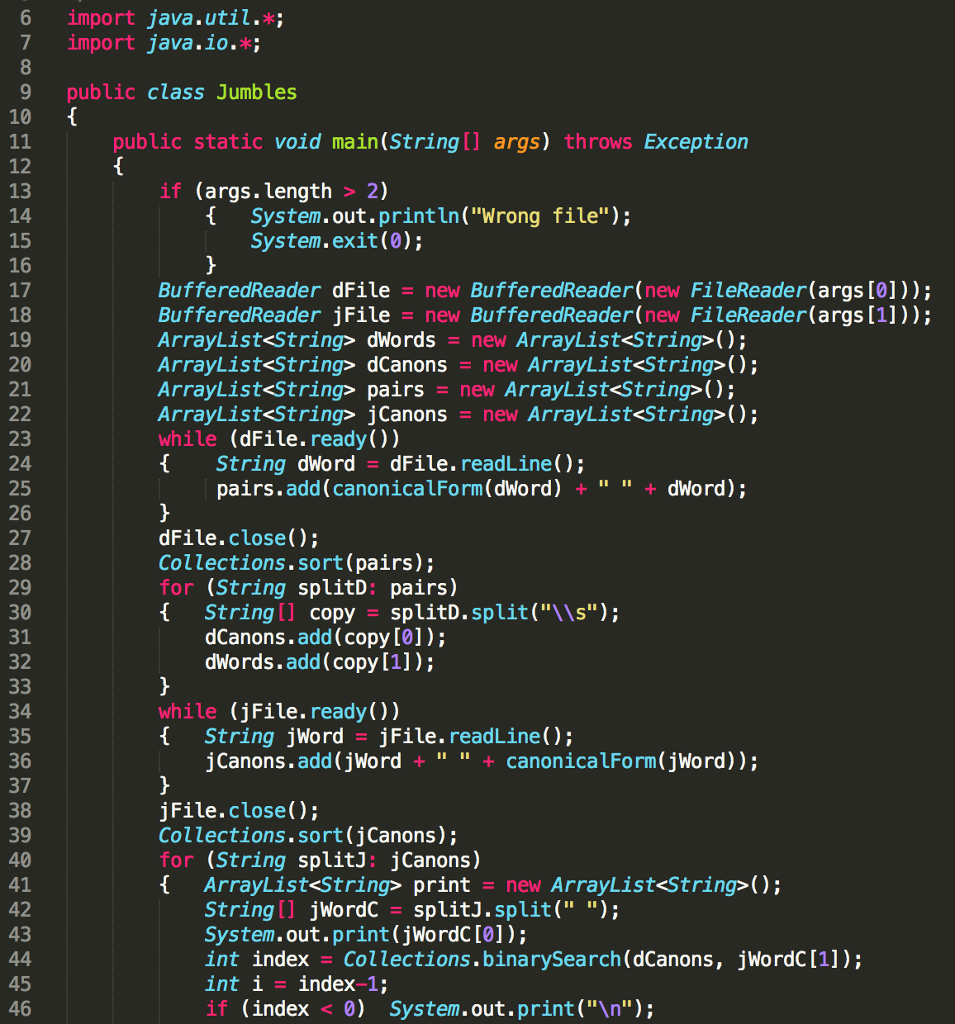
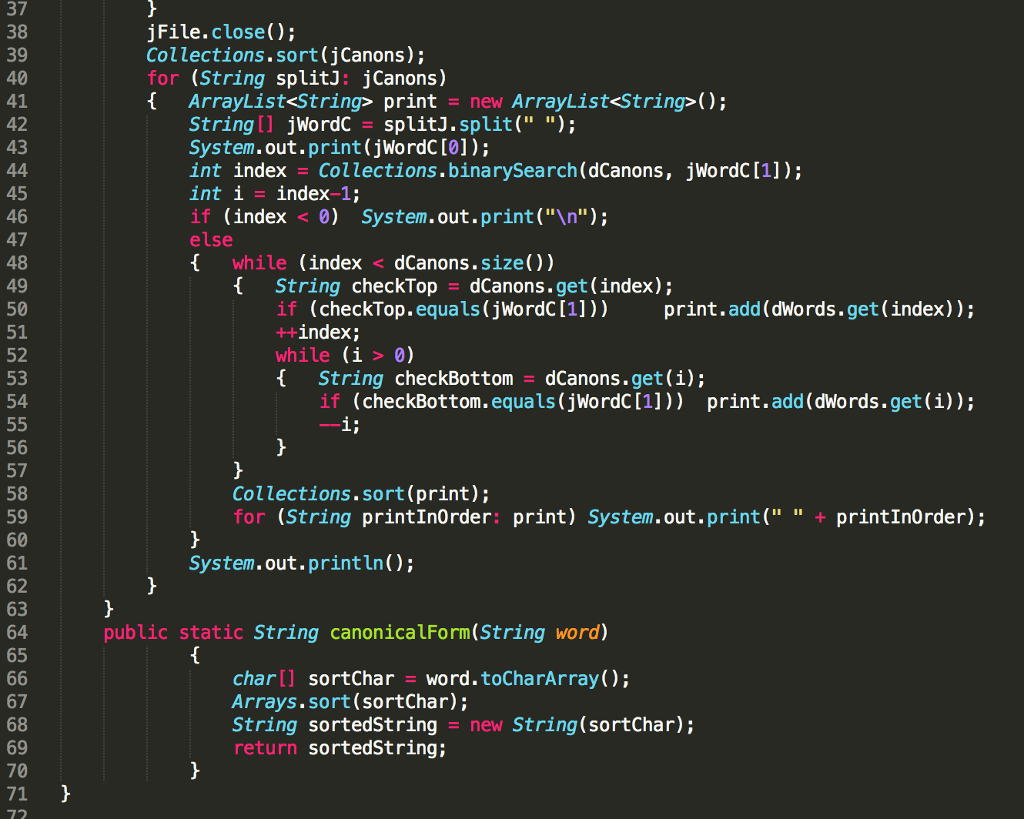
6 import java.util. 7 import java.io. 9 public class Jumbles public static void main(String[] args) throws Exception 12 14 16 if (args.length > 2) 1 System.out.println("Wrong file"); System.exit(0); BufferedReader dFile new BufferedReader(new FileReader(args [0])); BufferedReader jFile - new BufferedReader(new FileReader(args [1])); ArrayList
Step by Step Solution
There are 3 Steps involved in it

Get step-by-step solutions from verified subject matter experts
 Study Help