







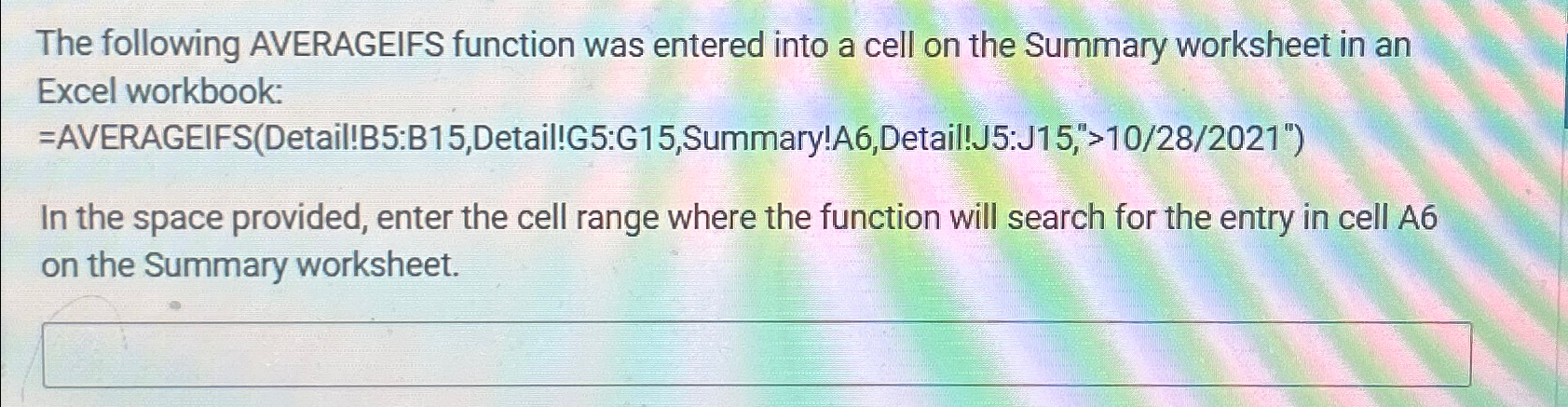
Question: The following AVERAGEIFS function was entered into a cell on the Summary worksheet in an Excel workbook: = AVERAGEIFS ( Detail ! B 5 :B
The following AVERAGEIFS function was entered into a cell on the Summary worksheet in an Excel workbook: AVERAGEIFSDetailB:BDetail!G:GSummary!ADetail!J:J
In the space provided, enter the cell range where the function will search for the entry in cell A on the Summary worksheet.
Step by Step Solution
There are 3 Steps involved in it
1 Expert Approved Answer
Step: 1 Unlock

Question Has Been Solved by an Expert!
Get step-by-step solutions from verified subject matter experts
Step: 2 Unlock
Step: 3 Unlock
 Study Help