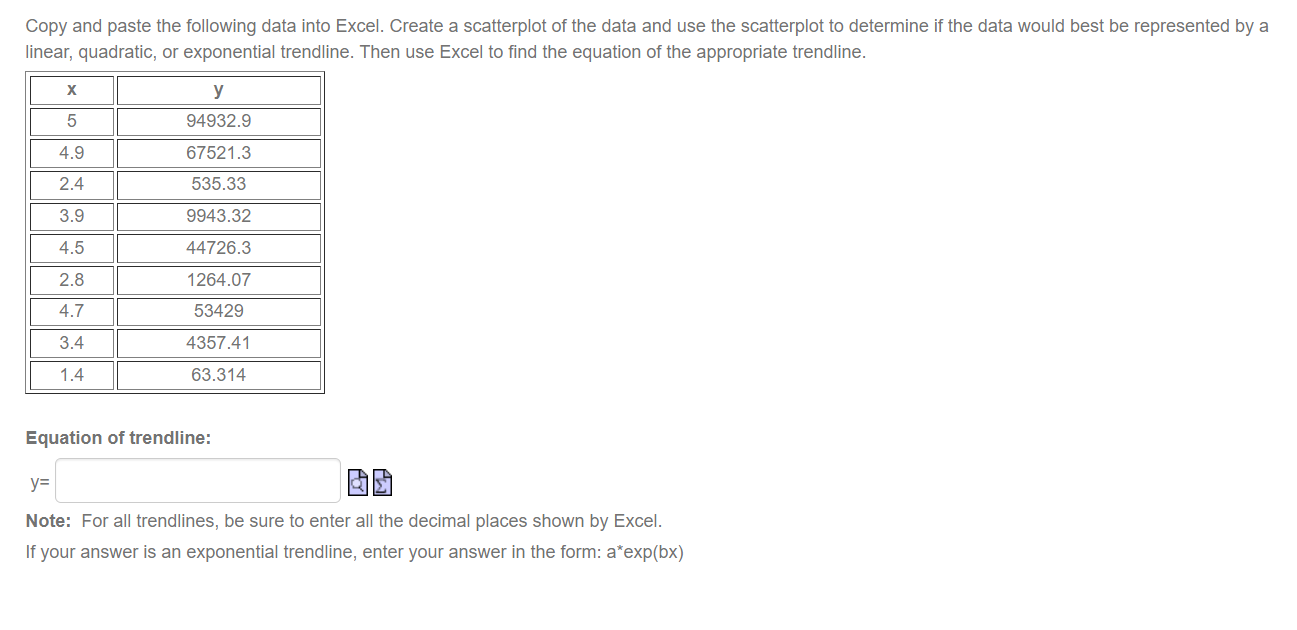
Question: The following data has a linear relationship. Copy and paste the data into Excel. Use Excel to find the equation of the linear trendline. X
The following data has a linear relationship.The following data has a linear relationship.The following data has a linear relationship.The following data has a linear relationship.
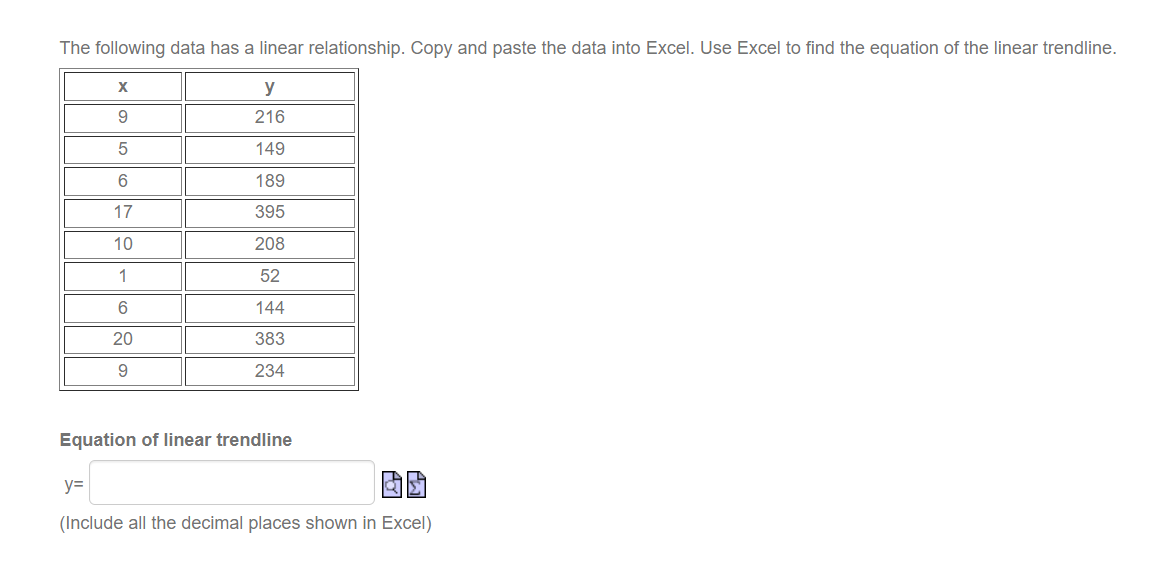
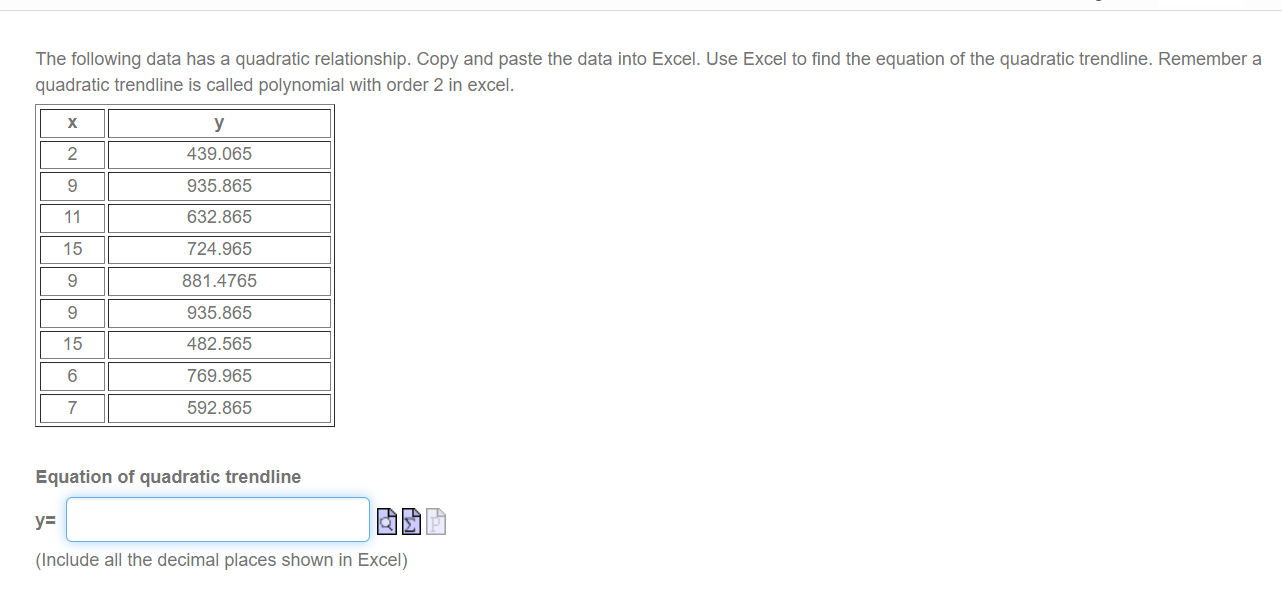
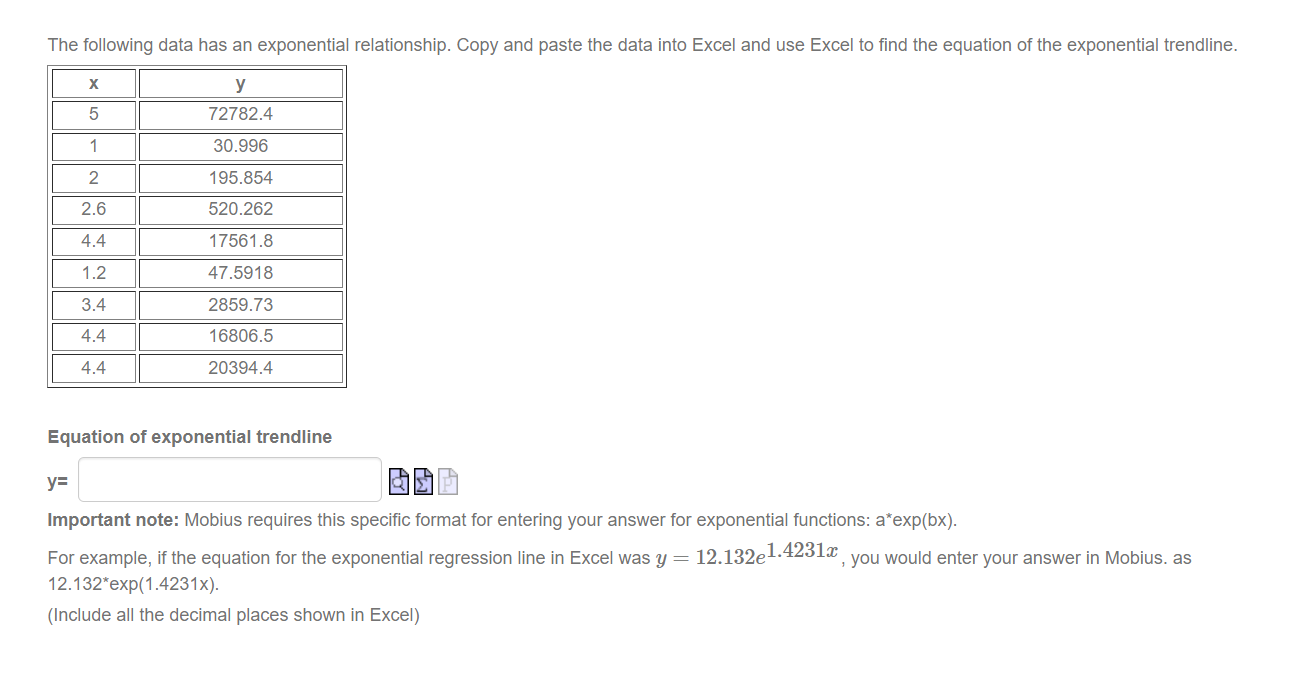
The following data has a linear relationship. Copy and paste the data into Excel. Use Excel to find the equation of the linear trendline. X y 9 216 5 149 6 189 17 395 10 208 1 52 6 144 20 383 9 234 Equation of linear trendline y= (Include all the decimal places shown in Excel)The following data has a quadratic relationship. Copy and paste the data into Excel. Use Excel to find the equation of the quadratic trendline. Remember a quadratic trendline is called polynomial with order 2 in excel. X y 2 439.065 9 935.865 11 632.865 15 724.965 9 881.4765 9 935.865 15 482.565 6 769.965 7 592.865 Equation of quadratic trendline y= (Include all the decimal places shown in Excel)The following data has an exponential relationship. Copy and paste the data into Excel and use Excel to find the equation of the exponential trendline. X y 5 72782.4 1 30.996 2 195.854 2.6 520.262 4.4 17561.8 1.2 47.5918 3.4 2859.73 4.4 16806.5 4.4 20394.4 Equation of exponential trendline y= Important note: Mobius requires this specific format for entering your answer for exponential functions: a*exp(bx). For example, if the equation for the exponential regression line in Excel was y = 12.132el-4231, you would enter your answer in Mobius. as 12.132*exp(1.4231x). (Include all the decimal places shown in Excel)Copy and paste the following data into Excel. Create a scatterplot of the data and use the scatterplot to determine if the data would best be represented by a linear, quadratic, or exponential trend ine. Then use Excel to nd the equation of the appropriate trendline. X Y 5 94932.9 4.9 67521.3 2.4 535.33 3.9 9943.32 4.5 44726.3 2.8 1264.07 4.7 53429 3.4 4357.41 1.4 63.314 Equation of trendline: y: I t] Note: For all trendlines, be sure to enter all the decimal places shown by Excel. If your answer is an exponential trendline, enter your answer in the form: a'exp(bx)
Step by Step Solution

There are 3 Steps involved in it

1 Expert Approved Answer
Step: 1 Unlock blur-text-image

Question Has Been Solved by an Expert!

Get step-by-step solutions from verified subject matter experts

Step: 2 Unlock
Step: 3 Unlock

Students Have Also Explored These Related Mathematics Questions!