



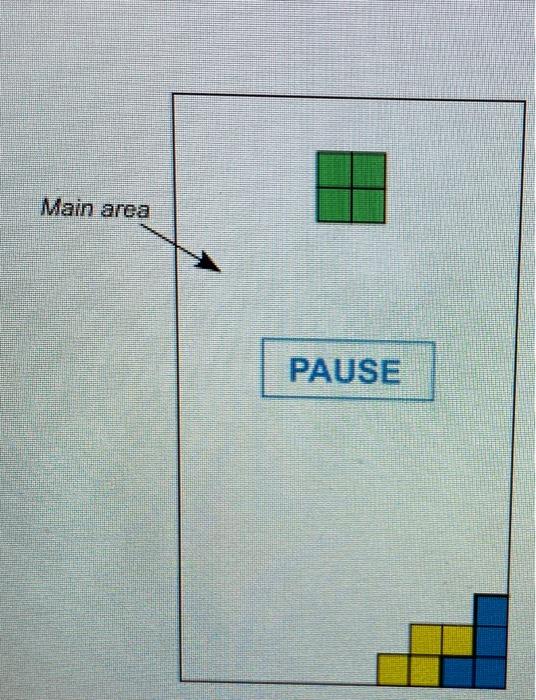
Question: the following program draws an 8 by 8 checkerboard in Java that scales to windowsize when you run the program. Similarly, draw the following rectangle
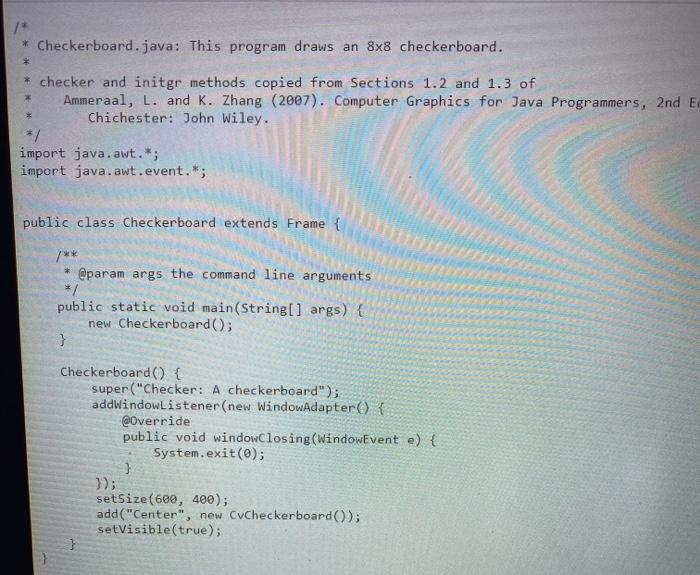
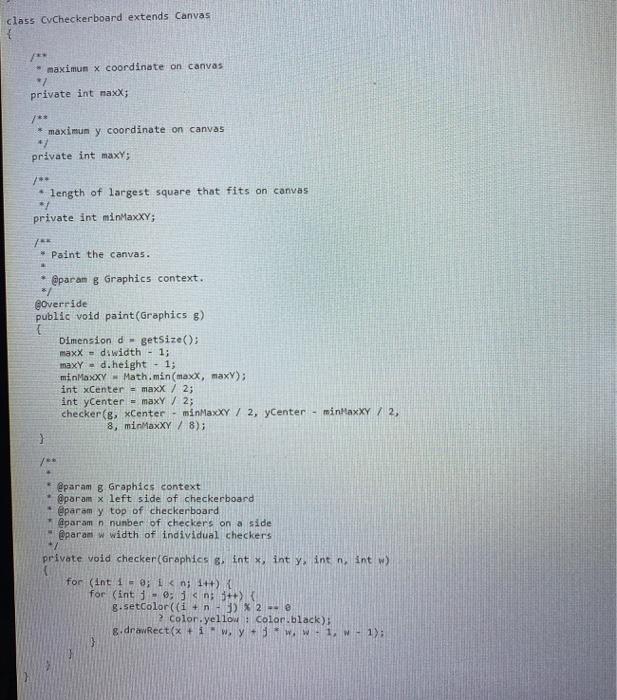
* Checkerboard.java: This program draws an 8x8 checkerboard. * * checker and initgr methods copied from Sections 1.2 and 1.3 of Ammeraal, L. and K. Zhang (2007). Computer Graphics for Java Programmers, 2nd E Chichester: John Wiley. */ import java.awt.*; import java.awt.event.*; public class Checkerboard extends Frame { /** * @param args the command line arguments */ public static void main(String[] args) { new Checkerboard(); } Checkerboard() { super("Checker: A checkerboard"); addWindowListener(new WindowAdapter() { @Override public void windowClosing(WindowEvent e) { System.exit(0); ) }); setSize(600, 400); add("Center", new CvCheckerboard(); setVisible(true); } class CyCheckerboard extends Canvas ** maximun x coordinate on canvas * private int maxX; /** * maximun y coordinate on canvas private int maxy; /** length of largest square that fits on canvas private int minMaxXY; 7** * Paint the canvas. @paran & Graphics context. @Override public void paint(Graphics 8) Dimension d. getSize(); maxX = dawidth - 1; maxy = d.height - 1; minMaxxy - Math.min(maxx, max); int Center - maxX / 2; int yCenter = maxY / 2; checker(8, Center - minMaxXY / 2, yCenter - minHaxXY 7 2, 8, minMaxXY / 8); 3 @param 8 Graphics context @param x left side of checkerboard @param y top of checkerboard 1@param n number of checkers on a side @param w width of individual checkers private void checker (Graphics & int x, int y int n, int w for (int i = 0; i
Step by Step Solution
There are 3 Steps involved in it

Get step-by-step solutions from verified subject matter experts