







Question: The following program simulates a vending machine panel. The program gets an integer that represents the user's selected item, and then outputs a dispensing message.
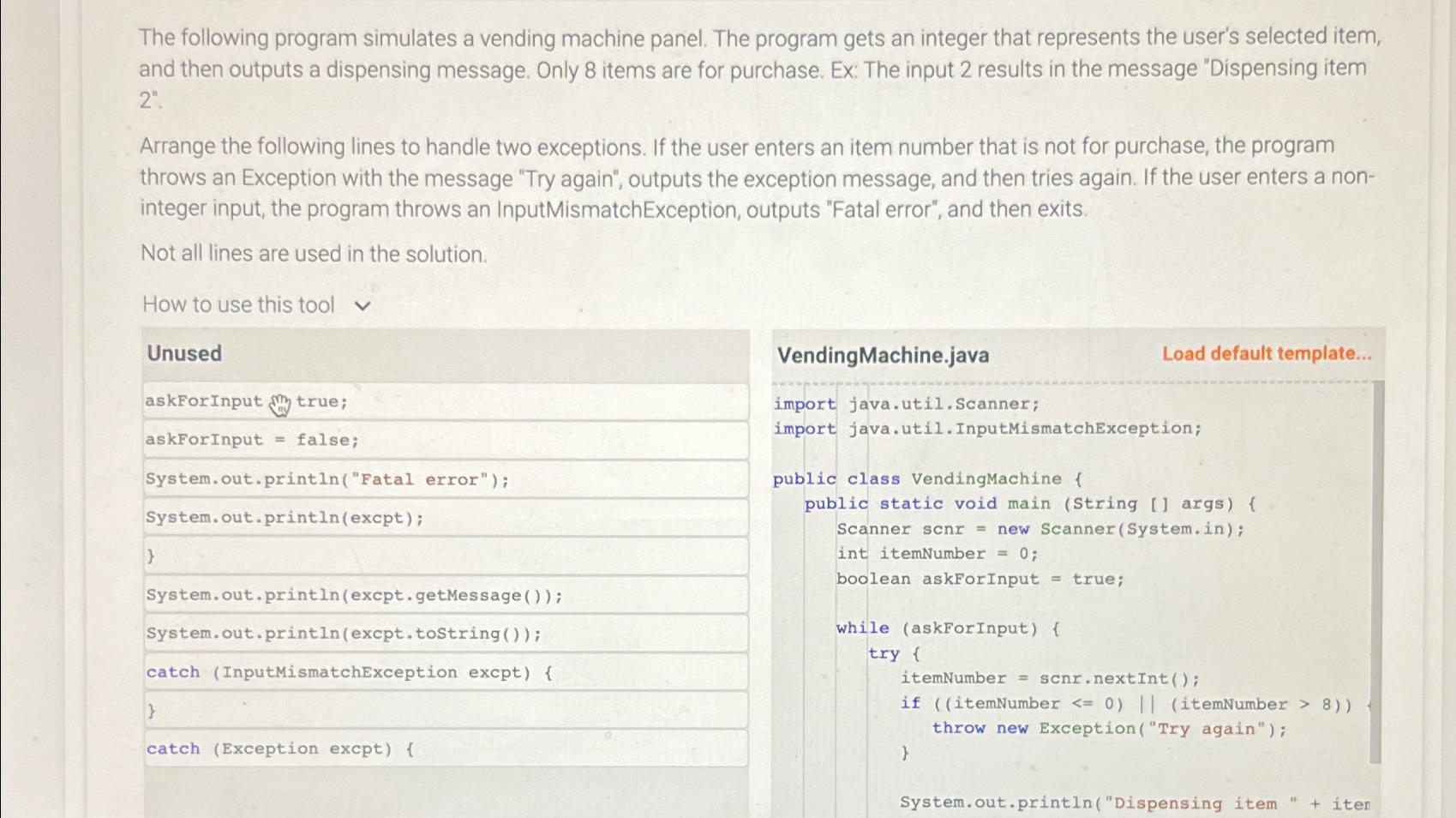
The following program simulates a vending machine panel. The program gets an integer that represents the user's selected item, and then outputs a dispensing message. Only items are for purchase. Ex The input results in the message "Dispensing item
Arrange the following lines to handle two exceptions. If the user enters an item number that is not for purchase, the program throws an Exception with the message "Try again", outputs the exception message, and then tries again. If the user enters a noninteger input, the program throws an InputMismatchException, outputs "Fatal error", and then exits.
Not all lines are used in the solution.
How to use this tool
Unused
askForInput true;
askForInput false;
System, out.printlnFatal error";
System.out.printlnexcpt;
System.out.printlnexcptgetMessage;
System.out.println excpttostring;
catch InputMismatchException excpt
catch Exception excpt
VendingMachine.java
Load default template...
import java.util.Scanner;
import java.util.InputMismatchException;
public class VendingMachine
public static void main String args f
Scanner new Scanner
System.in;
int itemNumber ;
boolean askForInput true;
while askForInput
try
itemNumber nextInt ;
if itemNumber itemNumber
throw new ExceptionTry again";
System.out.printlnDispensing item iter
Step by Step Solution
There are 3 Steps involved in it
1 Expert Approved Answer
Step: 1 Unlock

Question Has Been Solved by an Expert!
Get step-by-step solutions from verified subject matter experts
Step: 2 Unlock
Step: 3 Unlock
 Study Help