







Question: The IF function has the following syntax: = if ( logical test, true, false ) . If you were to write a logical if function
The IF function has the following syntax: iflogical test, true, false
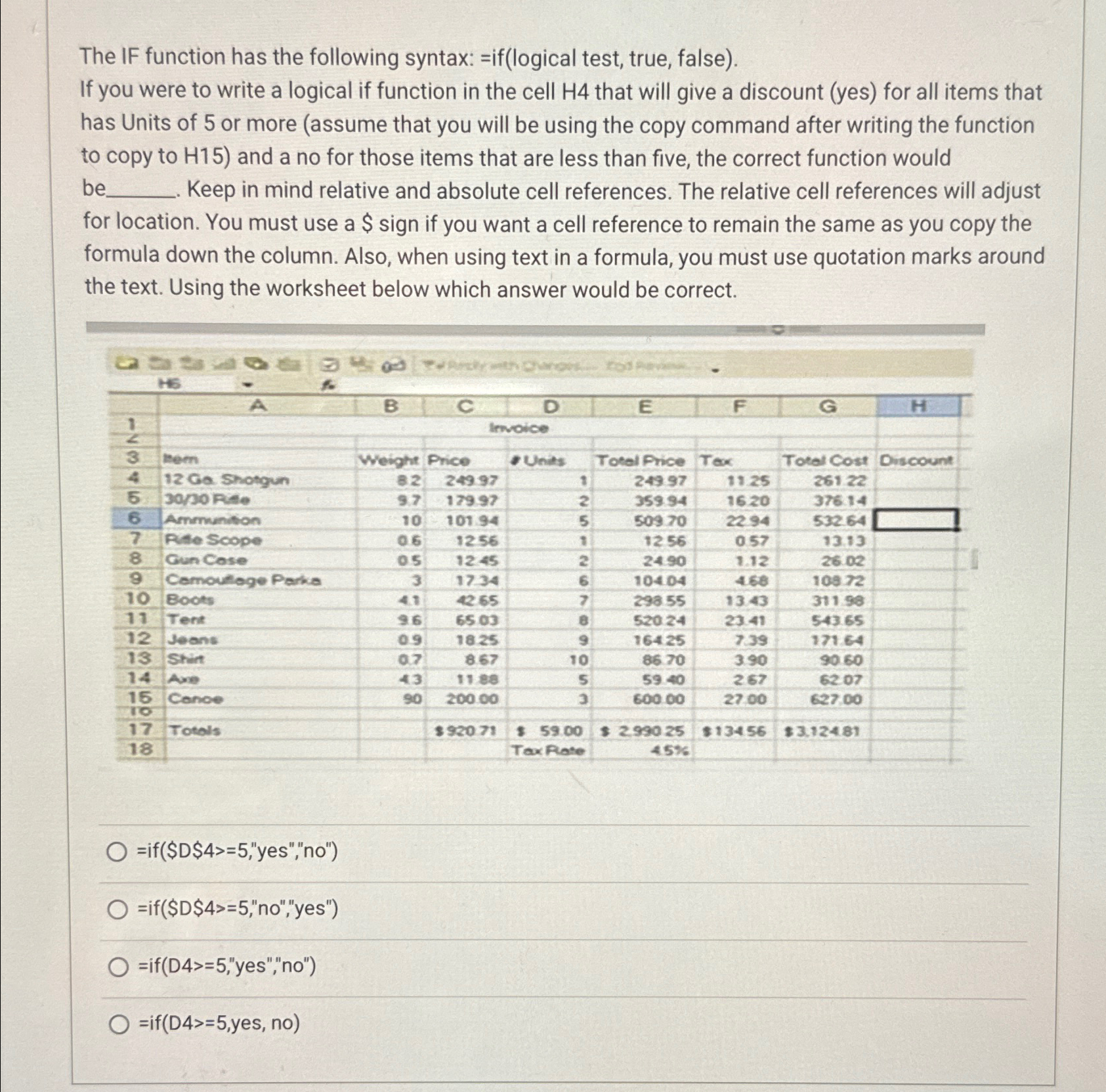
If you were to write a logical if function in the cell that will give a discount yes for all items that has Units of or more assume that you will be using the copy command after writing the function to copy to and a no for those items that are less than five, the correct function would be Keep in mind relative and absolute cell references. The relative cell references will adjust for location. You must use a $ sign if you want a cell reference to remain the same as you copy the formula down the column. Also, when using text in a formula, you must use quotation marks around the text. Using the worksheet below which answer would be correct.
if$D$"yes","no
no"yes"
ifD"yes","no
yes, no
Step by Step Solution
There are 3 Steps involved in it
1 Expert Approved Answer
Step: 1 Unlock

Question Has Been Solved by an Expert!
Get step-by-step solutions from verified subject matter experts
Step: 2 Unlock
Step: 3 Unlock
 Study Help