







Question: The mention program is Chegg login by using Java and Selenium . This is complete working program no error. Only add some functionality: i) Add
The mention program is Chegg login by using Java and Selenium. This is complete working program no error. Only add some functionality: i) Add the functionality of logout after successful login the account ii)After logout exit the firefox browser that open the Chegg site.
Note: I mentioned complete source code and image of my Eclipse IDE.
Program:
package automationframework;
import org.openqa.selenium.WebDriver; import org.openqa.selenium.chrome.ChromeDriver; import org.openqa.selenium.firefox.FirefoxDriver; import org.testng.Assert;
import java.util.List; import java.util.concurrent.TimeUnit;
import org.openqa.selenium.By; import org.openqa.selenium.WebDriver; import org.openqa.selenium.WebElement;
public class OpenChegg {
public static String driverPath = "f:/"; public static WebDriver driver; public static void main(String []args) throws InterruptedException { System.out.println("launching chrome browser"); //System.setProperty("webdriver.chrome.driver", driverPath+"chromedriver.exe"); //driver = new ChromeDriver(); System.setProperty("webdriver.gecko.driver", "c:/geckodriver.exe"); WebDriver driver = new FirefoxDriver(); driver.navigate().to("https://www.chegg.com/auth?action=login&reset_password=0"); driver.findElement(By.xpath("//*[@id[contains(.,'emailForSignIn')]]")).sendKeys("abcdef@vfx.com"); driver.findElement(By.xpath("//*[@id[contains(.,'passwordForSignIn')]]")).sendKeys("defgh"); driver.findElement(By.xpath("//button[text()='Sign in']")).click(); //WebElement e = driver.findElement(By.xpath("//*[text()='sarika jain']")); driver.manage().timeouts().implicitlyWait(10,TimeUnit.SECONDS) ; System.out.println("wait to respond........."); Thread.sleep(10); List
} }
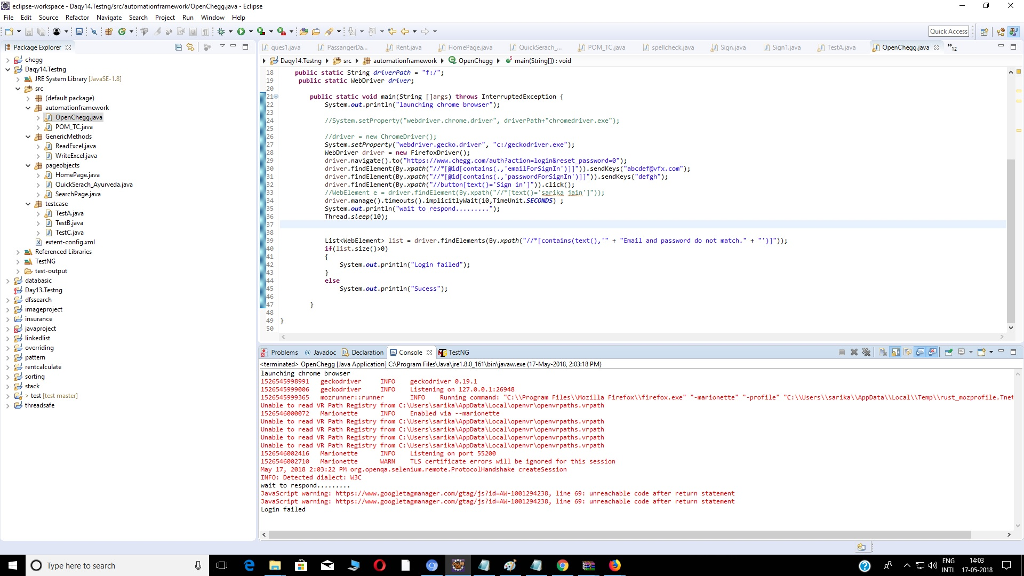
Fil: Ei Source Re Navigste Sr Project R.n Wndow Hedp ches 18 public static str?'A driverPat+-.tu"? public static Weboriver dver public static void ainStrim 1arRs) throws InterruptsdException Systes out-pri tin lsunc ing chroee brouser" //5ystem.setProperty"webariver.chrone.driver", driverPetht"chroeedriverxe Fariver-new Chrceeoriwer Systes.setPropertr('w2bdriver-gecio.driver..,'cugeckodriver.exe"? heboriver river new Firetodriveri): driver-navigatet: .t0("httos:/i.ch?g. cor/zutn?action.loginsreset passnord-e-); driver-tinelnent(By.xpath driver.tinelenent(By xpathidIcontainspanodForsirIn.senkeysdefsh driver-tinelnent(By.xpathbuttontext:-'Sin in' c1ick MebElesent e-driver.tindElewent(y.x2ath eext-arika n'1 driver "narsge().tineots().inolicitlyMait(1&TineUnit.SECGND5] ? Syster out.println Login tailed Systes.out.prirtIn("S.cess"? patem orting ing chrone 52654599891 Geckodriver INFO eckodriver 8.19.1 193654599 ceckoariverro istenins 127.8.8,1:26918 Unsble to read VR Fath Registry trow ciwsersisiksapcDats Local Tro Listen1 0 port 55205 MARNLS certiticate errors wll be 1cnored tor this sessin 1526506882416 Hay 17, 2018 2 83:22 M org openas.selensus.reeote.Protocol andshake createsessto THTO: Detected dislect: W hait Javascript JavaScrtpt naming: warning: https://ww.googletngranager.con/gtsg?5?15-?-1001294230, https://ww.googletngranager, COn/gtsg?5/1d-AH-1001294230, 11-e 11-e G5: 05: ureschsie irreschsie code code atter atter return return statement statement O lype hene to search ^ ^ ^ azza 20 JB 20 33 20 30 23 20 JY
Step by Step Solution
There are 3 Steps involved in it

Get step-by-step solutions from verified subject matter experts
 Study Help