







Question: The problem is to write a Python 3 program that reads a text file or web page named by the user and prints a neat
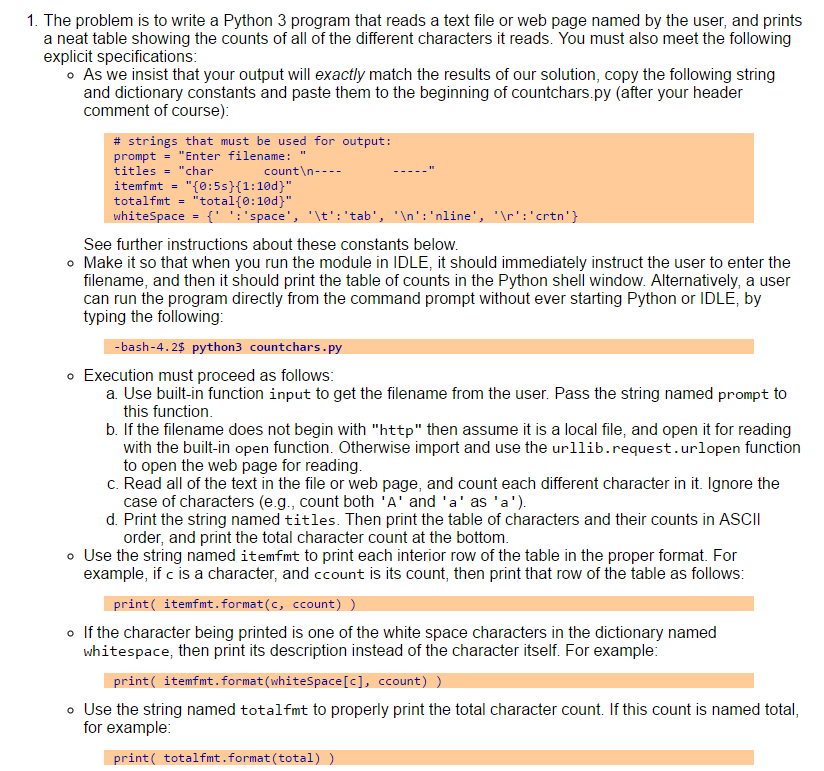
The problem is to write a Python 3 program that reads a text file or web page named by the user and prints a neat table showing the counts of all of the different characters it reads. You must also meet the following explicit specifications. As we insist that your output will exactly match the results of our solution, copy the following string and dictionary constants and paste them to the beginning of countchars.py (after your header comment of course): # strings that must be used for output: prompt = "Enter filename: " titles = "char count ---- ----" itemfmt = "{0: 5s} {1: 10d}" totalfmt = "total {0: 10d}" whitespace = {: space, \t: tab, : nline, : crtn} See further instructions about these constants below. Make it so that when you run the module in IDLE, it should immediately instruct the user to enter the filename, and then it should print the table of counts in the Python shell window. Alternatively, a user can run the program directly from the command prompt without ever starting Python or IDLE, by typing the following: -bash -4.2$ python3 countchars.py Execution must proceed as follows: a. Use built-in function input to get the filename from the user. Pass the string named prompt to this function. b. If the filename does not begin with "http" then assume it is a local file, and open it for reading with the built-in open function. Otherwise import and use the urllib.request.urlopen function to open the web page for reading. c. Read all of the text in the file or web page, and count each different character in it. Ignore the case of characters (e.g., count both A and a as a). d. Print the string named titles. Then print the table of characters and their counts in ASCII order, and print the total character count at the bottom. Use the string named itemfmt to print each interior row of the table in the proper format. For example, if c is a character, and ccount is its count, then print that row of the table as follows: print (itemfmt.format (c, ccount)) If the character being printed is one of the white space characters in the dictionary named whitespace, then print its description instead of the character itself. For example: print (itemfmt.format (whitespace [c], ccount)) Use the string named totalfmt to properly print the total character count. If this count is named total, for example: print(totalfmt.format(total))
Step by Step Solution
There are 3 Steps involved in it

Get step-by-step solutions from verified subject matter experts
 Study Help