







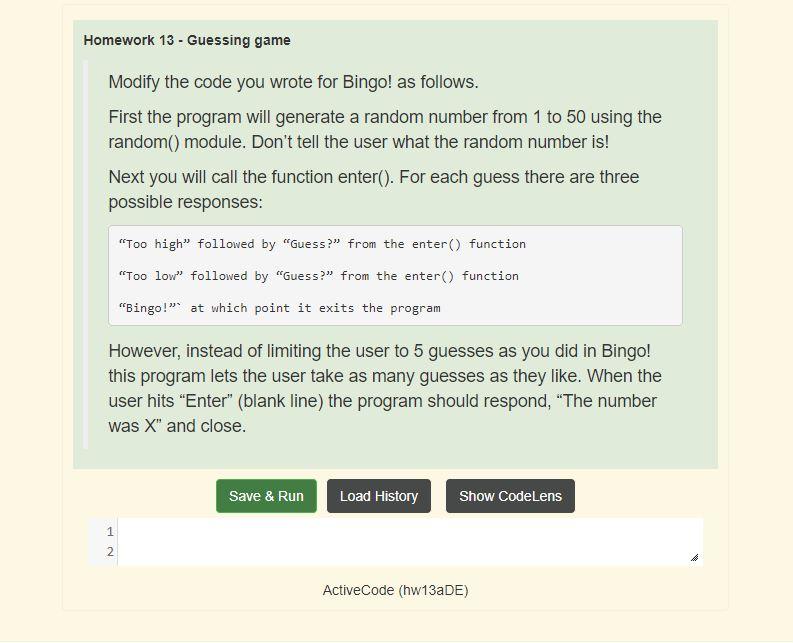
Question: The question requires to use python The Bingo program: Homework 13 - Guessing game Modify the code you wrote for Bingo! as follows. First the
The question requires to use python
The Bingo program:
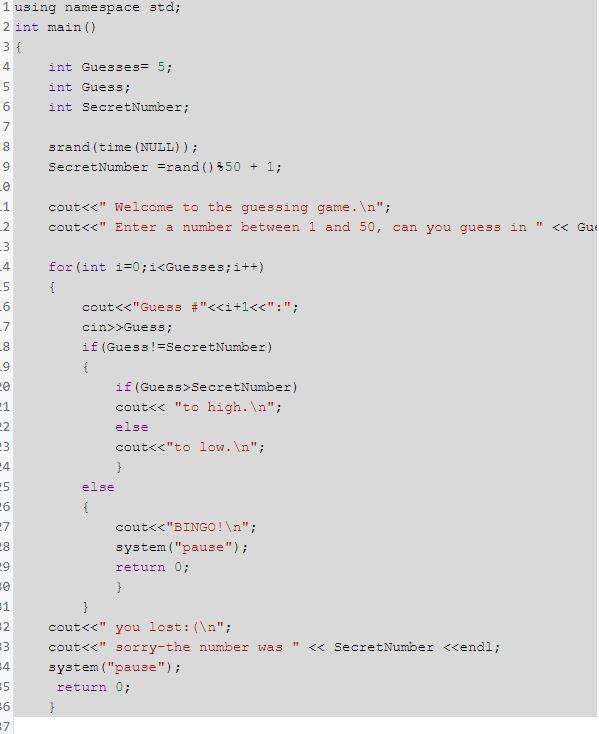
Homework 13 - Guessing game Modify the code you wrote for Bingo! as follows. First the program will generate a random number from 1 to 50 using the random() module. Don't tell the user what the random number is! Next you will call the function enter(). For each guess there are three possible responses: "Too high" followed by "Guess?" from the enter() function "Too low" followed by "Guess? from the enter() function "Bingo!" at which point it exits the program However, instead of limiting the user to 5 guesses as you did in Bingo! this program lets the user take as many guesses as they like. When the user hits "Enter" (blank line) the program should respond, "The number was X" and close. Save & Run Load History Show CodeLens 1 N 2 ActiveCode (hw13a DE) 1 using namespace std; 2 int main() 3 { 4 int Guesse3= 5; int Guess; int Secret Number; 7 srand(time(NULL)); Secret Number =rand() 850 + 1; cout>Gue33; if (Guess !=Secret Number) { if (Guess>SecretNumber) cout
Step by Step Solution
There are 3 Steps involved in it

Get step-by-step solutions from verified subject matter experts
 Study Help