







Question: the question wants to use Logism program to design the circuit Logisim progrma can be found here : http://www.cburch.com/logisim/ Design software: Design the circuit using
the question wants to use Logism program to design the circuit
Logisim progrma can be found here : http://www.cburch.com/logisim/
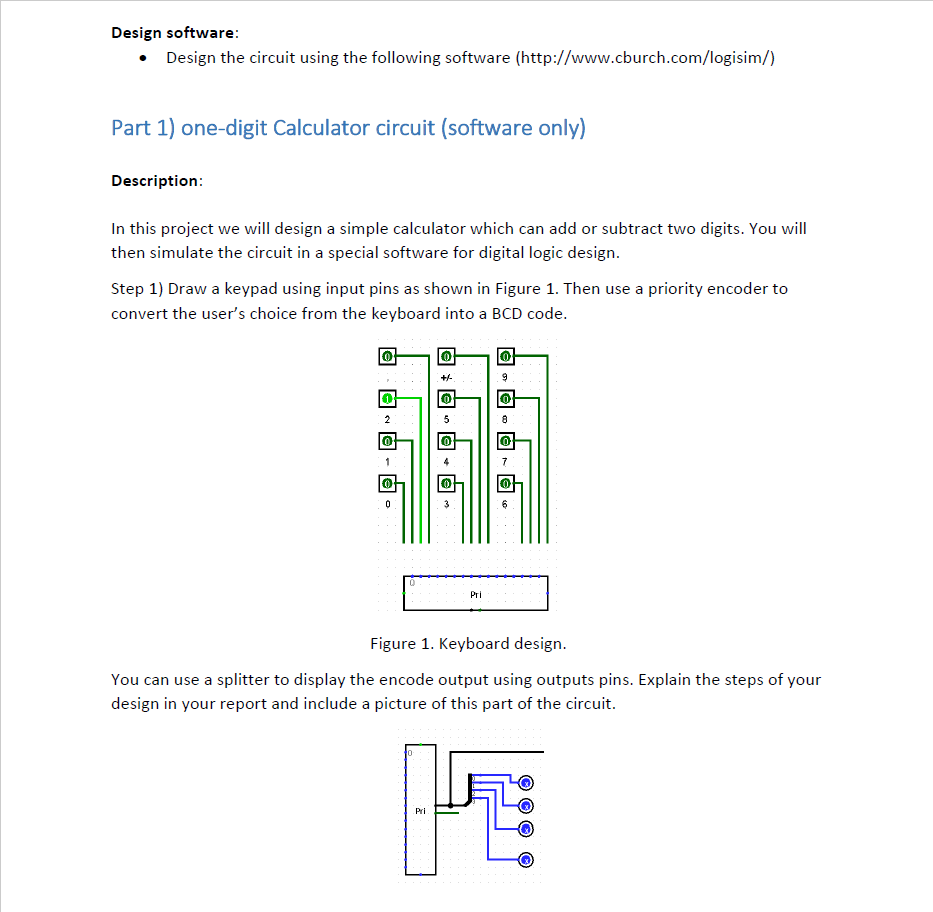
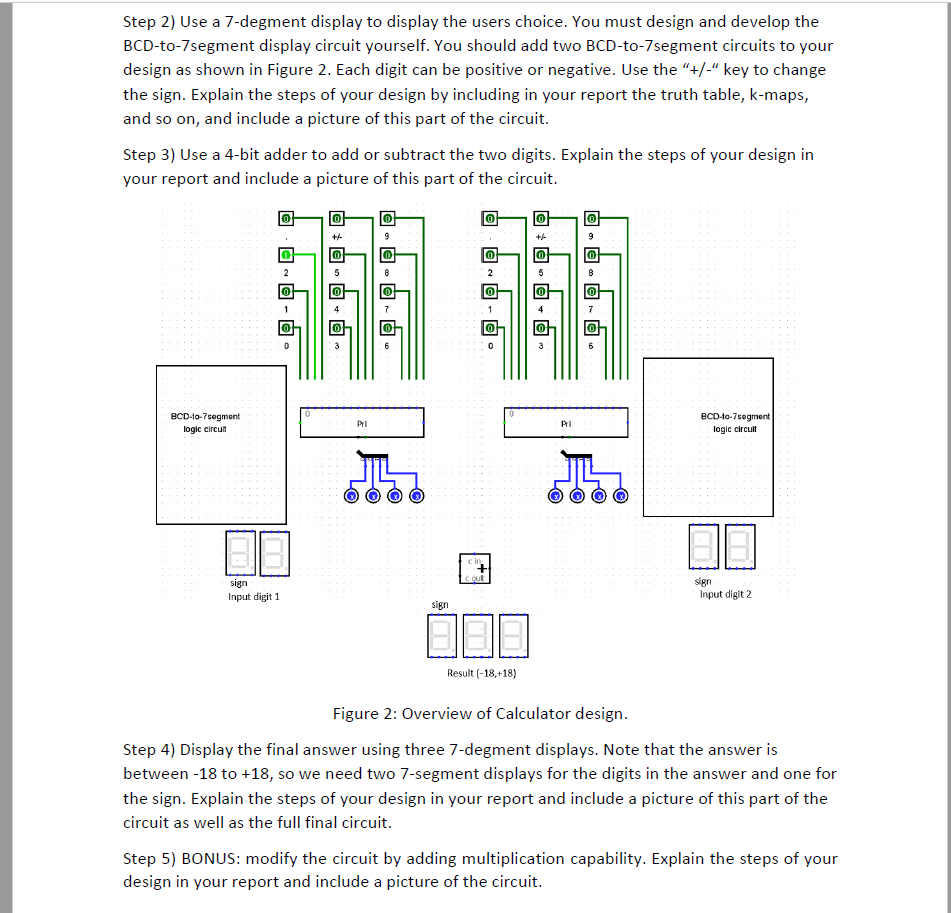
Design software: Design the circuit using the following software (http://www.cburch.com/logisim/) Part 1) one-digit Calculator circuit (software only) Description In this project we will design a simple calculator which can add or subtract two digits. You will then simulate the circuit in a special software for digital logic design. Step 1) Draw a keypad using input pins as shown in Figure 1. Then use a priority encoder to convert the user's choice from the keyboard into a BCD code. tf- PTi Figure 1. Keyboard design. You can use a splitter to display the encode output using outputs pins. Explain the steps of your design in your report and include a picture of this part of the circuit. L: Pri Design software: Design the circuit using the following software (http://www.cburch.com/logisim/) Part 1) one-digit Calculator circuit (software only) Description In this project we will design a simple calculator which can add or subtract two digits. You will then simulate the circuit in a special software for digital logic design. Step 1) Draw a keypad using input pins as shown in Figure 1. Then use a priority encoder to convert the user's choice from the keyboard into a BCD code. tf- PTi Figure 1. Keyboard design. You can use a splitter to display the encode output using outputs pins. Explain the steps of your design in your report and include a picture of this part of the circuit. L: Pri
Step by Step Solution
There are 3 Steps involved in it

Get step-by-step solutions from verified subject matter experts
 Study Help