







Question: The Sales table is currently sorted by the values in the Sale ID column, but Benicio wants to sort the table by date, then amount
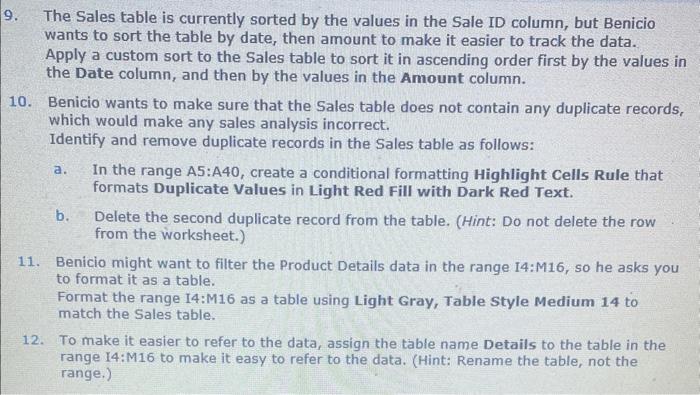
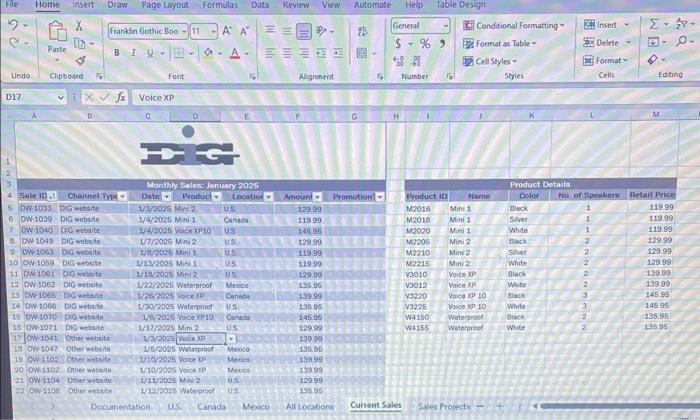
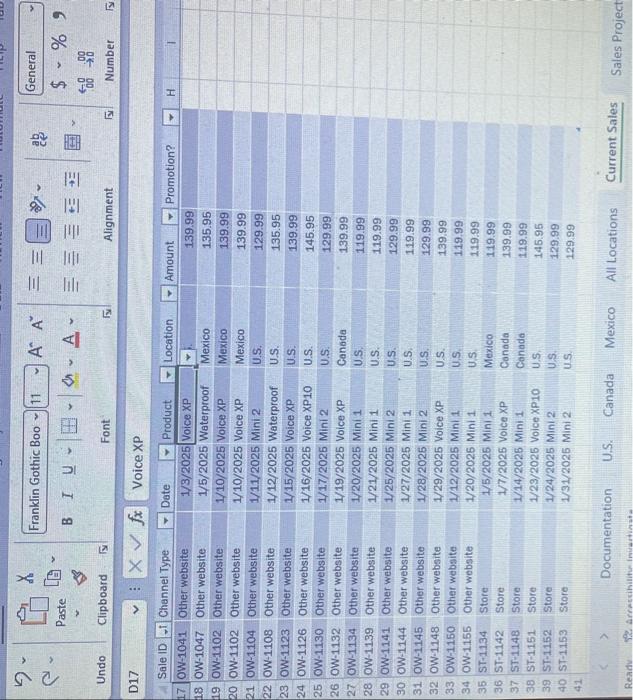
The Sales table is currently sorted by the values in the Sale ID column, but Benicio wants to sort the table by date, then amount to make it easier to track the data. Apply a custom sort to the Sales table to sort it in ascending order first by the values in the Date column, and then by the values in the Amount column. 10. Benicio wants to make sure that the Sales table does not contain any duplicate records, which would make any sales analysis incorrect. Identify and remove duplicate records in the Sales table as follows: a. In the range A5:A40, create a conditional formatting Highlight Cells Rule that formats Duplicate Values in Light Red Fill with Dark Red Text. b. Delete the second duplicate record from the table. (Hint: Do not delete the row from the worksheet.) 11. Benicio might want to filter the Product Details data in the range 14:M16, so he asks you to format it as a table. Format the range I4:M16 as a table using Light Gray, Table Style Medium 14 to match the Sales table. 12. To make it easier to refer to the data, assign the table name Details to the table in the range 14:M16 to make it easy to refer to the data. (Hint: Rename the table, not the range.) Documentation U.S. Canada Mexico All Locations Current Sales Sales Project The Sales table is currently sorted by the values in the Sale ID column, but Benicio wants to sort the table by date, then amount to make it easier to track the data. Apply a custom sort to the Sales table to sort it in ascending order first by the values in the Date column, and then by the values in the Amount column. 10. Benicio wants to make sure that the Sales table does not contain any duplicate records, which would make any sales analysis incorrect. Identify and remove duplicate records in the Sales table as follows: a. In the range A5:A40, create a conditional formatting Highlight Cells Rule that formats Duplicate Values in Light Red Fill with Dark Red Text. b. Delete the second duplicate record from the table. (Hint: Do not delete the row from the worksheet.) 11. Benicio might want to filter the Product Details data in the range 14:M16, so he asks you to format it as a table. Format the range I4:M16 as a table using Light Gray, Table Style Medium 14 to match the Sales table. 12. To make it easier to refer to the data, assign the table name Details to the table in the range 14:M16 to make it easy to refer to the data. (Hint: Rename the table, not the range.) Documentation U.S. Canada Mexico All Locations Current Sales Sales Project
Step by Step Solution
There are 3 Steps involved in it

Get step-by-step solutions from verified subject matter experts
 Study Help