







Question: the second program has an error says our lecturer so we have to find it Custom RatingBar The example below display a rating bar with
the second program has an error says our lecturer so we have to find it
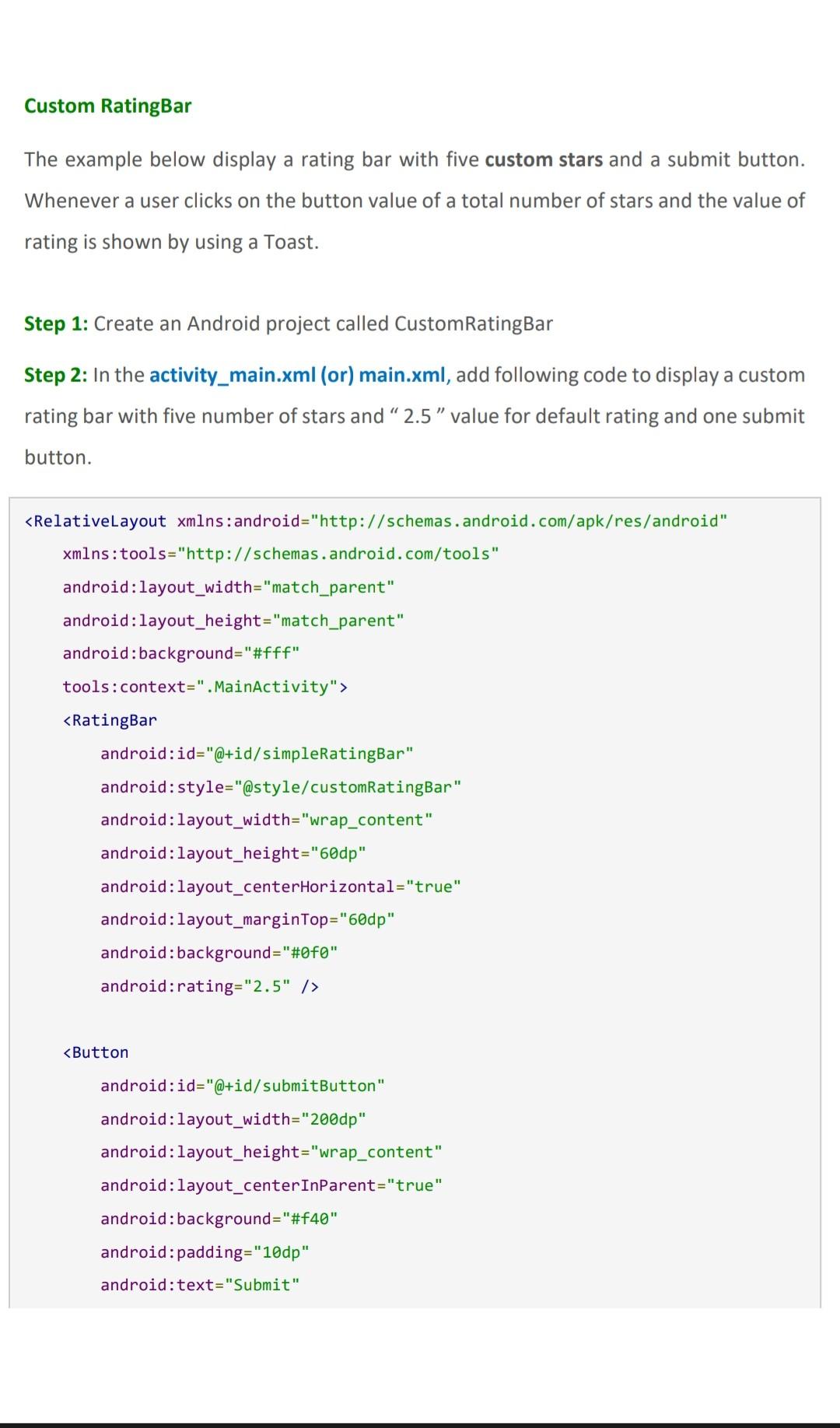
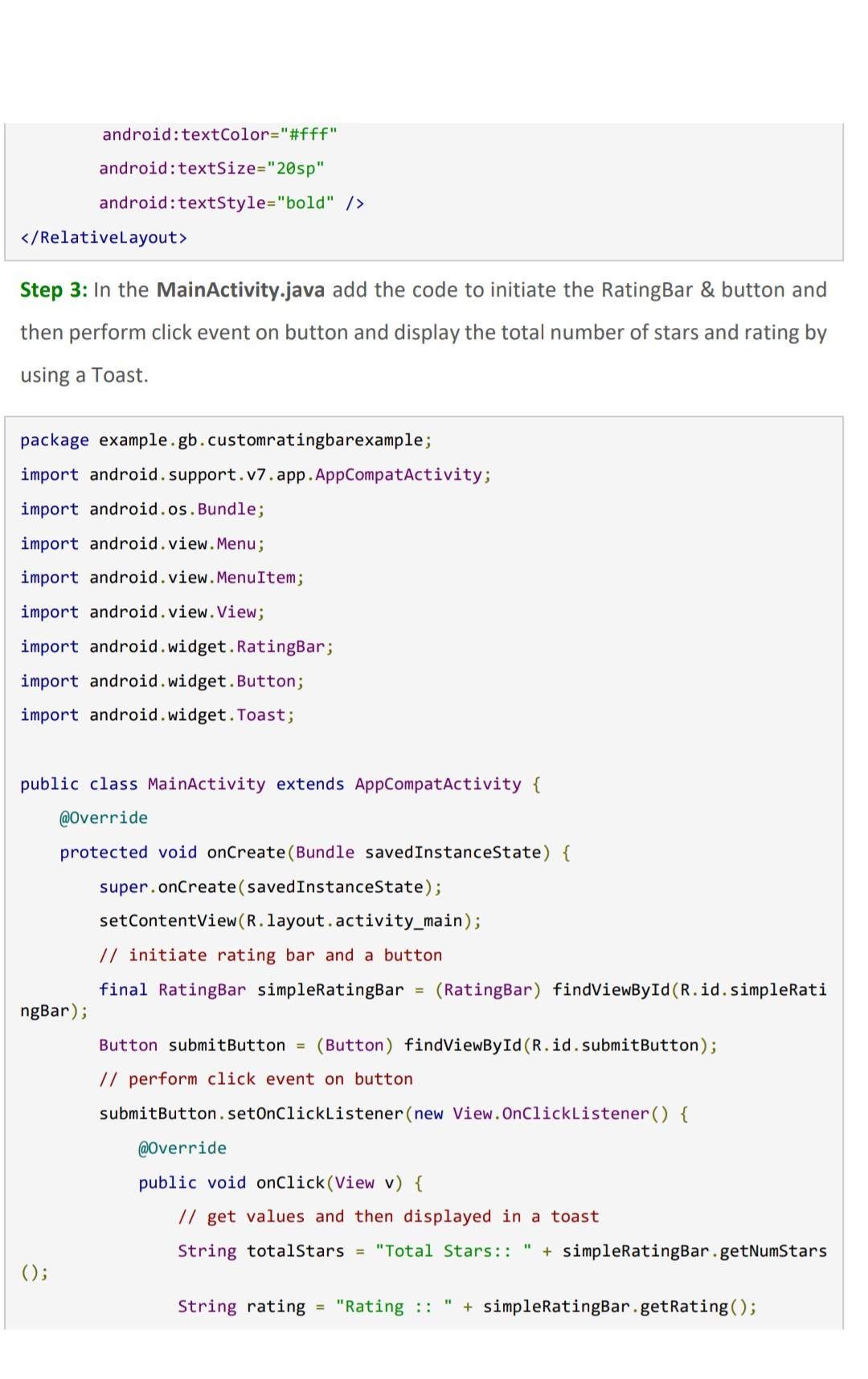
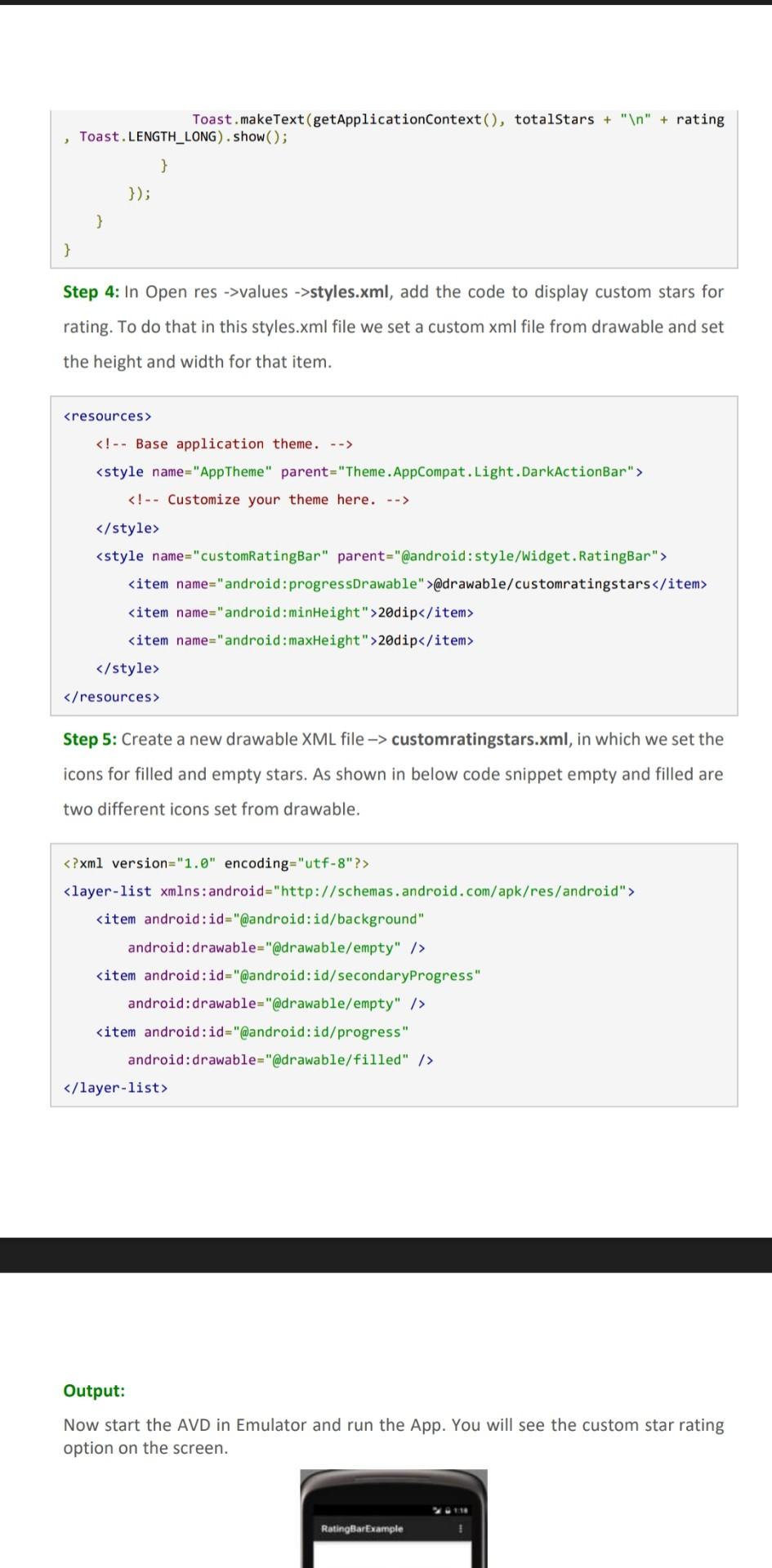
Custom RatingBar The example below display a rating bar with five custom stars and a submit button. Whenever a user clicks on the button value of a total number of stars and the value of rating is shown by using a Toast. Step 1: Create an Android project called CustomRatingBar Step 2: In the activity_main.xml (or) main.xml, add following code to display a custom rating bar with five number of stars and " 2.5 " value for default rating and one submit button. android: textColor="\#fff" android: textSize="20sp" android: textStyle="bold" /> / RelativeLayout > Step 3: In the MainActivity.java add the code to initiate the RatingBar \& button and then perform click event on button and display the total number of stars and rating by using a Toast. Toast.makeText(getApplicationContext () , totalstars + " "+ rating , Toast.LENGTH_LONG).Show(); \}) 3 \} Step 4: In Open res ->values ->styles.xml, add the code to display custom stars for rating. To do that in this styles.xml file we set a custom xml file from drawable and set the height and width for that item. Step 5: Create a new drawable XML file customratingstars.xml, in which we set the icons for filled and empty stars. As shown in below code snippet empty and filled are two different icons set from drawable. ?xml version=" 1.0 " encoding="utf-8"?> Output: Now start the AVD in Emulator and run the App. You will see the custom star rating option on the screen
Step by Step Solution
There are 3 Steps involved in it

Get step-by-step solutions from verified subject matter experts
 Study Help