







Question: The things below are from the lab template. main.cpp = #include process2DArrayHeader.h int main() { std::string filename=matrix.txt; std::ifstream inFile; char symbol = '$'; char matrix[SIZE][SIZE];
The things below are from the lab template.
main.cpp =
#include "process2DArrayHeader.h"
int main() { std::string filename="matrix.txt"; std::ifstream inFile; char symbol = '$'; char matrix[SIZE][SIZE]; bool ok=false; //open the file ok = openFile(filename, inFile); //if open successfully if (ok){ // populate the matrix fillArray(inFile,matrix); // display the matrix displayArray(matrix); //search and display location of symbol if found searchSpecialSymbol(matrix,symbol); } else std::cout
matrix.txt =
AXDW $1dq SF2X SE$z
process2DArrayFunctions =
#include "process2DArrayHeader.h" //check if file is available
bool openFile( std::string filename, std::ifstream &inFile){ inFile.open(filename); if (inFile.fail()) return false; else return true;
}
//populate the displayArray
void fillArray(std::ifstream &inFile,char matrix[SIZE][SIZE] ){ for (int row=0;row
} //read the data sets from the file void searchSpecialSymbol(char matrix[SIZE][SIZE], char symbol){ //search the two d matrix for the symbol // std::cout
process2DArrayHeader =
#include
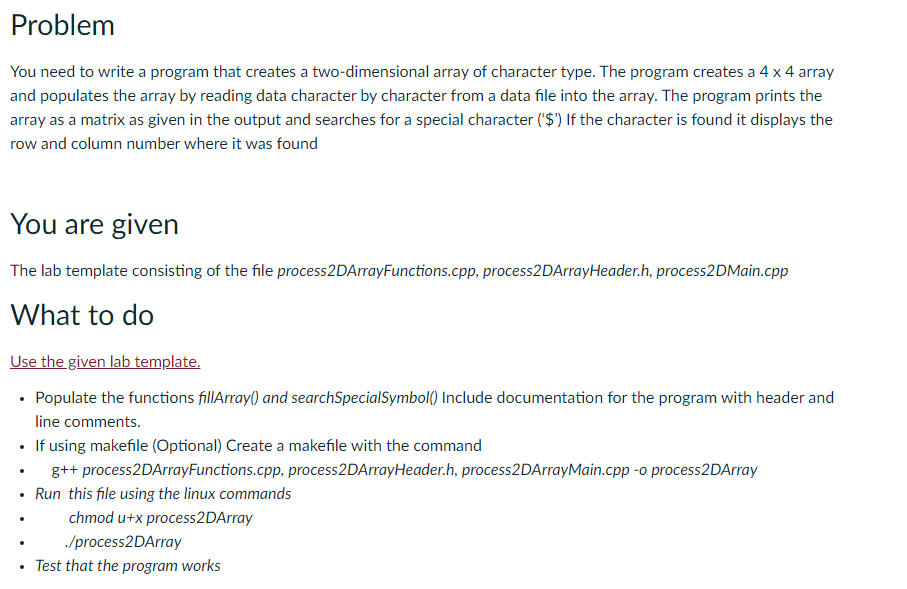
Problem You need to write a program that creates a two-dimensional array of character type. The program creates a 4 x 4 array and populates the array by reading data character by character from a data file into the array. The program prints the array as a matrix as given in the output and searches for a special character ('$") If the character is found it displays the row and column number where it was found You are given The lab template consisting of the file process 2DArrayFunctions.cpp, process2DArrayHeader.h, process2DMain.cpp What to do Use the given lab template. Populate the functions fillArray() and search SpecialSymbol) Include documentation for the program with header and line comments. If using makefile (Optional) Create a makefile with the command g++ process2DArrayFunctions.cpp, process2DArrayHeader.h, process2DArrayMain.cpp -o process2DArray Run this file using the linux commands chmod u+x process2DArray /process2DArray Test that the program works
Step by Step Solution
There are 3 Steps involved in it

Get step-by-step solutions from verified subject matter experts
 Study Help