







Question: thebion.Libcap EAT Set up & Procedure Activity1-Data I. : Equipment, Experimental Procedure, Data Taking and Preliminary Data Analysis a) Equipment needed: 1. Interface 850 2.
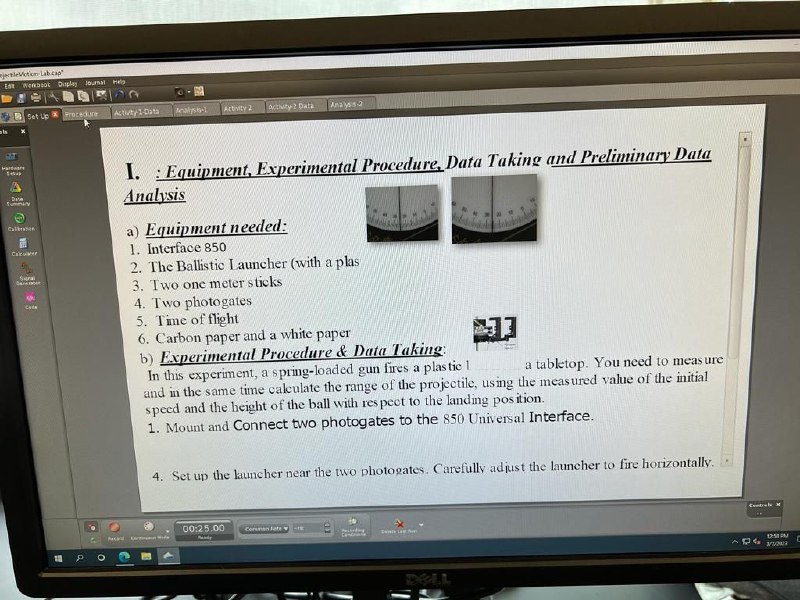
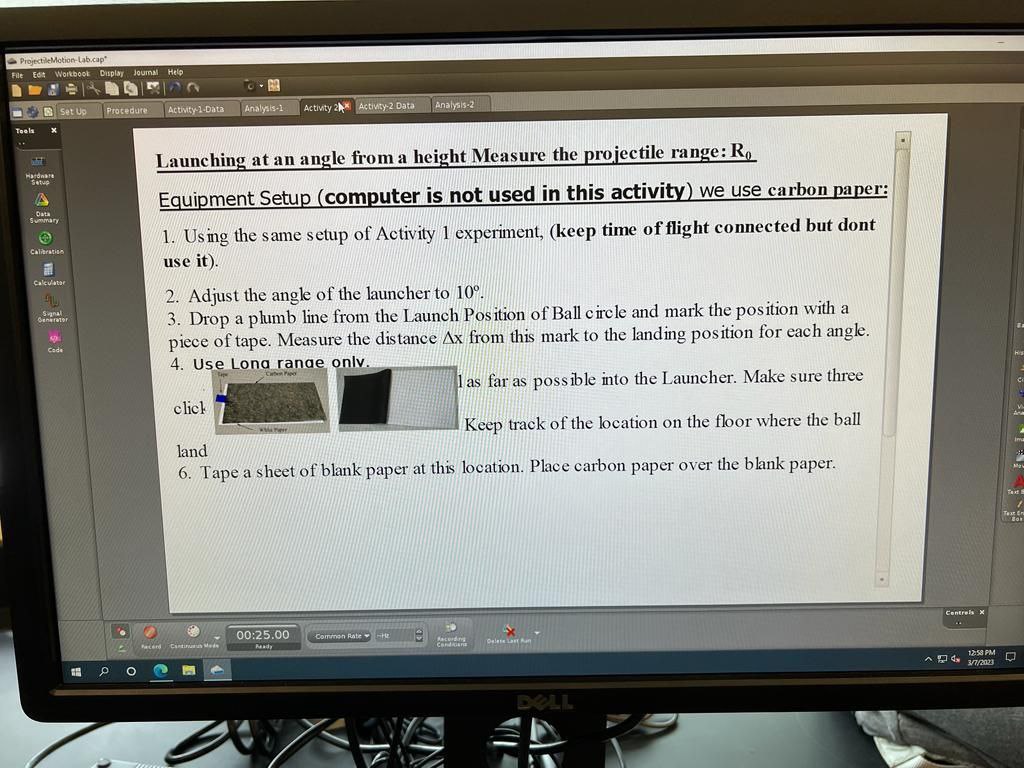
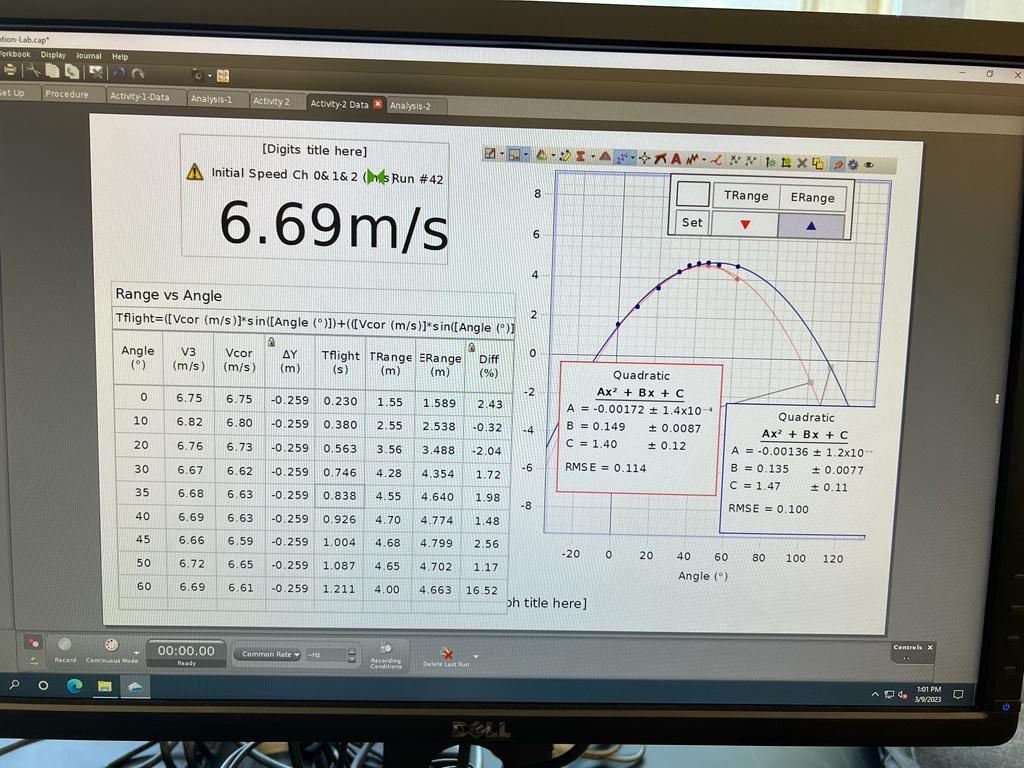
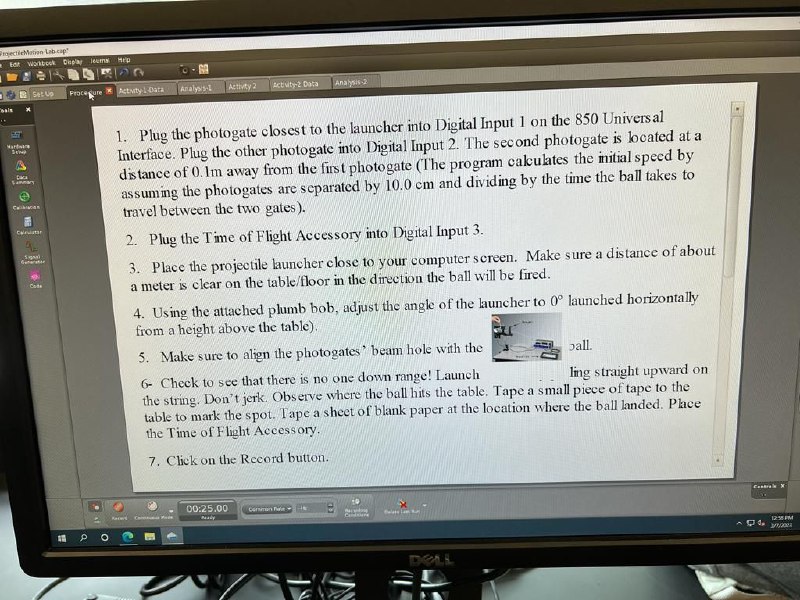
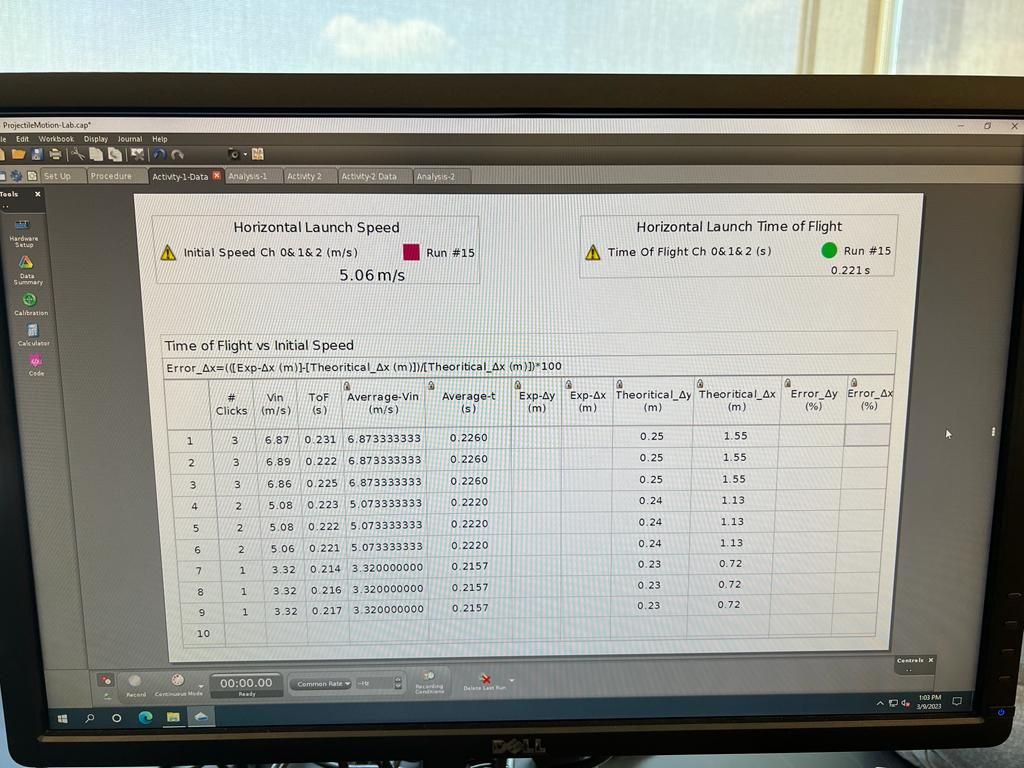
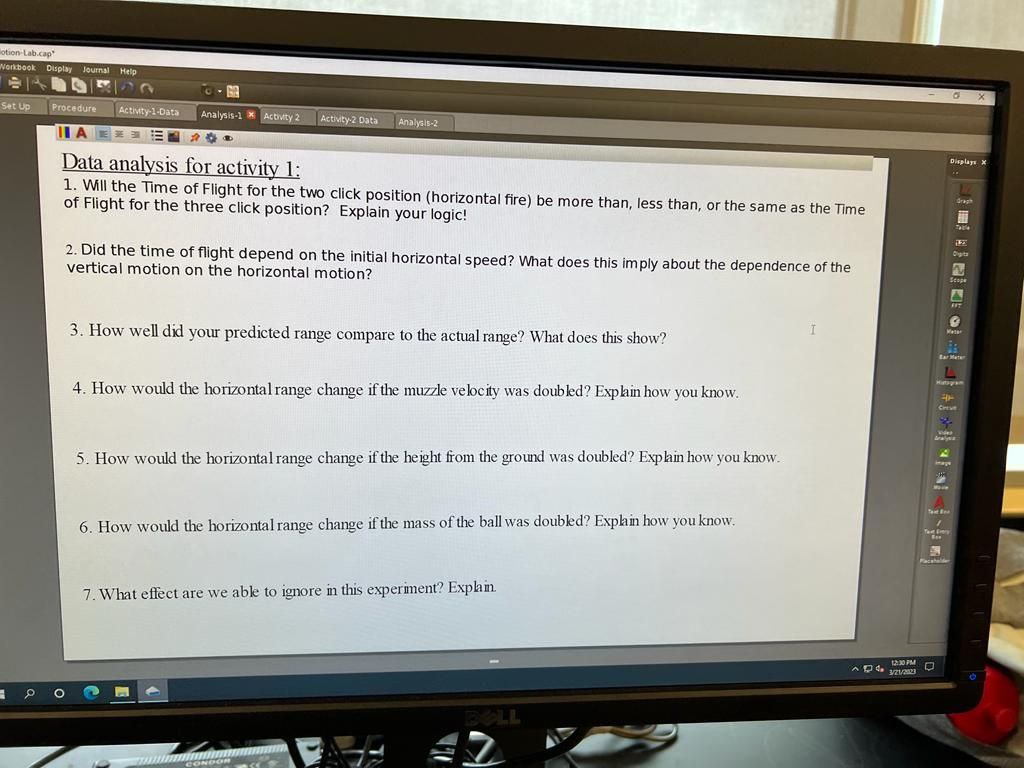
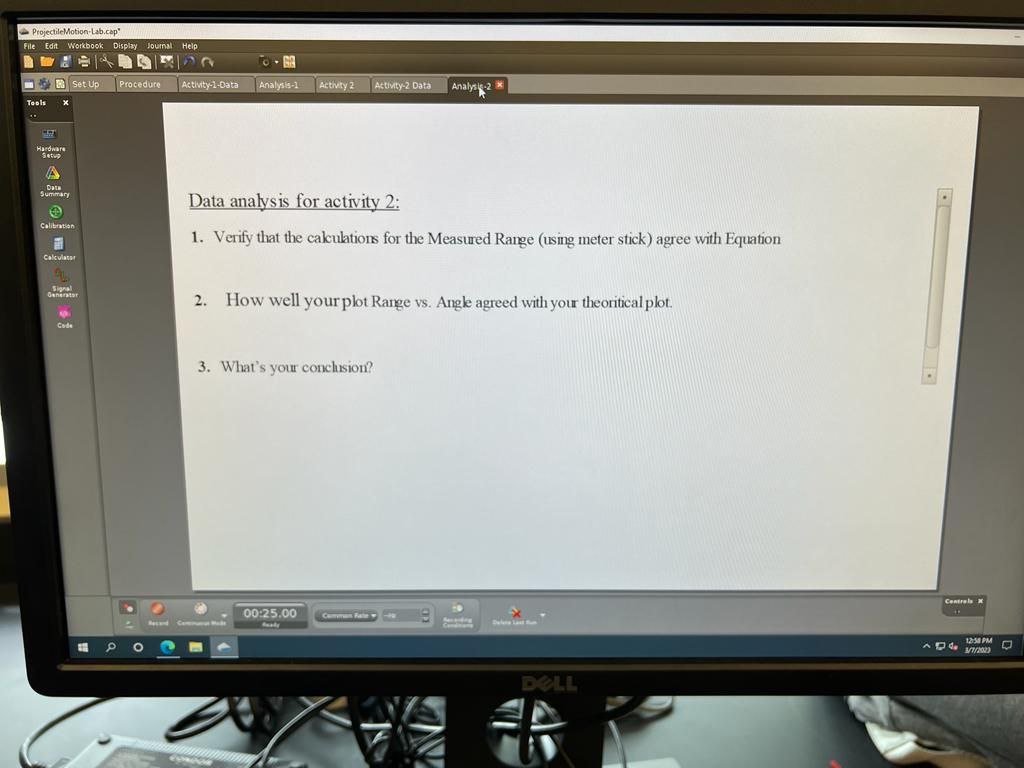
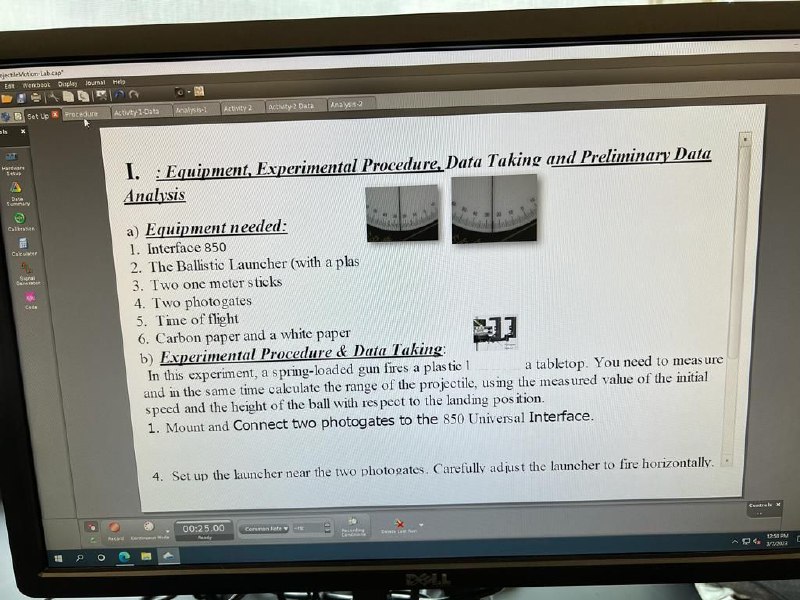
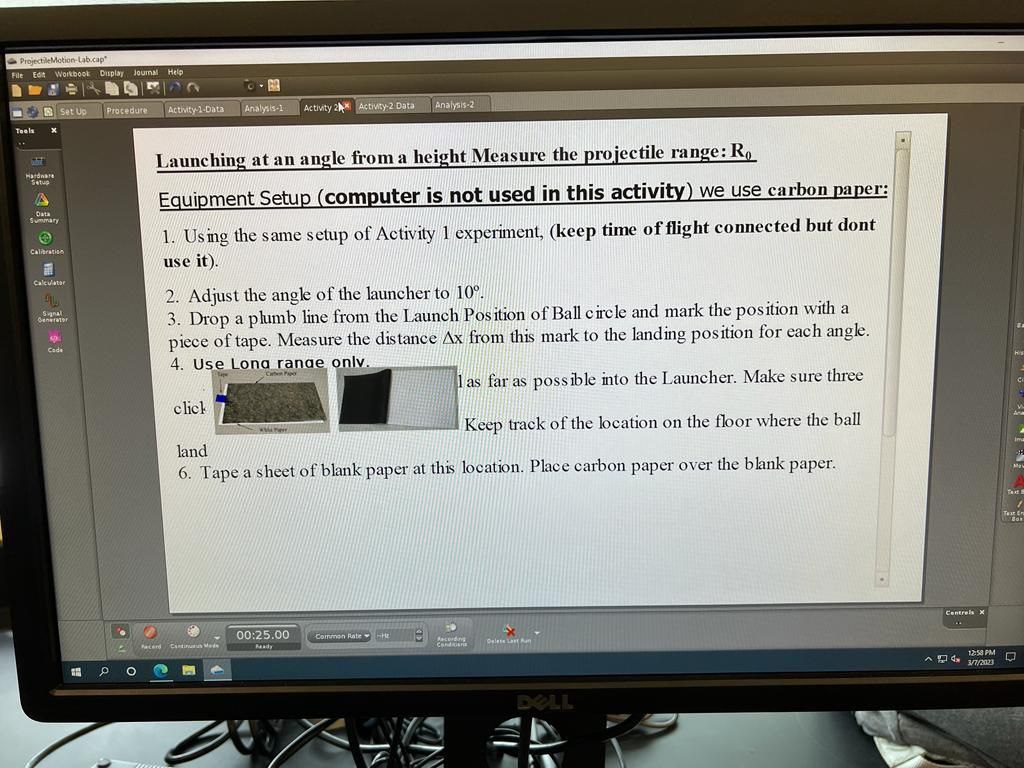
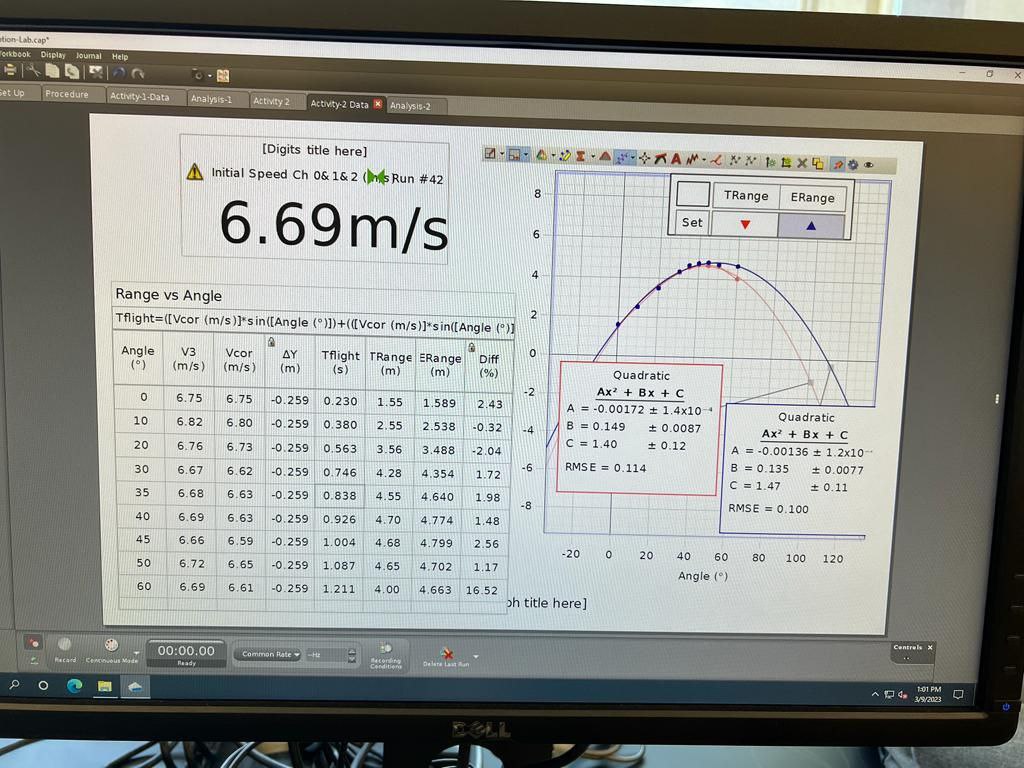
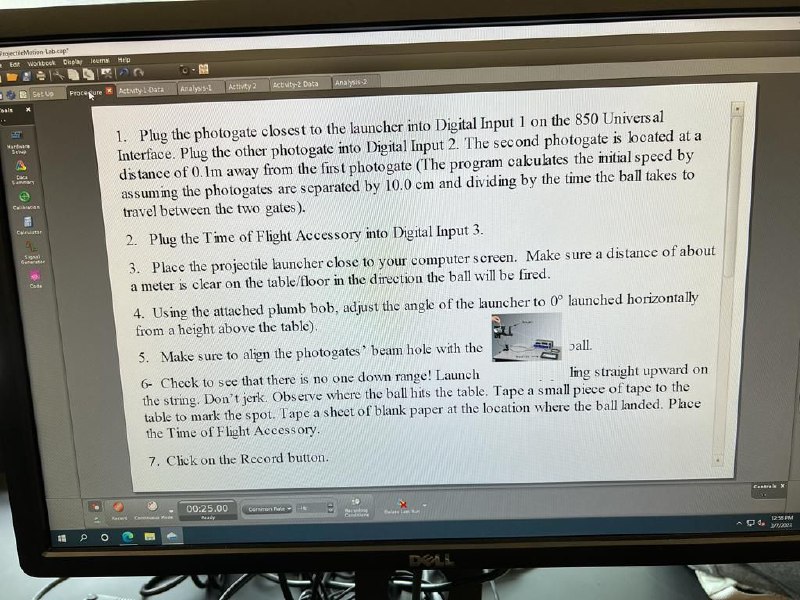
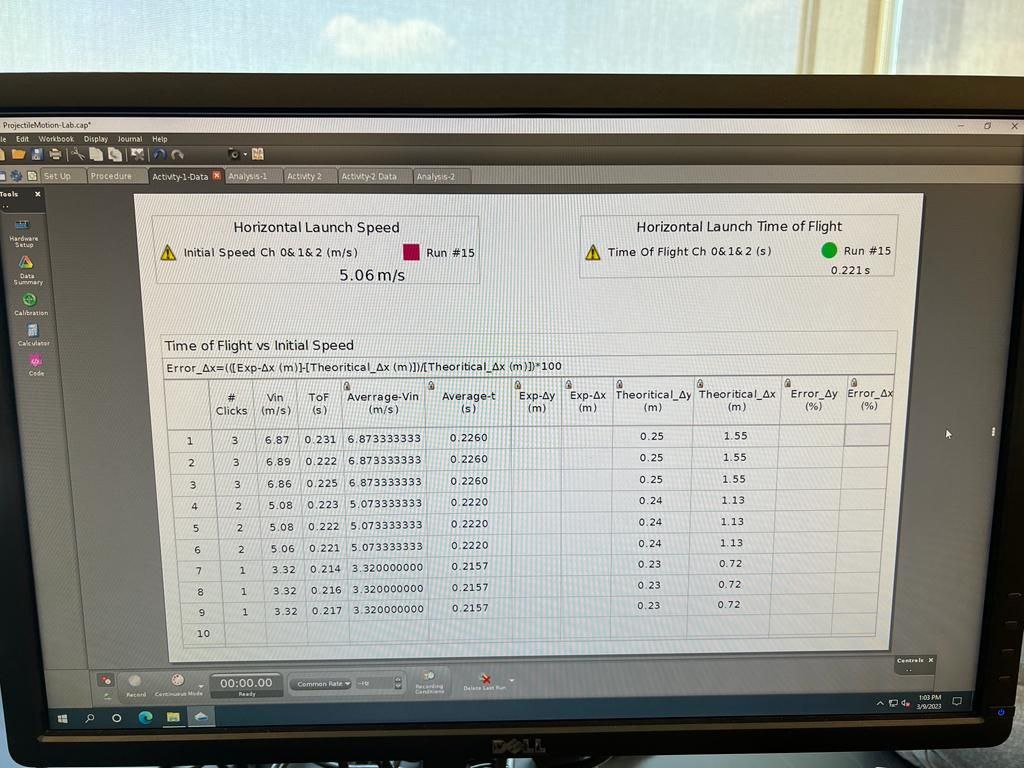
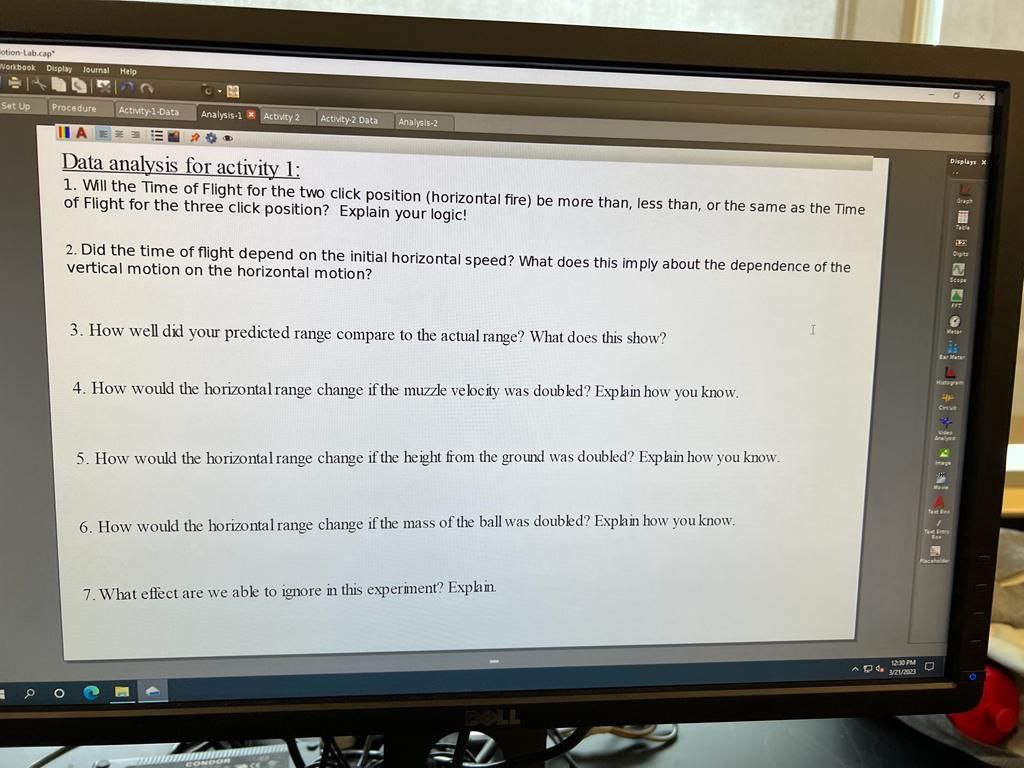
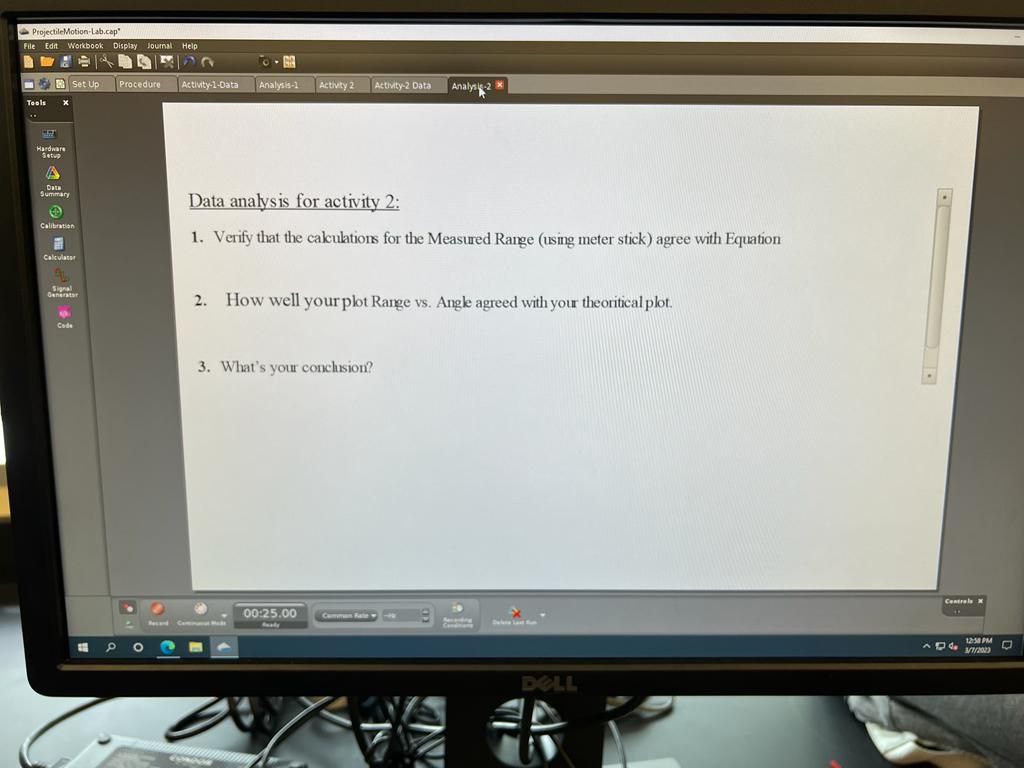
thebion.Libcap EAT Set up & Procedure Activity1-Data I. : Equipment, Experimental Procedure, Data Taking and Preliminary Data Analysis a) Equipment needed: 1. Interface 850 2. The Ballistic Launcher (with a plas 3. Two one meter sticks 4. Two photogates 5. Time of flight 6. Carbon paper and a white paper by Experimental Procedure & Data Taking: In this experiment, a spring-loaded gun fires a plastic 1 a tabletop. You need to measure and in the same time calculate the range of the projectile, using the measured value of the initial speed and the height of the ball with respect to the landing position. 1. Mount and Connect two photogates to the 850 Universal Interface. 4. Set up the launcher near the two photogates. Carefully adjust the launcher to fire horizontally. . 00:25.00ProjectileMotion-Lab.cap" File Workbook Duplay Journal Help set Up Procedure Activity-1-Data Analysis-1 Activity 2% Activity-2 Data Analysis-2 Tooli Launching at an angle from a height Measure the projectile range: Ro Setup Equipment Setup (computer is not used in this activity ) we use carbon paper: Summary 1. Using the same setup of Activity 1 experiment, (keep time of flight connected but dont use it). Calculator 2. Adjust the angle of the launcher to 10. 3. Drop a plumb line from the Launch Position of Ball circle and mark the position with a SP piece of tape. Measure the distance Ax from this mark to the landing position for each angle. 4. Use Lona ranae only. as far as possible into the Launcher. Make sure three click Keep track of the location on the floor where the ball land 6. Tape a sheet of blank paper at this location. Place carbon paper over the blank paper. Control 00:25.00 Common Rate Flu Ready O 12:58 PM DELLion Lab.cap ferbook Display Joumal Help set Up Procedure Activity-1-Data Analysts-1 Activity 2 Activity-2 Data * Analysis-2 [Digits title here] Initial Speed Ch 0& 1& 2 (Inks Run #42 TRange ERange 6.69m/s Set Range vs Angle EN Tflight=([Vcor (m/s)]'s in([Angle (")])+(([Vcor (m/s)]*s in([Angle (")] 0 Angle V3 Vcor AY Tflight TRange ERange Diff (9 ) (m/s ) (m/s (m) (s) (m) (m) Quadratic Ax' + Bx + C 6.75 6.75 -0.259 10.230 1.55 1.589 2.43 A = -0.00172 + 1.4x10- Quadratic B = 0.149 + 0.0087 10 6.82 6.80 -0.259 0.380 2.55 2.538 -0.32 4 Ax' + Bx + C C = 1.40 + 0.12 = -0.00136 # 1.2x10 20 6.76 6.73 -0.259 10.563 3.56 3.488 -2.04 RMSE = 0.114 B = 0.135 $ 0.0077 30 6.67 6.62 0.259 0.746 4.28 4.354 1 72 C = 1.47 $ 0.11 35 6.68 6.63 -0.259 0.838 4.55 4.640 1.98 RMSE = 0.100 4.70 4.774 1.48 40 6.69 5.63 0.259 0.926 45 6.66 6:59 -0.259 1.004 4:68 4.799 2.56 -20 20 40 60 80 100 120 50 6.72 6.65 -0.259 1.087 4.65 4.702 1.17 Angle () 60 6.69 6.61 -0.259 1. 211 4.00 4.663 16.52 oh title here ] Controls X 00:00.00 Common Rate = H heca'd Cemcoleus Made Ready 1:01 PM 3/9/2123 O BELLWorkb cell Depay leumy Hip o - M Fraconure @ Atyty 1 Data Analysts-1 | Activey 2 Letuit,2 Data Anahols.2 1. Plug the photogate closest to the launcher into Digital Input 1 on the 850 Universal Interface. Plug the other photogate into Digital Input 2. The second photogate is located at a distance of 0. I'm away from the first photogate (The program calculates the initial speed by assuming the photogates are separated by 10.0 em and dividing by the time the ball takes to travel between the two gates ). 2. Plug the Time of Flight Accessory into Digital Input 3. 3. Place the projectile launcher close to your computer screen. Make sure a distance of about a meter is clear on the table/floor in the direction the ball will be fired. 4. Using the attached plumb bob, adjust the angle of the launcher to (" launched horizontally from a height above the table). 5. Make sure to align the photogates' beam hole with the ball. 6- Check to see that there is no one down range! Launch ling straight upward on the string. Don't jerk. Observe where the ball hits the table. Tape a small piece of tape to the table to mark the spot. Tape a sheet of blank paper at the location where the ball landed. Place the Time of Flight Accessory. 7. Click on the Record button. 60:25.00 Commin let - DOLLProjectileMotion-Lab.cap" Edit Workbook Display Journal Help Procedure Activity-1-Data &|Analysis-1 Activity 2 Activity 2 Data Analysis-2 Tools Horizontal Launch Speed Hardware Horizontal Launch Time of Flight Initial Speed Ch 0& 1& 2 (m/s ) Run #15 A Time Of Flight Ch 0& 1&2 (5) Run #15 5.06 m/s 0.221s calvenation Time of Flight vs Initial Speed Error_Ax=(([Exp-Ax (m)]-[Theoritical_Ax (m)])/[Theoritical_Ax (m)])*100 Vin TOF Averrage-Vin Average-t Exp-4y Exp-Ax Theoritical_Ay Theoritical_Ax Error_Ay Error_4x Clicks (m/s ( 5 ) (m/s ) (s ) (m) (m ) (m) (m) (9%) (%) 1 3 6.87 0 231 6.873333333 0.2260 0.25 1.5 2 0 222 6.873333333 0.2260 0.25 1.55 3 3 6.86 0.225 6.873333333 0.2260 0.25 55 4 2 5 08 0.223 5/073333333 0.2220 0.24 1.13 5 2 5 08 0.222 5.073333833 0.2220 0.24 1.13 6 2 5.06 0.221 5.073333333 0.2220 0.24 1.13 7 1 3.32 0. 214 3.320000000 0.2157 0.23 0.72 3.32 0.216 3.320000000 0.2157 0.23 ).72 3.32 0.217 3.320000000 0.2157 0.23 0.72 10 00:00.00 Common Rie u 103 PM O 3/9/2123 DELLotion Lab.cap" Workbook : Display Journal Help Set Up. Procedure Activity-1-Data Analysis-1 * Activity 2 Activity.2 Data Analyal5-2 Data analysis for activity 1: 1. Will the Time of Flight for the two click position (horizontal fire) be more than, less than, or the same as the Time of Flight for the three click position? Explain your logic! 2. Did the time of flight depend on the initial horizontal speed? What does this imply about the dependence of the vertical motion on the horizontal motion? 3. How well did your predicted range compare to the actual range? What does this show? L 4. How would the horizontal range change if the muzzle velocity was doubled? Explain how you know. 5. How would the horizontal range change if the height from the ground was doubled? Explain how you know. 6. How would the horizontal range change if the mass of the ball was doubled? Explain how you know. 7. What effect are we able to ignore in this experiment? Explain.ProjectileMotion- File Edit Workbook Display Journal Help set Up Procedure Activity-1-Data Analysis-1 Activity 2 Activity-2 Data Analysis- 2 Tools A Data analysis for activity 2: Calibration 1. Verify that the calculations for the Measured Range (using meter stick) agree with Equation Calculator danavatar 2. How well your plot Range vs. Angle agreed with your theoritical plot. 3. What's your conclusion? Cowergia K 00:25.00 12:31 PM O DELL
Step by Step Solution
There are 3 Steps involved in it

Get step-by-step solutions from verified subject matter experts
 Study Help