







Question: There are two scripts: department Script 1: DROP TABLE department; CREATE TABLE department ( dname varchar(25) not null, dnumber integer(4), mgrssn char(9) not null, mgrstartdate
There are two scripts:
"department" Script 1:
DROP TABLE department;
CREATE TABLE department (
dname varchar(25) not null,
dnumber integer(4),
mgrssn char(9) not null,
mgrstartdate date,
primary key (dnumber),
key (dname)
);
"dependant" Script 2:
DROP TABLE dependent;
CREATE TABLE dependent (
essn char(9),
dependent_name varchar(15),
sex char,
bdate date,
relationship varchar(8),
primary key (essn,dependent_name),
foreign key (essn) references employee(ssn)
);
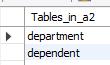
and are shown in a table as:
We need to insert the data into this database. There are two .dat files provided with this assignment and these files contains the data that we want to insert into this database. Write the appropriate insert statements to insert this data. You must write only one INSERT statement per table and all rows must be inserted to that table using that single statement.
"department" .dat file 1:
"Research","5","333445555","1978-05-22"
"Administration","4","987654321","1985-01-01"
"Headquarters","1","888665555","1971-06-19"
"Software","6","111111100","1999-05-15"
"Hardware","7","444444400","1998-05-15"
"Sales","8","555555500","1997-01-01"
"dependant" .dat file 2:
"333445555","Alice","F","1976-04-05","Daughter"
"333445555","Theodore","M","1973-10-25","Son"
"333445555","Joy","F","1948-05-03","Spouse"
"987654321","Abner","M","1932-02-29","Spouse"
"123456789","Michael","M","1978-01-01","Son"
"123456789","Alice","F","1978-12-31","Daughter"
"123456789","Elizabeth","F","1932-02-29","Spouse"
"444444400","Johnny","M","1997-04-04","Son"
"444444400","Tommy","M","1999-06-07","Son"
"444444401","Chris","M","1969-04-19","Spouse"
"444444402","Sam","M","1964-02-14","Spouse"
Tables_in_a2 department dependent
Step by Step Solution
There are 3 Steps involved in it

Get step-by-step solutions from verified subject matter experts
 Study Help