







Question: Things wrong with my code: 1. The notes do not play when i press down the key on keyboard or the mouse. 2. The premade
Things wrong with my code:
1. The notes do not play when i press down the key on keyboard or the mouse.
2. The premade songs in the backend do not show up or play in the dropdown
3. The recordings do not go to the file when you save them.
// Wait for the DOM to finish loading
document.addEventListener("DOMContentLoaded", () => {
// Create a new synthesizer object from Tone.js
const synth = new Tone.Synth().toDestination();
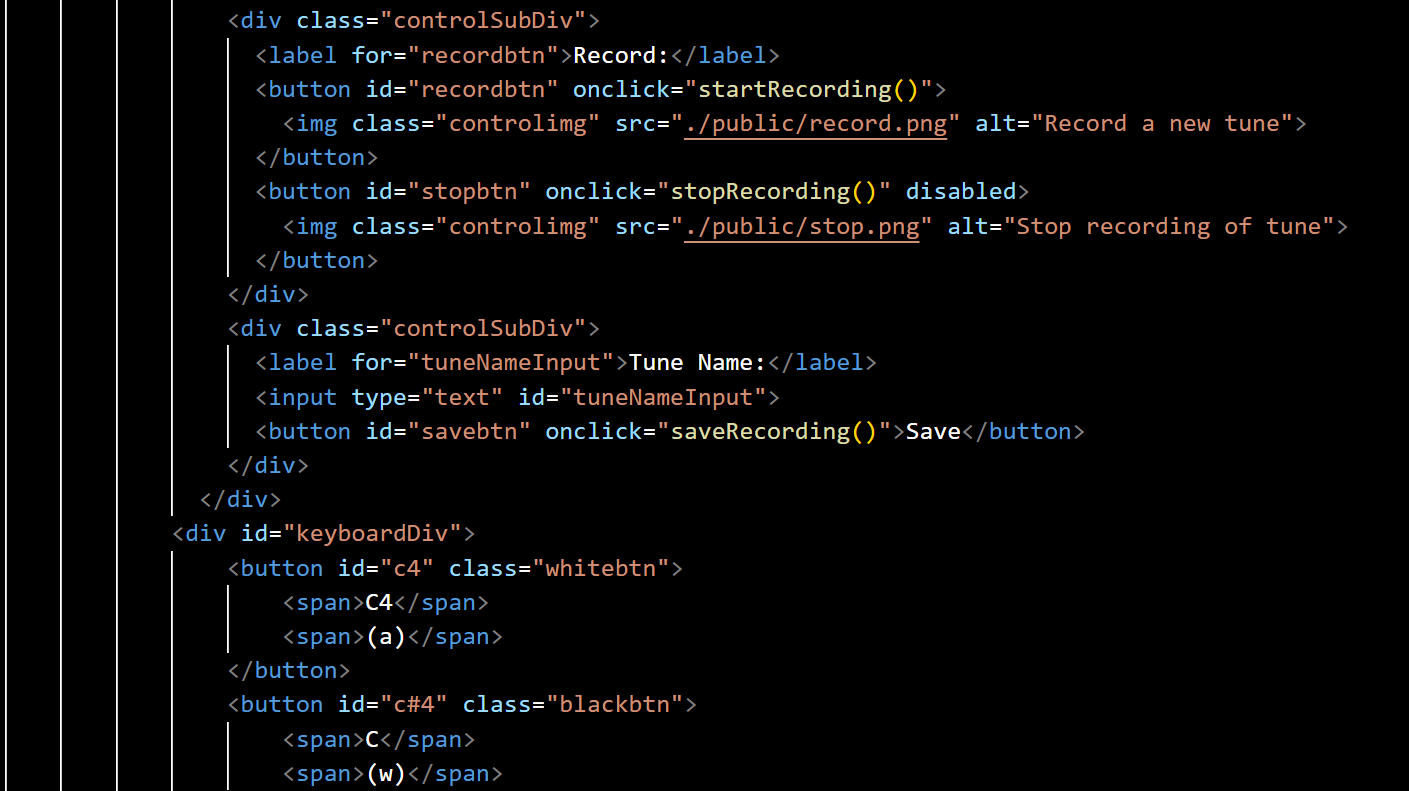
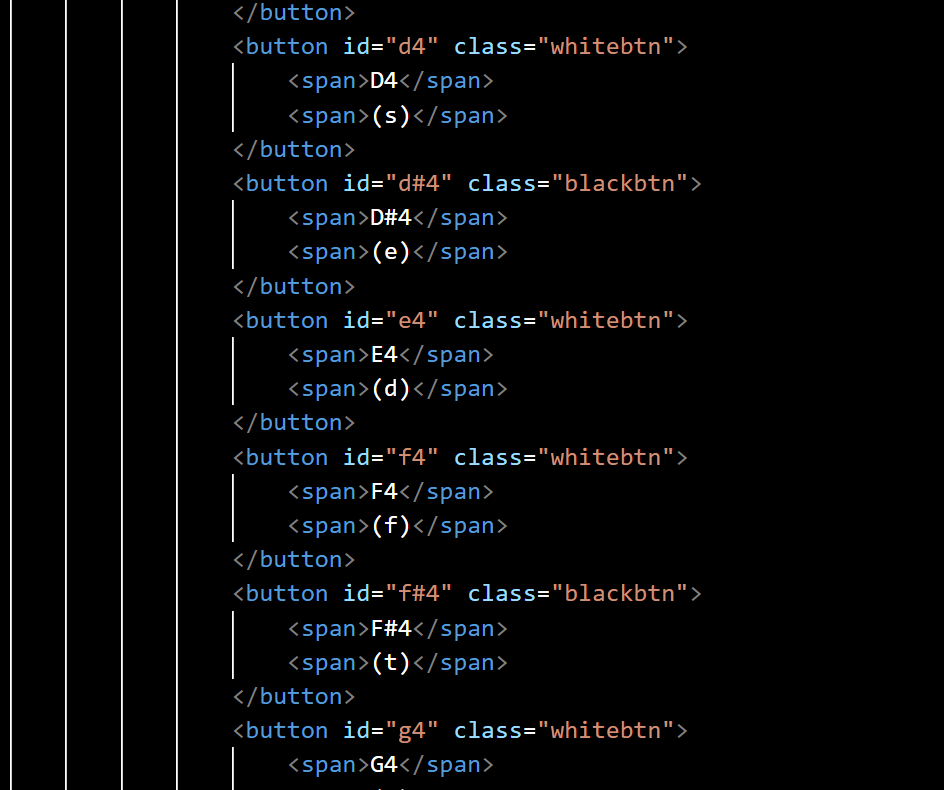
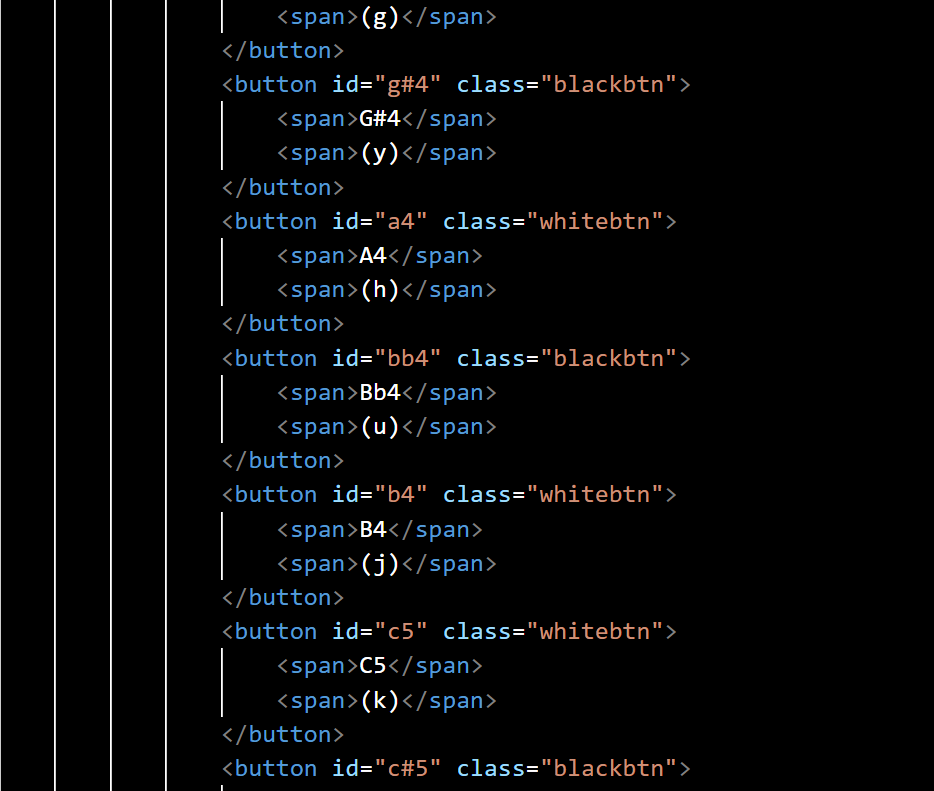
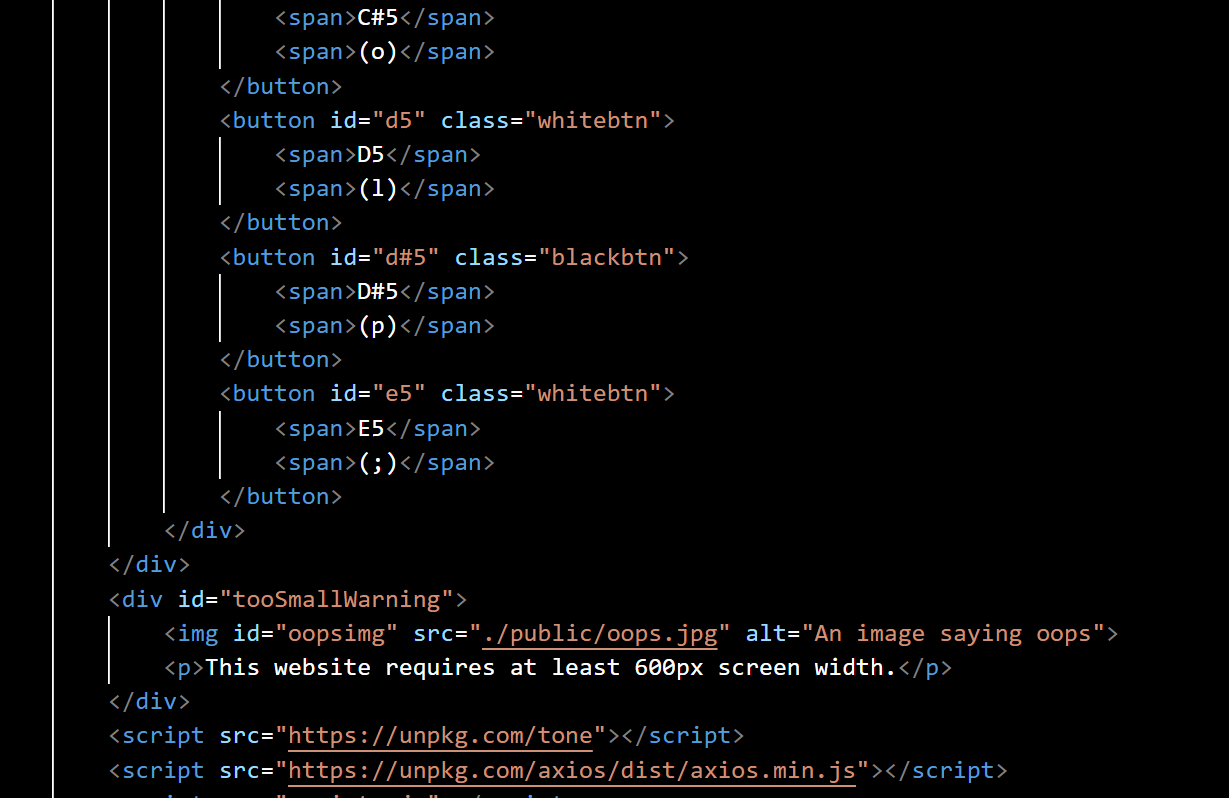
// Define the mappings between keyboard keys and notes
const keyNoteMappings = {
"a": "C4", "w": "C#4", "s": "D4", "e": "D#4", "d": "E4",
"f": "F4", "t": "F#4", "g": "G4", "y": "G#4", "h": "A4",
"u": "Bb4", "j": "B4", "k": "C5", "o": "C#5", "l": "D5",
"p": "D#5", ";": "E5"
};
// Add event listeners to each keyboard key
const keys = document.querySelectorAll(".keyboard button");
keys.forEach(key => {
// When the key is pressed, play the corresponding note
key.addEventListener("mousedown", () => {
const note = keyNoteMappings[key.textContent.trim().toLowerCase()];
synth.triggerAttack(note);
});
// When the key is released, stop playing the note
key.addEventListener("mouseup", () => {
const note = keyNoteMappings[key.textContent.trim().toLowerCase()];
synth.triggerRelease(note);
});
});
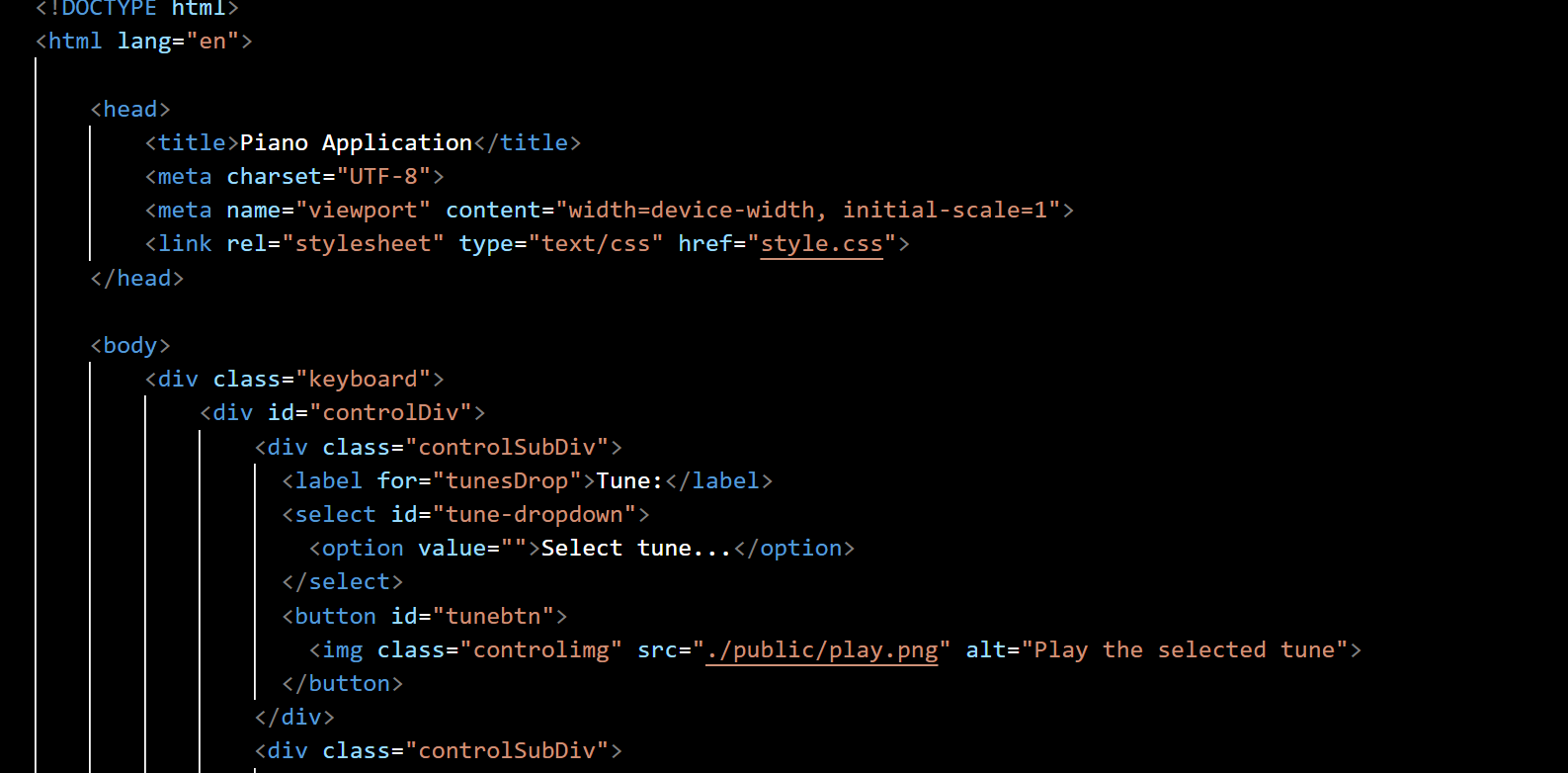
// Get a reference to the tune dropdown, tune button, and recording buttons
const tuneDropdown = document.querySelector("#tune-dropdown");
const tuneButton = document.querySelector("#tunebtn");
const recordButton = document.querySelector("#recordbtn");
const stopButton = document.querySelector("#stopbtn");
const saveButton = document.querySelector("#savebtn");
const tuneNameInput = document.querySelector("#tuneNameInput");
// Load the list of available tunes from the server and populate the dropdown
axios.get("http://localhost:3000/api/v1/tunes/").then(response => {
const tunes = response.data;
tunes.forEach(tune => {
const option = document.createElement("option");
option.value = tune.name;
option.textContent = tune.name;
tuneDropdown.appendChild(option);
});
}).catch(error => {
console.error("Failed to load tunes:", error);
});
// Add a click event listener to the tune button
tuneButton.addEventListener("click", () => {
const selectedTune = tuneDropdown.value;
if (!selectedTune) {
alert("Please select a tune first.");
return;
}
axios.get("http://localhost:3000/api/v1/tunes/${selectedTune}").then(response => {
const tune = response.data;
// Play each note in the tune with a slight delay between them
tune.notes.forEach((note, index) => {
setTimeout(() => {
synth.triggerAttackRelease(note.note, note.duration);
}, index * note.duration);
});
}).catch(error => {
console.error(`Failed to load tune "${selectedTune}":`, error);
});
});
// Define variables for recording a new tune
let recordedNotes = [];
let recordingStartTime = null;
// Define a function for starting a new recording
function startRecording() {
recordedNotes = [];
recordingStartTime = Date.now();
recordButton.disabled = true;
stopButton.disabled = false;
}
// Define a function for stopping a recording
function stopRecording() {
recordButton.disabled = false;
stopButton.disabled = true;
}
// Define a function for saving a recorded tune
function saveRecording() {
const tuneName = tuneNameInput.value;
if (!tuneName) {
alert("Please enter a name for the tune.");
return;
}
const tune = {
name: tuneName,
notes: recordedNotes
};
axios.post("http://localhost:3000/api/v1/tunes/", tune).then(response => {
const option = document.createElement("option");
option.value = tune.name;
option.textContent = tune.name;
tuneDropdown.appendChild(option);
tuneDropdown.value = tune.name;
tuneNameInput.value = "";
alert("Tune saved successfully!");
}).catch(error => {
console.error("Failed to save tune:", error);
});
}
// Add a click event listener to the record button
recordButton.addEventListener("click", () => {
startRecording();
}
);
// Add a click event listener to the stop button
stopButton.addEventListener("click", () => {
stopRecording();
}
);
// Add a click event listener to the save button
saveButton.addEventListener("click", () => {
saveRecording();
}
);
// Add event listeners to each keyboard key
keys.forEach(key => {
// When the key is pressed, play the corresponding note
key.addEventListener("mousedown", () => {
const note = keyNoteMappings[key.textContent.trim().toLowerCase()];
synth.triggerAttack(note);
if (recordingStartTime) {
const noteStartTime = Date.now() - recordingStartTime;
recordedNotes.push({
note: note,
startTime: noteStartTime
});
}
});
// When the key is released, stop playing the note
key.addEventListener("mouseup", () => {
const note = keyNoteMappings[key.textContent.trim().toLowerCase()];
synth.triggerRelease(note);
});
});
});
/html>
Step by Step Solution
There are 3 Steps involved in it

Get step-by-step solutions from verified subject matter experts
 Study Help