







Question: This assignment is designed to introduce you to the MIPS assembly language and the MIPS simulator. It is recommended that you use the MARS simulator
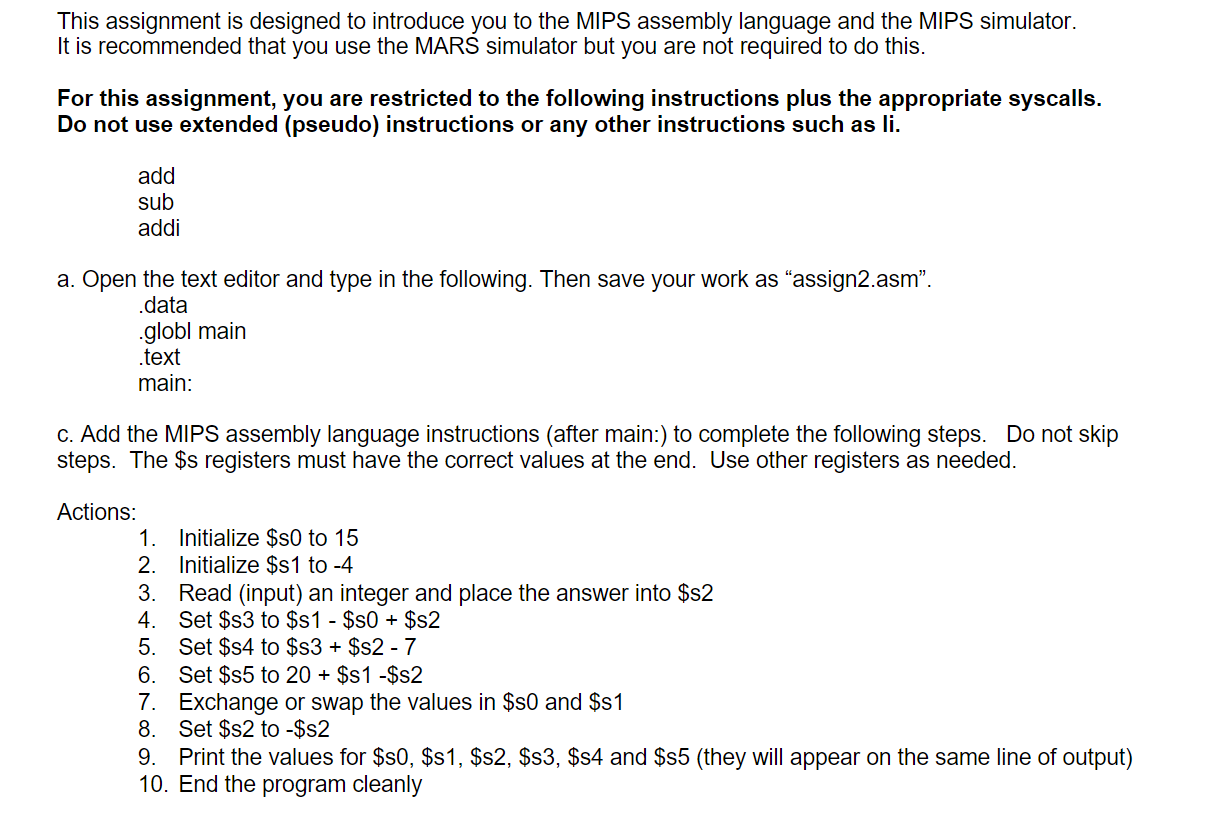
This assignment is designed to introduce you to the MIPS assembly language and the MIPS simulator. It is recommended that you use the MARS simulator but you are not required to do this. For this assignment, you are restricted to the following instructions plus the appropriate syscalls. Do not use extended (pseudo) instructions or any other instructions such as li. add sub addi a. Open the text editor and type in the following. Then save your work as assign2.asm". .data .globl main .text main: c. Add the MIPS assembly language instructions (after main:) to complete the following steps. Do not skip steps. The $s registers must have the correct values at the end. Use other registers as needed. Actions: 1. Initialize $s0 to 15 2. Initialize $1 to -4 3. Read (input) an integer and place the answer into $s2 4. Set $s3 to $s 1 - $50 + $s2 5. Set $s4 to $s3 + $s2 - 7 6. Set $85 to 20 + $S1 -$s2 7. Exchange or swap the values in $80 and $81 8. Set $s2 to -$s2 9. Print the values for $80, $81, $s2, $s3, $s4 and $85 (they will appear on the same line of output) 10. End the program cleanly This assignment is designed to introduce you to the MIPS assembly language and the MIPS simulator. It is recommended that you use the MARS simulator but you are not required to do this. For this assignment, you are restricted to the following instructions plus the appropriate syscalls. Do not use extended (pseudo) instructions or any other instructions such as li. add sub addi a. Open the text editor and type in the following. Then save your work as assign2.asm". .data .globl main .text main: c. Add the MIPS assembly language instructions (after main:) to complete the following steps. Do not skip steps. The $s registers must have the correct values at the end. Use other registers as needed. Actions: 1. Initialize $s0 to 15 2. Initialize $1 to -4 3. Read (input) an integer and place the answer into $s2 4. Set $s3 to $s 1 - $50 + $s2 5. Set $s4 to $s3 + $s2 - 7 6. Set $85 to 20 + $S1 -$s2 7. Exchange or swap the values in $80 and $81 8. Set $s2 to -$s2 9. Print the values for $80, $81, $s2, $s3, $s4 and $85 (they will appear on the same line of output) 10. End the program cleanly
Step by Step Solution
There are 3 Steps involved in it

Get step-by-step solutions from verified subject matter experts
 Study Help