







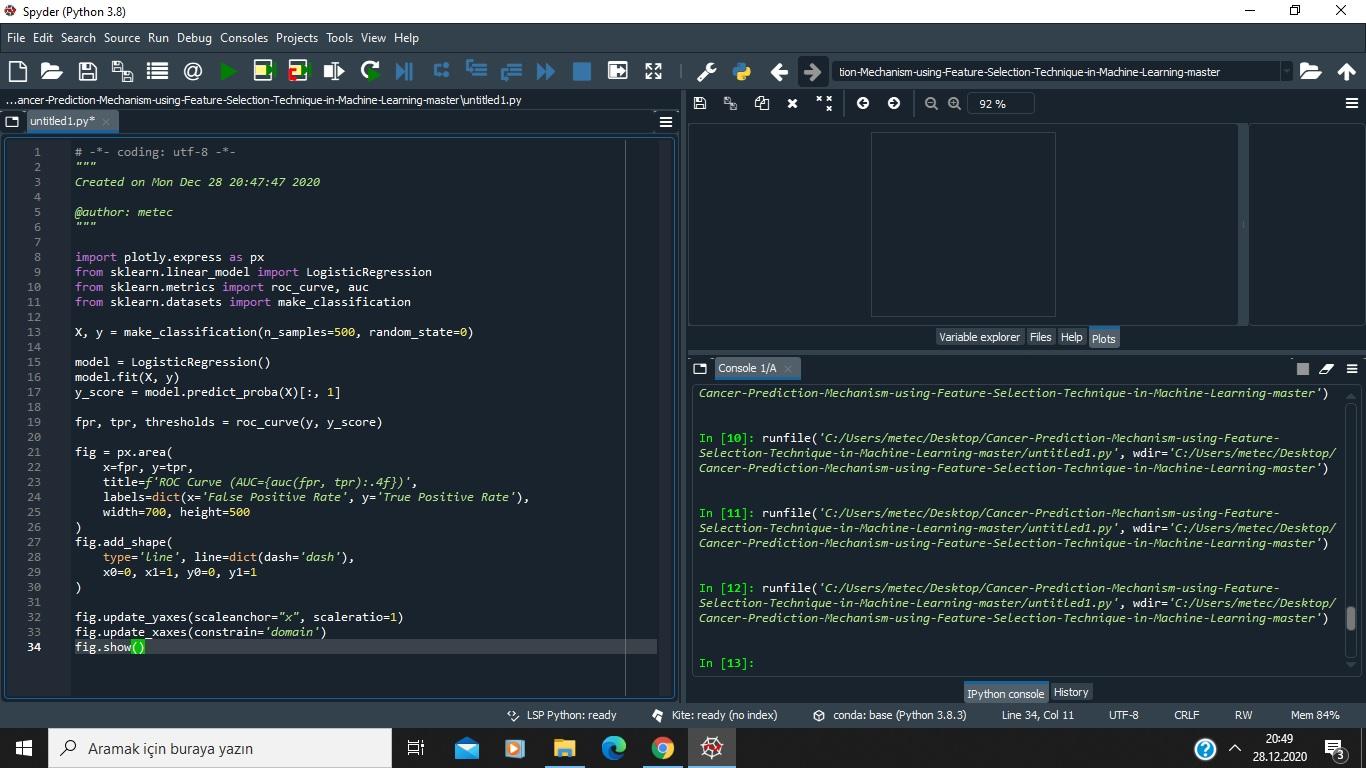
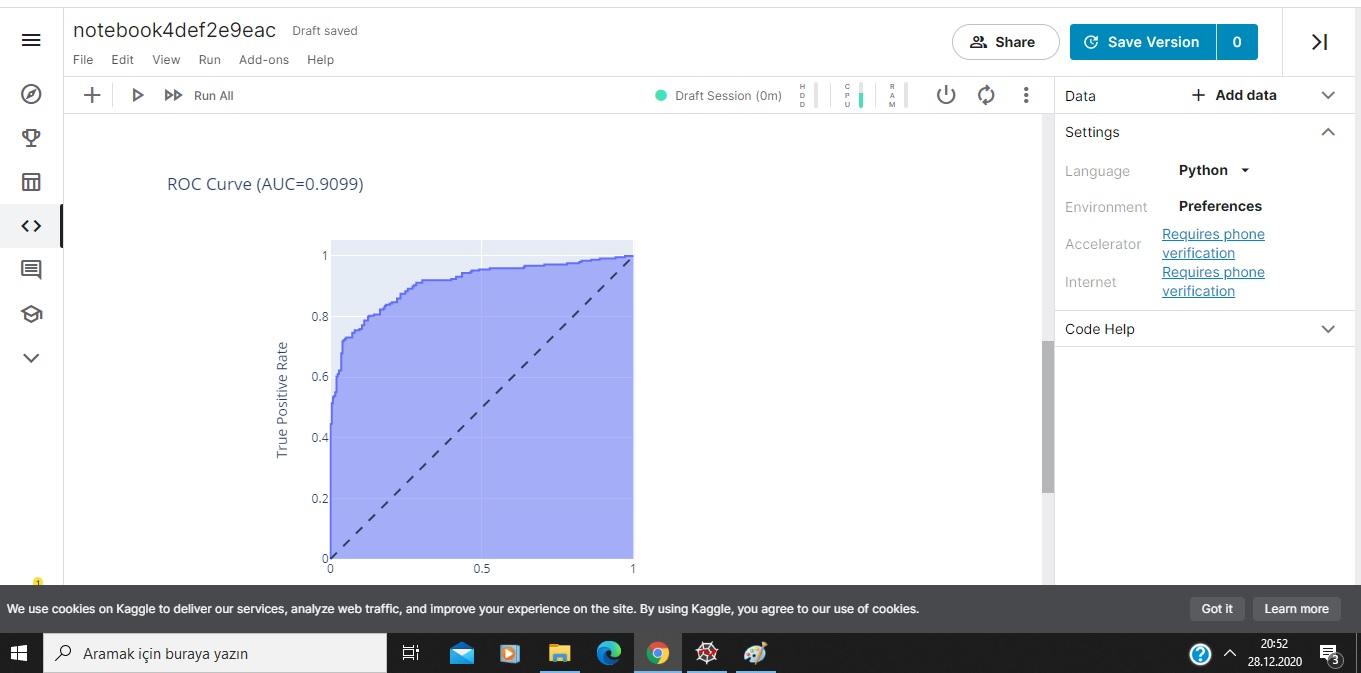
Question: This code block works in kaggle.com but it doesn't work in Spyder. All libraries were uploaded, but it still doesn't work. I don't see the
This code block works in kaggle.com but it doesn't work in Spyder. All libraries were uploaded, but it still doesn't work. I don't see the ROC curve in Sypder. Can you help me, please?
Code block:
import plotly.express as px from sklearn.linear_model import LogisticRegression from sklearn.metrics import roc_curve, auc from sklearn.datasets import make_classification
X, y = make_classification(n_samples=500, random_state=0)
model = LogisticRegression() model.fit(X, y) y_score = model.predict_proba(X)[:, 1]
fpr, tpr, thresholds = roc_curve(y, y_score)
fig = px.area( x=fpr, y=tpr, title=f'ROC Curve (AUC={auc(fpr, tpr):.4f})', labels=dict(x='False Positive Rate', y='True Positive Rate'), width=700, height=500 ) fig.add_shape( type='line', line=dict(dash='dash'), x0=0, x1=1, y0=0, y1=1 )
fig.update_yaxes(scaleanchor="x", scaleratio=1) fig.update_xaxes(constrain='domain') fig.show()
Spyder (Python 3.8) File Edit Search Source Run Debug Consoles Projects Tools View Help NIESE E 5. tion-Mechanism-using Feature Selection-Technique-in-Machine-Learning-master X 6 @ 92 % = ...ancer Prediction-Mechanism-using-Feature-Selection-Technique-in-Machine Learning-master untitled 1.py O untitled 1.py* # -*- coding: utf-8 -*- Created on Mon Dec 28 20:47:47 2020 Gauthor: metec 8 9 10 11 12 13 14 15 16 17 18 19 20 import plotly.express as px from sklearn.linear_model import LogisticRegression from sklearn.metrics import roc_curve, auc from sklearn.datasets import make_classification X, y = make_classification (n_samples=500, random_state=) model - LogisticRegression() model.fit(x, y) y_score = model.predict_proba(X)[:, 1] for, tpr, thresholds = roc_curvely, y_score) Variable explorer Files Help Plots O Console 1/A Cancer-Prediction-Mechanism-using-Feature-Selection-Technique-in-Machine Learning-master') In [10]: runfile('C:/Users/metec/Desktop/Cancer-Prediction-Mechanism-using-Feature- Selection-Technique-in-Machine Learning-master/untitledi.py', wdir='C:/Users/metec/Desktop/ Cancer-Prediction-Mechanism-using-Feature-Selection-Technique-in-Machine-Learning-master') fig = px.area x=fpr, y=tpr, title=f'ROC Curve (AUC={auc(fpr, tpr):.4f})', labels=dict(x='False Positive Rate', y='True Positive Rate'), width=700, height=500 fig.add_shape type='line', line-dict(dash='dash'), x0=0, x1=1, y=0, y1=1 In [11]: runfile('C:/Users/metec/Desktop/Cancer-Prediction-Mechanism-using-Feature- Selection-Technique-in-Machine-Learning-master/untitled1.py', wdir='C:/Users/metec/Desktop/ Cancer-Prediction-Mechanism-using-Feature-Selection-Technique-in-Machine Learning-master') 26 27 28 29 30 31 32 33 34 In [12] : runfile( 'C:/Users/metec/Desktop/Cancer-Prediction-Mechanism-using-Feature- Selection-Technique-in-Machine Learning-master/untitled1.py', wdir='C:/Users/metec/Desktop/ Cancer-Prediction-Mechanism-using-Feature-Selection-Technique-in-Machine Learning-master') fig.update yaxes (scaleanchor="x", scaleratio=1) fig.update_xaxes (constrain='domain') fig.show() In [13]: IPython console History conda: base (Python 3.8.3) Line 34, Col 11 > LSP Python: ready Kite: ready (no index) UTF-8 CRLF RW Mem 84% 20:49 28.12.2020 Aramak iin buraya yazn notebook4def2e9eac Draft saved = Share G Save Version 0 >I File Edit View Run Add-ons Help @ + DD Run All Draft Session (m) : Data + Add data V Settings Language Python ROC Curve (AUC=0.9099) Environment Preferences Accelerator Requires phone verification Requires phone verification Internet a 0.8 Code Help 0.6 True Positive Rate 0.4 0.2 0.5 We use cookies on Kaggle to deliver our services, analyze web traffic, and improve your experience on the site. By using Kaggle, you agree to our use of cookies. Got It Learn more Aramak iin buraya yazn gi ? 20:52 28.12.2020
Step by Step Solution
There are 3 Steps involved in it

Get step-by-step solutions from verified subject matter experts
 Study Help