







Question: This GUI lab focused predominately on working with String Tokenizer (or split) to tokenize and manage string inputs. The application also features more GUI practice.
This GUI lab focused predominately on working with String Tokenizer (or split) to tokenize and manage string inputs. The application also features more GUI practice.
Lab: Design and implement a GUI application with the following characteristics:
A File menu with two options o Clear o Exit A Parse Type menu with four options o A Credit Card RadioButton o An IP Address RadioButton o An Email RadioButton o A Phone Number RadioButton o Select the top one by default (your choice which that is!)
Five labels on the right side, with borders (may have to use .setBorder programmatically) Similar to shown, a panel holding a button and field for parsing tokens and a text area for results (do not allow the user to edit the text area) o Note that the bottom four labels start with the text ---
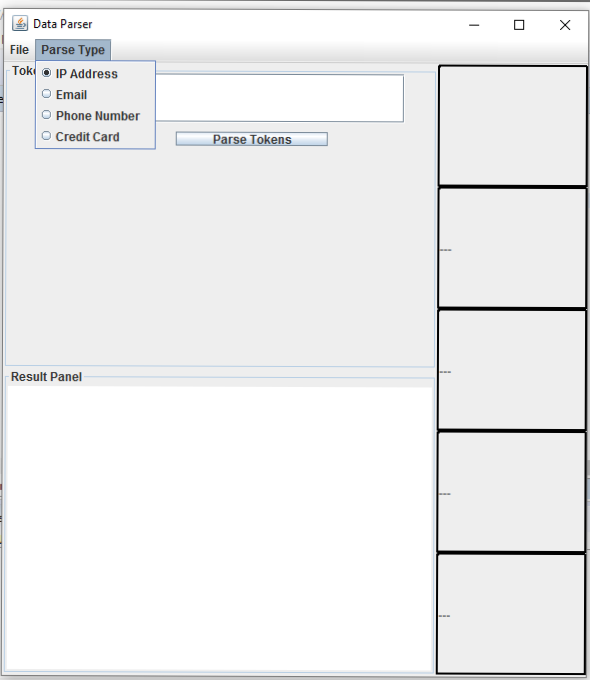
The GUI, with the Parse Type menu open (the obscured title says Token Parser)
The Exit option in the File menu should exit Clear should return the GUI to this state Parse Tokens takes the text in the text field above it and parses, based on the select item in the Parse Type menu o For credit cards, only parse a String that is four #s separated by white space, like 5555 5555 5555 5555 o For phone numbers, only parse a String that is a phone number, like (555)555-5555 o For IP Addresses, only parse a String that is a typical IP. That it #.#.#.#, where the first number has to be 3 digits (as is typical, generally) and the others range from 1 to 3 digits o For email, only parse a String that is an email sample@something.whatever For successful parsing, add a record of the parse to the text area on the bottom half of the GUI, as shown, as well as displaying the parse in the labels. Unusued labels should retain --- For unsuccessful parsing, do NOT add a record of the parse to the text area and display the error in the labels, as shown Also, clear out the text in the text field, to show the input has been, used
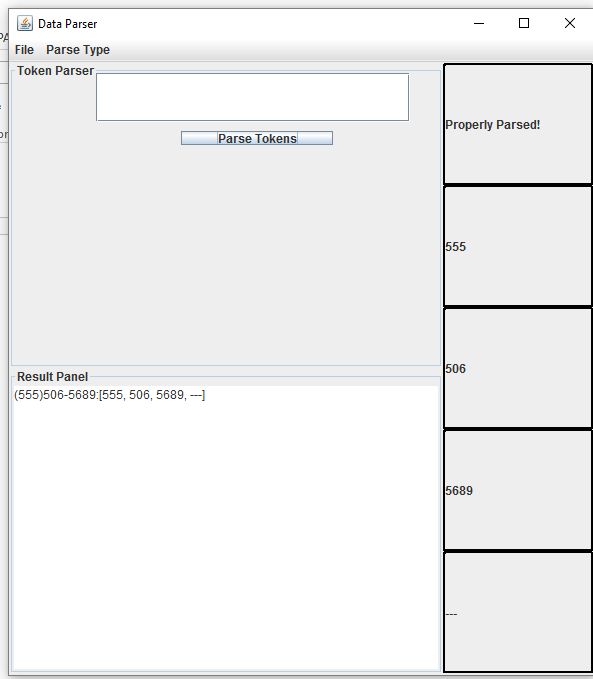
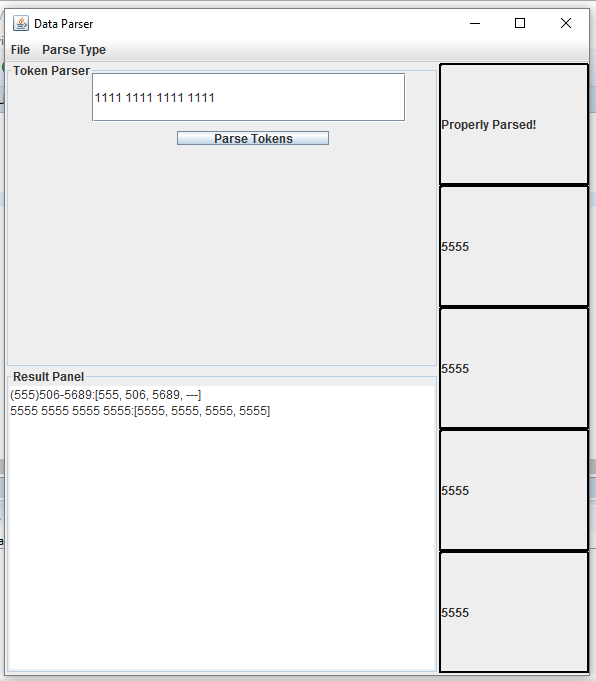 Two successful parses shown above. The 1111 1111 1111 1111 would also parse successfully, but the button hasnt been hit yet
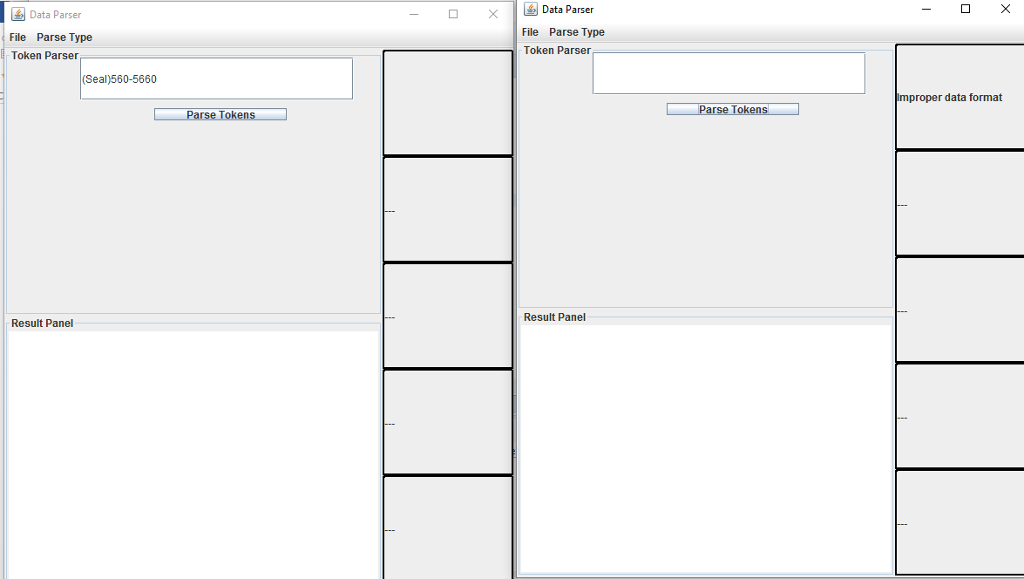
Trying to parse the string (Seal)550-5660 fails and reports the failure on the right hand side.
Data Parser File Parse Type Tok o IP Address O Email O Phone Number O Credit Card Result Panel arse Tokens
Step by Step Solution
There are 3 Steps involved in it

Get step-by-step solutions from verified subject matter experts
 Study Help